9 Best Makeup Apps for Android in 2026
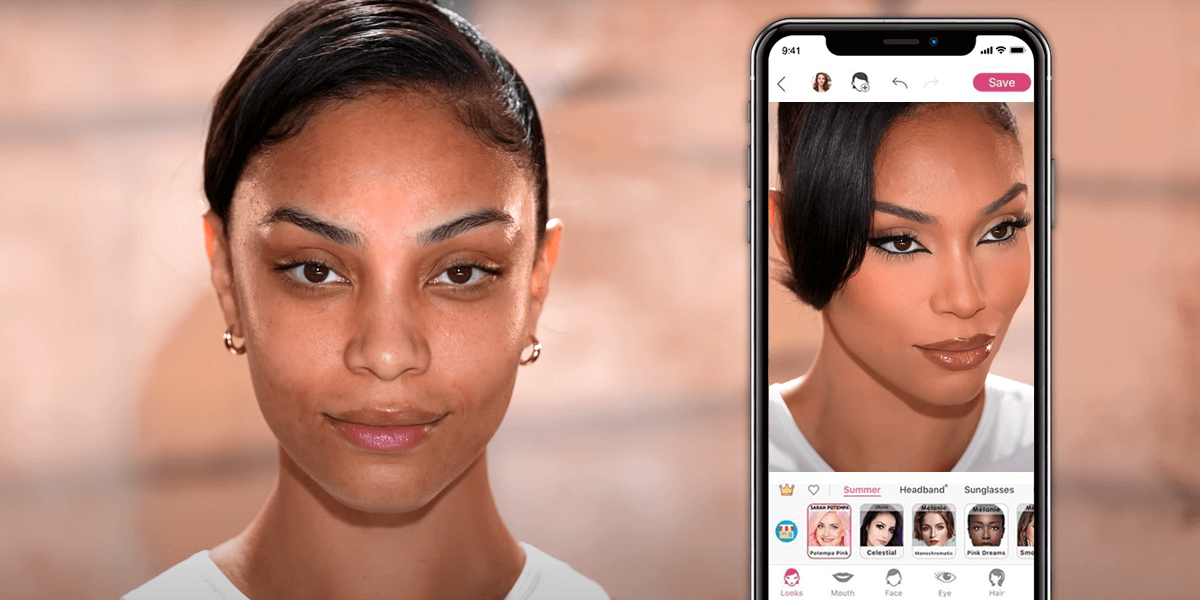
You don’t need strong filters or heavy edits to get great-looking selfies. These makeup apps for Android can help you enhance your photos in just a few clicks. Many of them feature AI tools, while others allow you to change every detail manually, just as a professional would with Photoshop.
1. YouCam Makeup
Real-time virtual try-ons
- Live makeup camera
- Smart AI tools
- Fun and creative features
- Realistic AR filters for makeup
- Can be tricky to learn at first
- Many premium features require in-app purchases
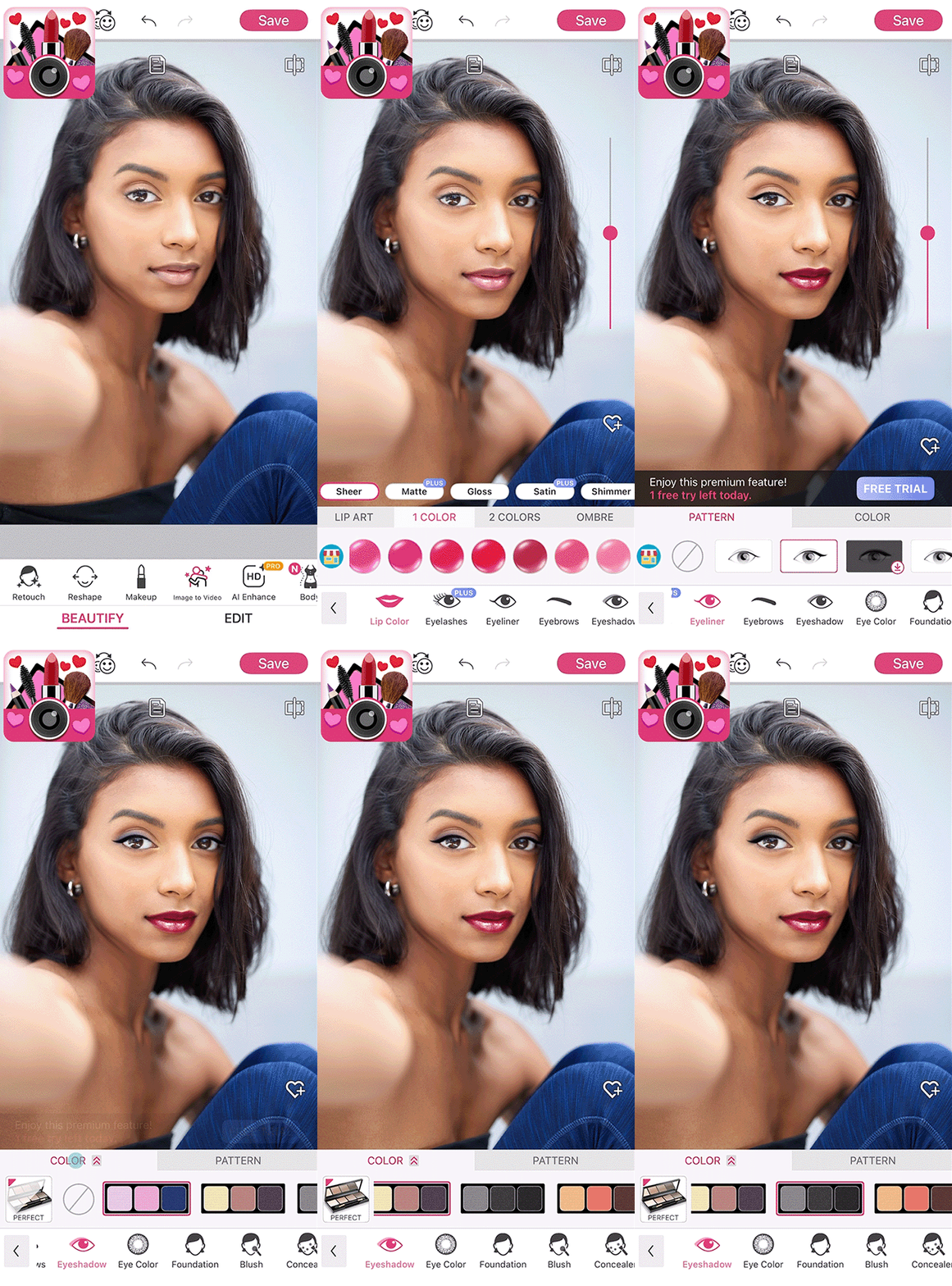
YouCam Makeup is a makeup editing app for Android that has a live makeup camera, where you can see yourself wearing makeup from popular brands in real time. The app uses AR to show makeup on your face, and it looks incredibly natural. This is a perfect app if you want to try out bold looks you don’t usually wear in real life.
The app also has AI selfie tools, which can fix closed eyes, weird facial expressions, and improve photo quality with just a few taps. There’s even a tool to change your hair color, including cool styles like ombré.
2. Fix The Photo: Face, Body Editor
Manual makeup adding
- First photo is free
- Easy to customize
- Excellent for detailed edits
- Few-hours turnaround
- Not for instant edits
- Subscription required
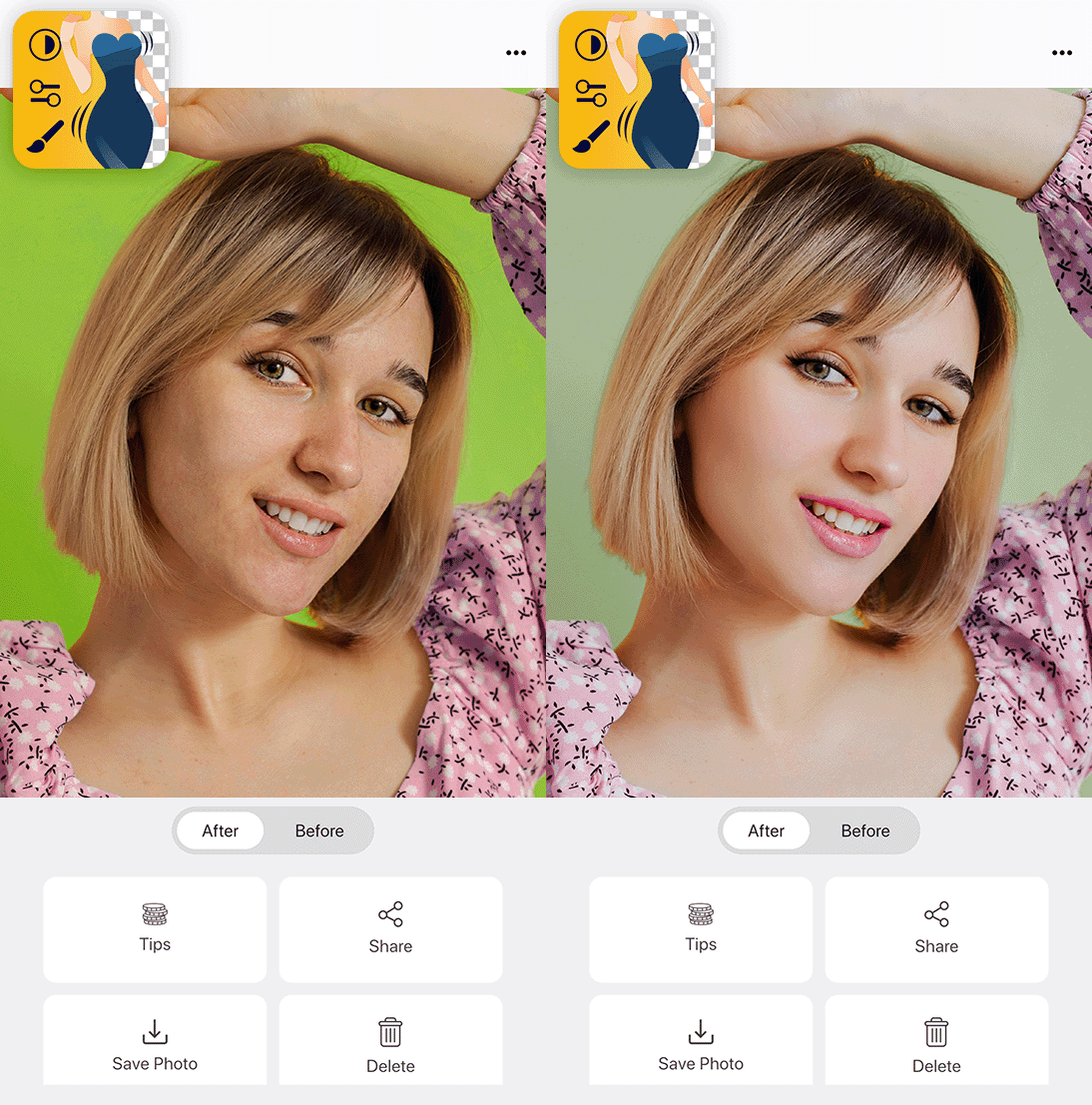
FixThePhoto: Face, Body Editor is different from other makeup photo editing apps because real people edit your photos, not AI. The professional retouchers are available 24/7 and usually finish your edits in just a few hours, which is fast considering how detailed the changes are.
A great thing about this app is that you can tell the editors exactly what you want changed in each photo. Whether it’s a small fix like removing a spot or a full makeover, the results look natural. Since people do the editing manually, you don’t have to worry about weird filters or mistakes that sometimes happen with other Android photo editors.
3. Beauty Makeup Photo Editor
Over 100 filters for makeup
- Extensive makeup tools
- Fun and simple hairstyle changer
- Instant skin perfection
- Not many options for detailed edits
- Some effects look slightly less realistic
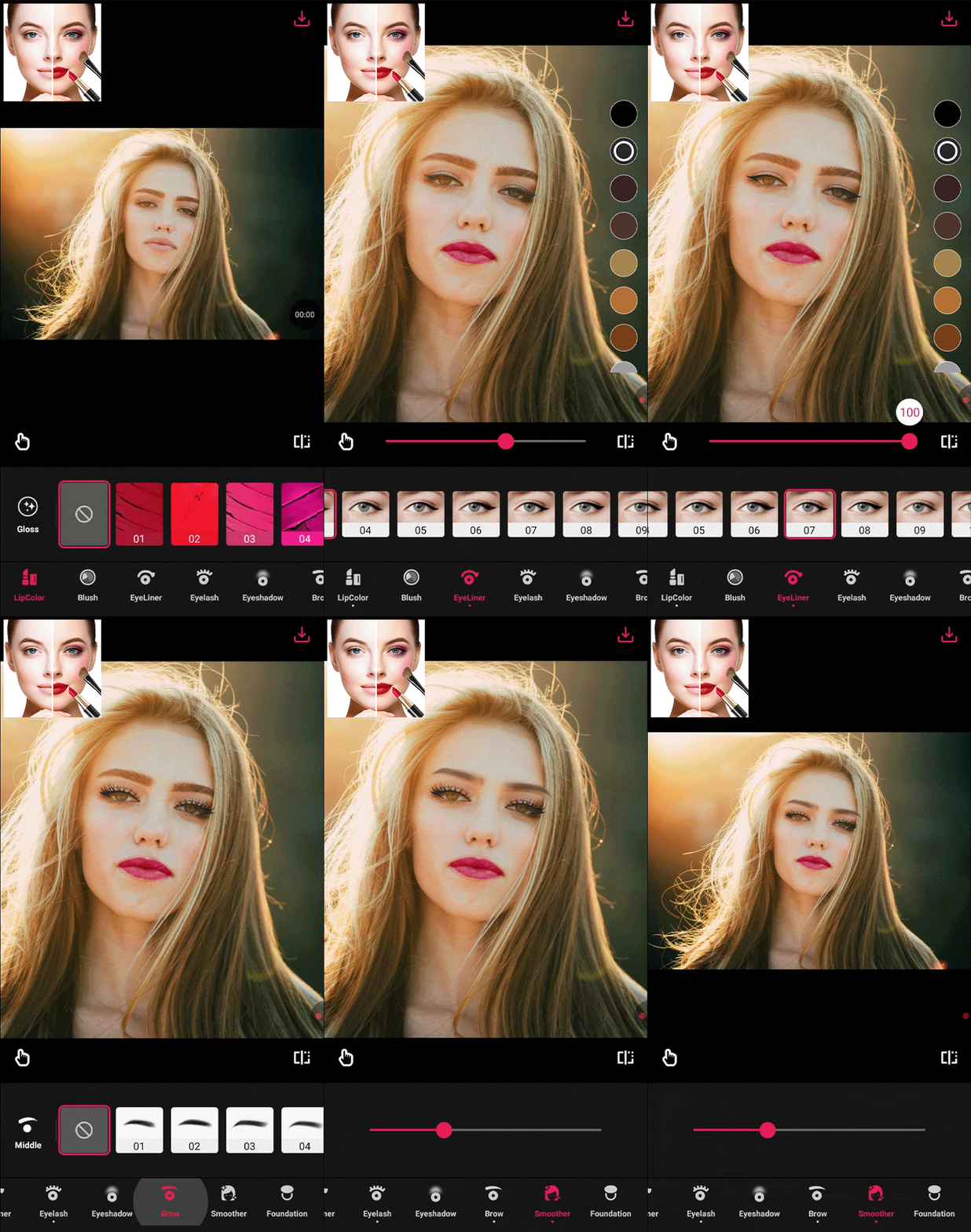
The makeup tools in this app are super detailed. You can add foundation, blush, contour, and more. You can also pick your eyeliner, eyelashes, and eyeshadow, and try out different lip colors, shiny finishes, and eyebrow shapes to get your perfect look.
One of the best parts is how this blemish remover app can fix your skin with just one tap. The acne remover and skin smoother make your face look clean and soft right away.
4. Perfect365 Makeup Photo Editor
Hundreds of makeup styles
- Professional color palette
- Real-time beauty camera
- Makeup tutorials and updates
- Many ready-to-use makeup looks
- Subscription required for premium tools
- Takes a bit of practice for new users
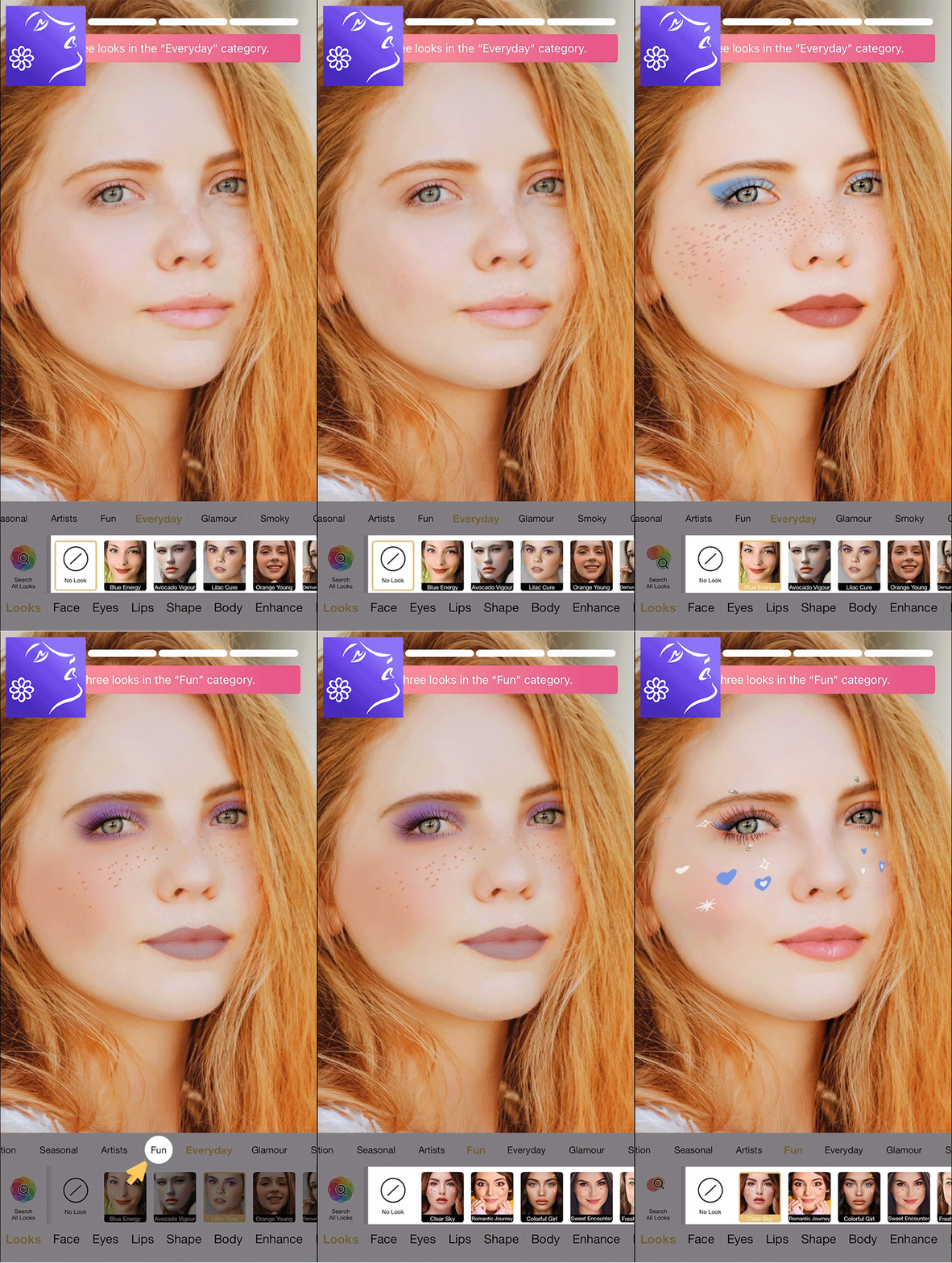
Perfect365 Makeup Photo Editor has a lot of makeup looks you can try. There are more than 200 pre-made Hotstyles created by real makeup artists. These can help you get anything from a fancy look to a soft, natural one with just one tap. You can also use the Pro Color Palette to mix your own makeup colors and create your unique style.
It’s super easy to edit photos too. There are tools to remove blemishes, make your teeth look whiter, and brighten your skin. The app’s smart face detector helps make sure all the makeup is in the right place. If you ever need ideas or help, Perfect365 also gives you makeup tutorials, tips from celebrities, and daily beauty updates, making it a perfect app for Instagram photo editing.
5. MakeupPlus – Virtual Makeup
Ability to virtually try on high-end cosmetics
- Realistic results
- Try and buy beauty products
- Works with both front and back cameras
- Can edit group photos
- Needs a strong device for AR
- In-app purchases
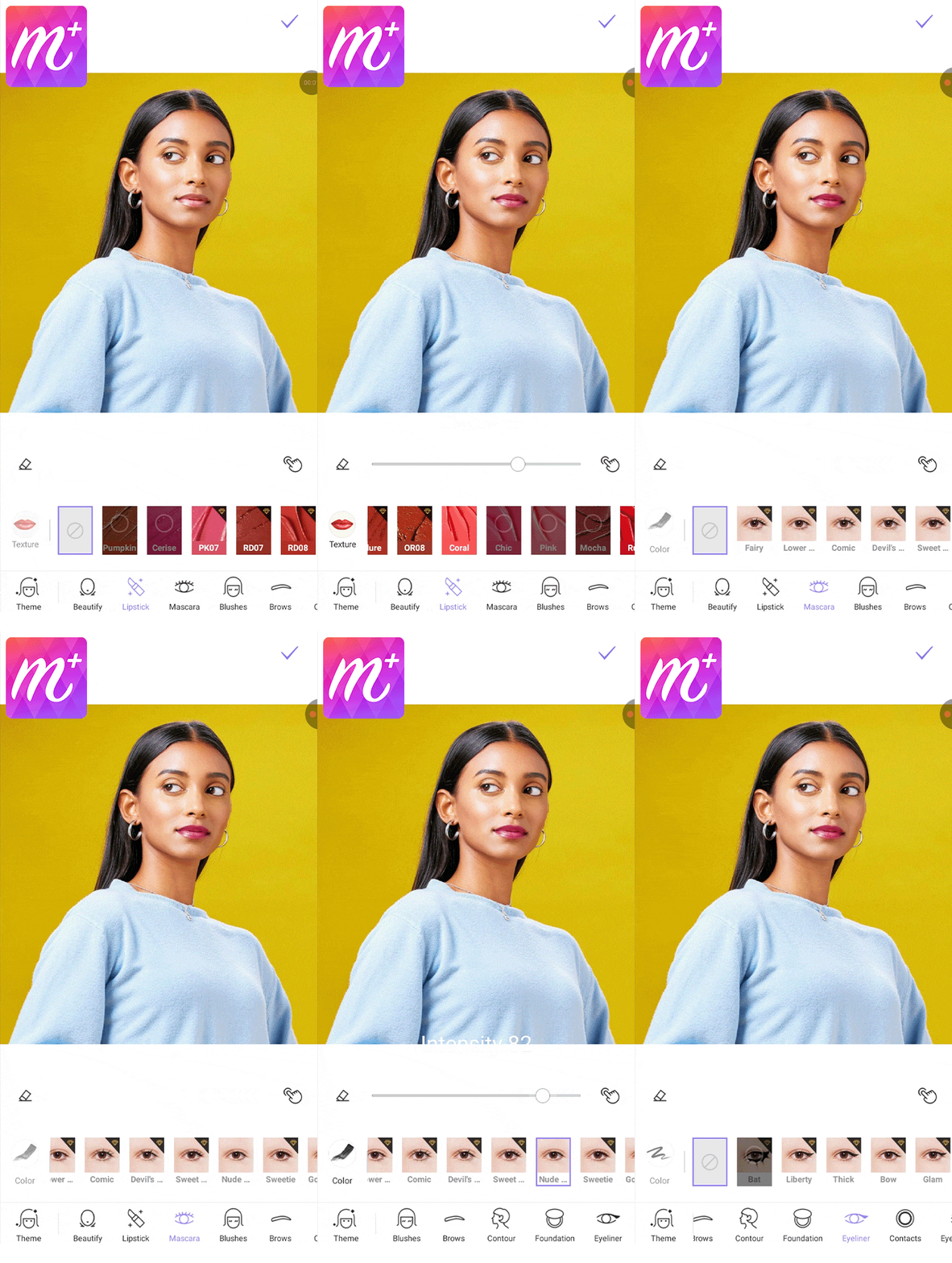
MakeupPlus is a fun makeup app for Android that collaborates with famous beauty stars, including Bretman Rock, NikkieTutorials, and Lisa Eldridge. This means you can try out cool makeup looks made by experts. With the AR camera, you can see yourself wearing makeup along with fun accessories like retro sunglasses or angel halos, helping you find your favorite style.
The COUNTER function makes shopping for makeup easier. You can test products from big brands like Charlotte Tilbury, NARS, and Dior right on your phone. If you like how it looks, you can buy it directly through this bulk image editor app. After finishing your look, it’s easy to share your photos on Instagram, Facebook, or Twitter.
6. YouCam Perfect
A complete set of editing tools
- Versatile makeup and retouching features
- Creative tools like Magic Brush
- Regular updates
- User-friendly interface
- Some advanced features are locked
- Ads in the free version
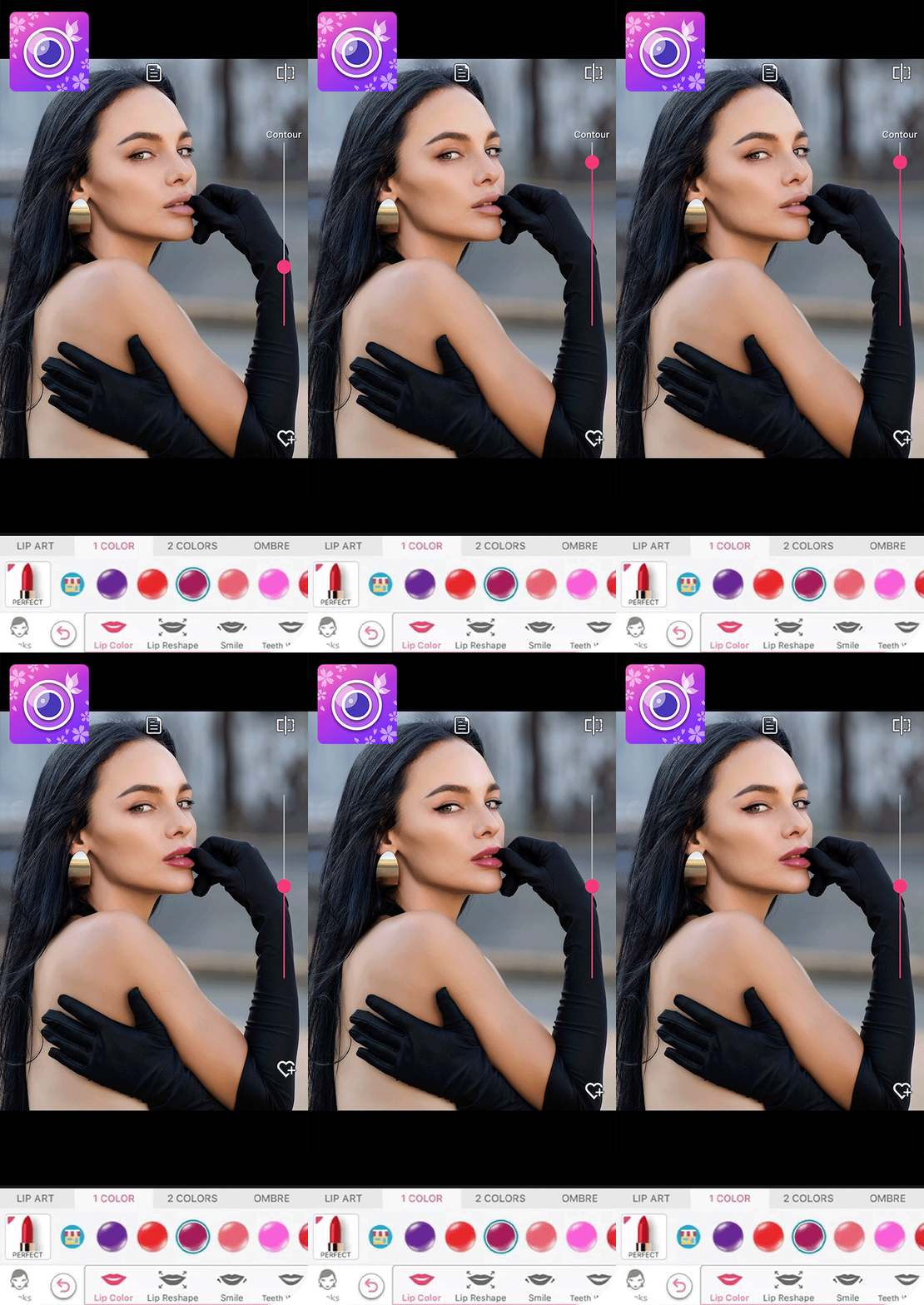
YouCam Perfect is more than just a makeup app. It’s a full photo editor made for Android phones. It uses smart AI tools to remove unwanted objects in the background, extend the background, and enhance the quality of your pictures.
You can use ready-made makeup filters to beautify your selfies. These filters can make small or big changes, depending on what you like. You can also add sparkle filters, animations, and special brush effects to make your photos stand out even more.
7. Facetune
For adding makeup to videos
- Easy filters to use
- AI-powered edits
- Background and light effects
- Different background choices
- Subscription model
- Resource-intensive
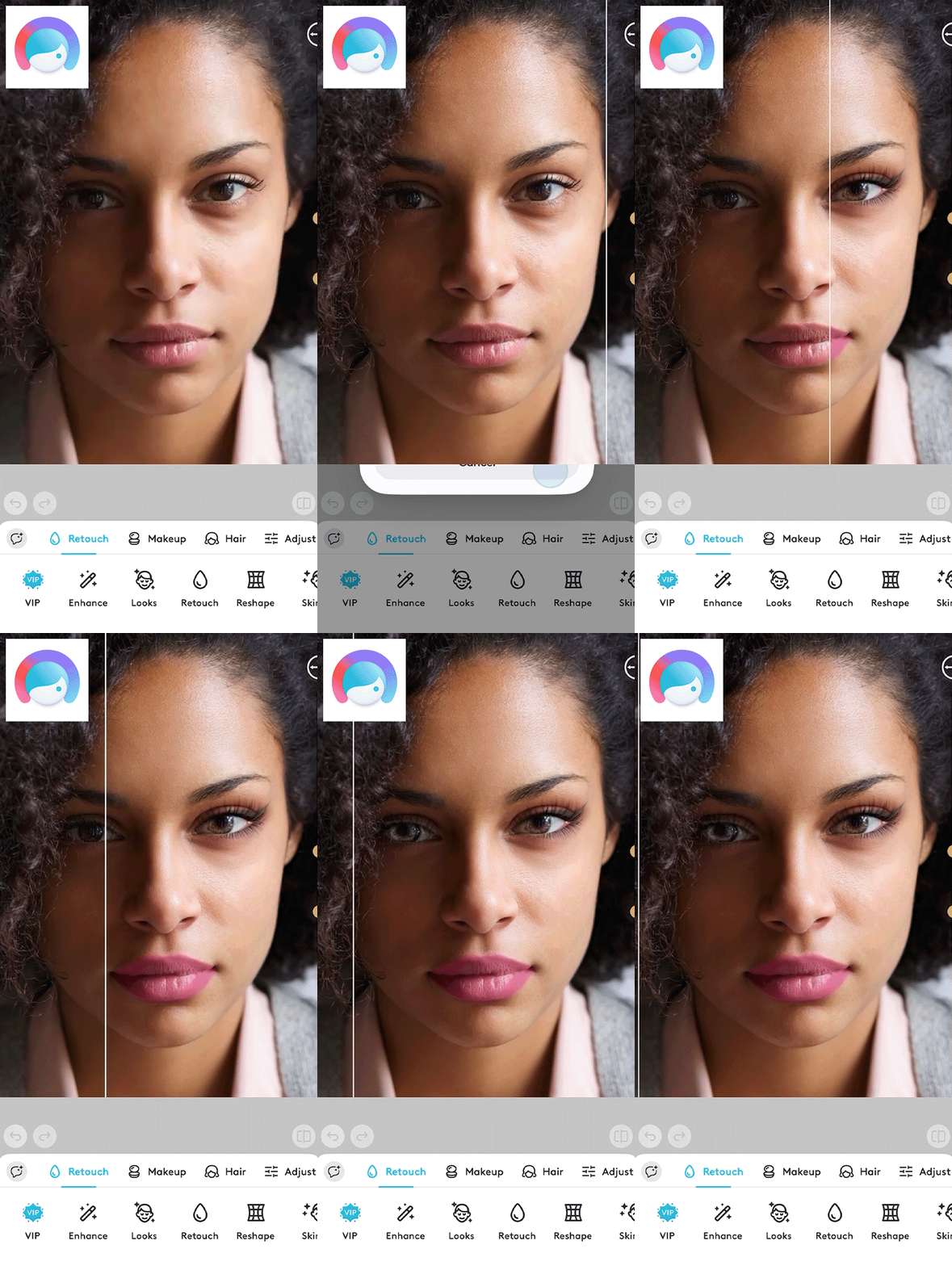
Facetune is another Android makeup photo editor app that lets you try out new hair and eye colors and use makeup filters for soft or bold changes. It also has tools to whiten teeth, smooth skin, and give your face a healthy glow. Plus, you can use its beauty and makeup filters on videos too, making your clips look fantastic for Instagram.
Facetune has both AI and manual tools for editing. You can blur or change backgrounds to make your photo look like it was taken in a studio. It also lets you add light effects to your eyes to make your selfies enchanting.
8. AirBrush
Face sculpting tools
- AI automation
- Extensive feature set
- Various portrait styles
- Modifies facial expressions
- Needs a subscription
- Limited free tools
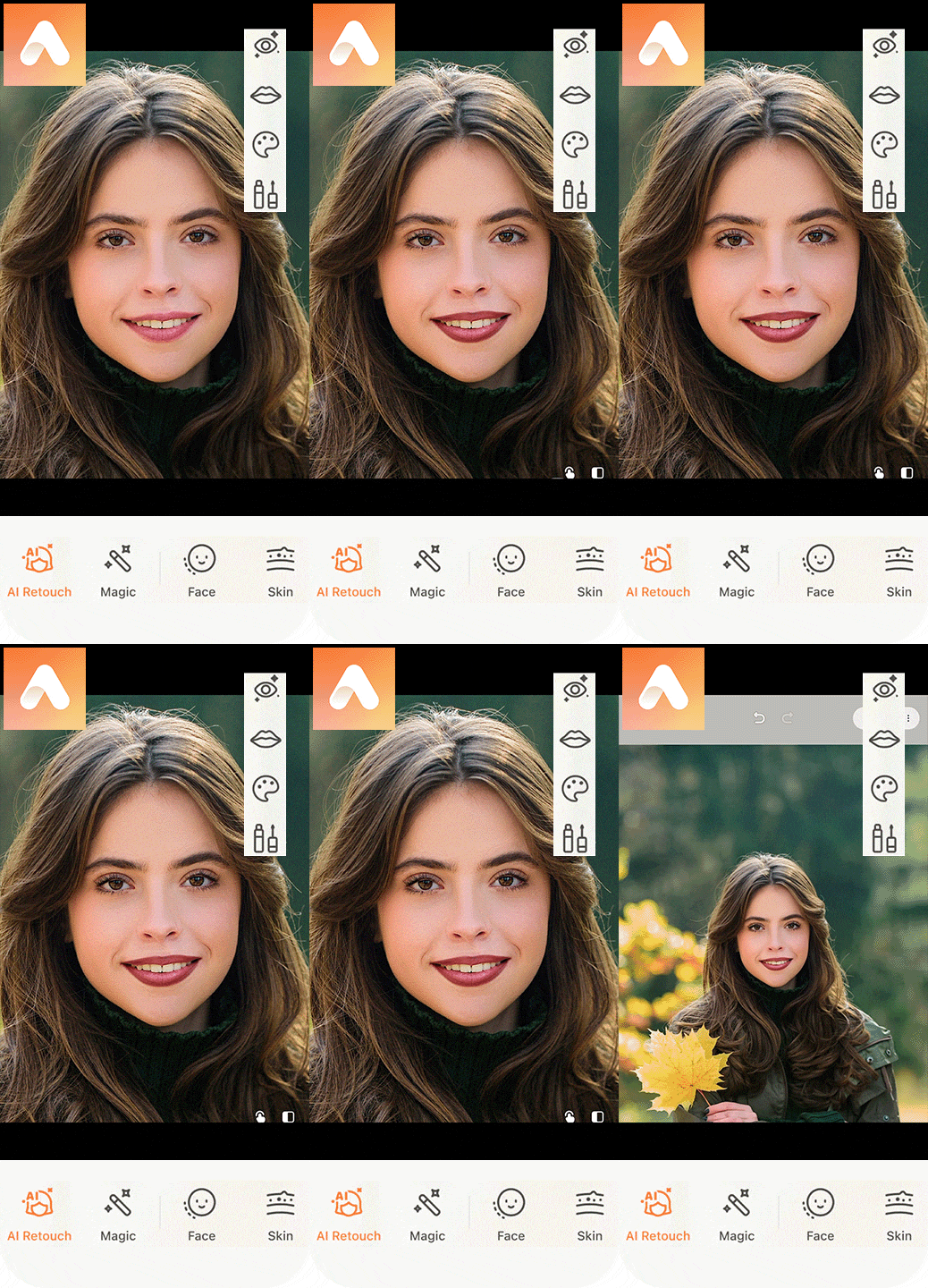
AirBrush is a complex makeup app for Android. It helps you get rid of acne, blemishes, and wrinkles while keeping your skin looking natural. It brings out your best features and helps shape your face easily. With all its tools, it can brighten your eyes, remove dark circles, and make your smile shine. AirBrush is good if you like simple and natural-looking makeup for eyebrows, lips, and more.
You can also use this app to make your photos more creative with artistic filters and effects. You can change your facial expression, like turning a neutral face into a smiling one. You can try out different creative self-portrait ideas to see what looks best on you.
9. Meitu
Allows you to adjust facial proportions
- Advanced AI options
- Face and body transformation tools
- Video beautification
- DIY filters
- Can be slow or glitchy
- Free version adds watermarks
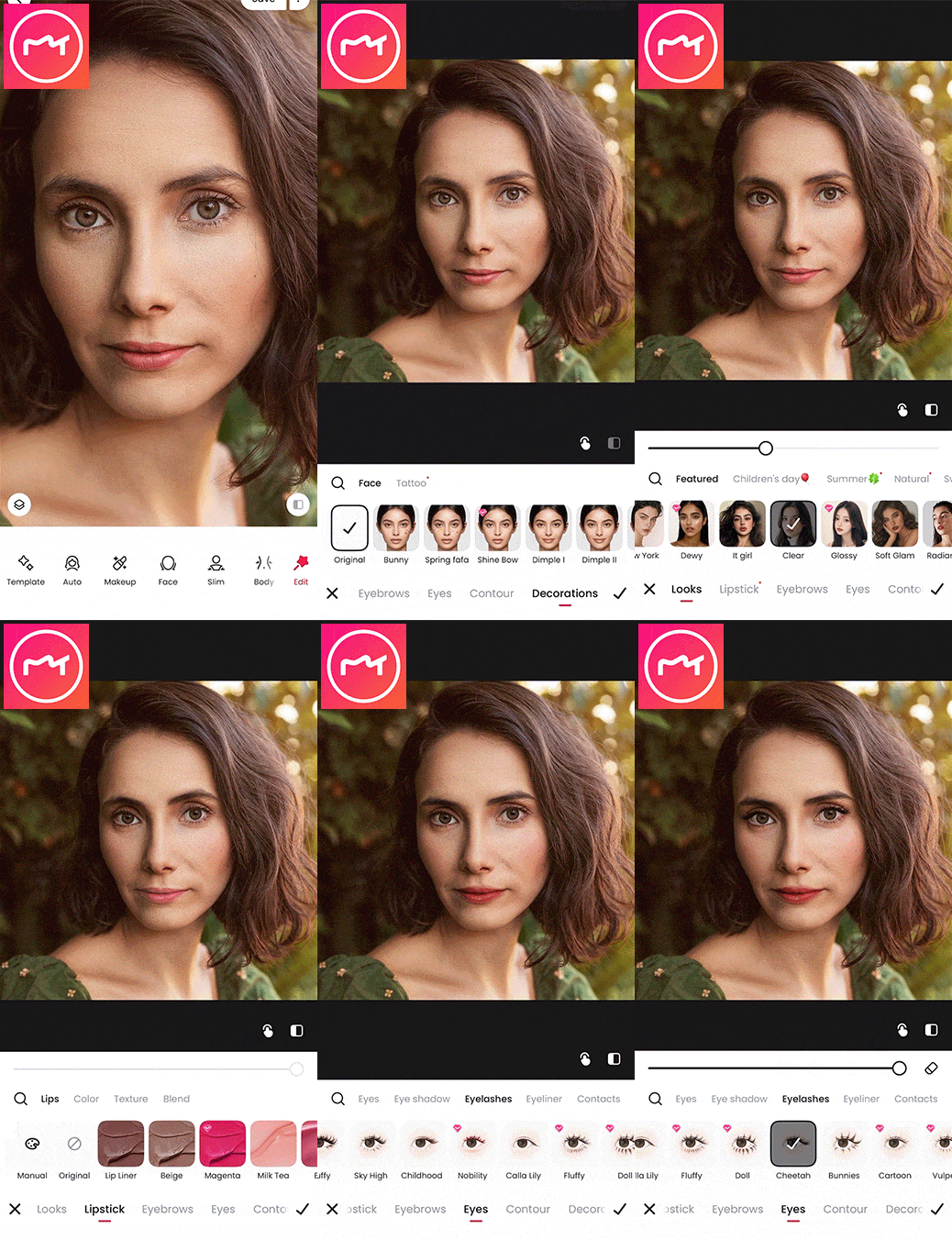
Meitu is a fun app that lets you try different makeup looks on your photos. You can choose from lots of filters to add things like lipstick, eyeshadow, and blush. You can also make small changes to your makeup to match your style.
You can make your photos more exciting by implementing various photo ideas for Instagram or adding animated effects and overlays. Meitu is one of the top Android apps for virtual makeup because it also lets you change the shape of your face and body naturally. Also, you can decorate your photos with stickers, picture frames, and words or quotes.






