11 Best Apps for Product Photography [Ecommerce-Ready Results]
High-quality visuals are essential when working with online stores and product content. On platforms like Instagram, websites, and marketplaces, strong photos can influence whether a customer notices a product or moves on. That’s why I began looking for the best app for product photography.
As a photographer and retoucher, I typically depend on studio lighting and desktop editing software to achieve clean, professional results. However, not everyone has access to that kind of equipment, and sometimes a quick mobile solution is necessary. The challenge is that many apps tend to over-edit images, shift colors, or lose key details such as texture and sharpness.
So, I set out to answer a simple question: can mobile apps really produce professional-looking product photos, or do they still lag behind traditional tools? To find out, I tested a wide range of product photography apps, focusing on features such as background removal, lighting control, and color accuracy. From there, I created a shortlist of tools that deliver clean, realistic, and conversion-ready results.
Is It Really Possible to Edit Product Photos on a Phone?
Yes, it’s completely possible to create quality product photos using just one mobile app – without professional gear, extra accessories, studio lighting, or props. The key factor is how effectively you use the tools that are already available.
Modern mobile product photography apps include advanced tools such as exposure control, background editing, color correction, and AI-powered enhancements. When these features are combined with simple techniques – like using natural light near a window, selecting a plain background, and keeping the camera stable – you can achieve impressively high-quality results.
That said, an app by itself isn’t a magic fix. The final result still depends on your composition skills, attention to small details, and consistency. Even without professional equipment, elements such as light direction, shadows, and shooting angles make a significant difference.
In short, a single well-chosen app can be enough to create attractive product photos, especially for online stores or social media. However, the true difference comes not from the app itself, but from how well you understand and apply basic photography principles.
1. Adobe Lightroom
Works with RAW files
- Strong color adjustment tools
- High-quality professional presets
- Syncs across multiple devices
- Fine control over exposure and details
- Subscription required
- Can be challenging for beginners at first
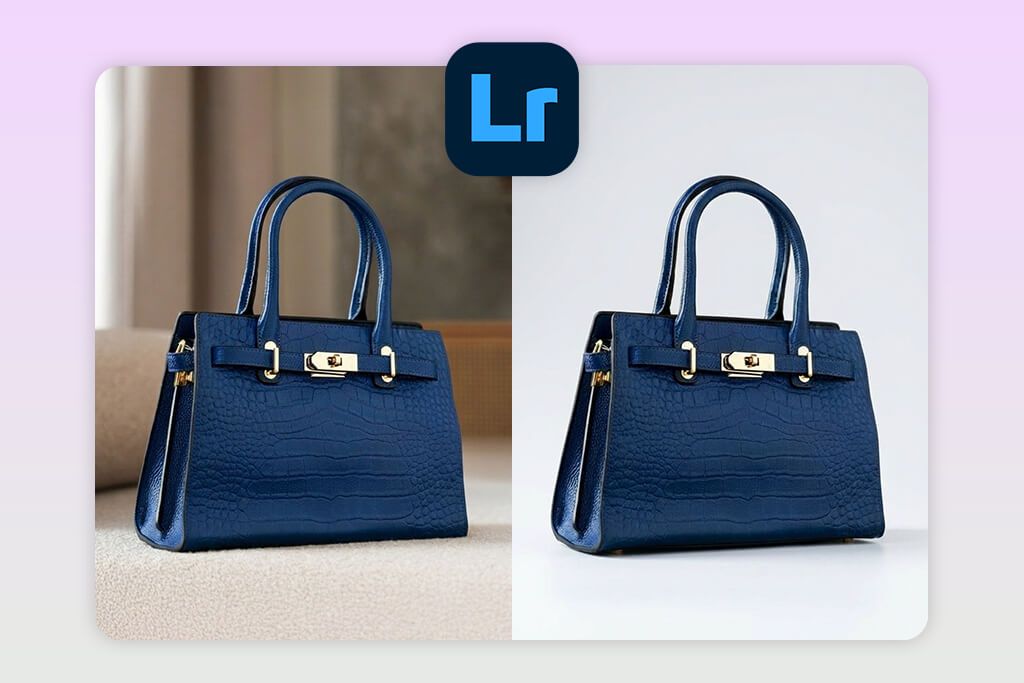
Unlike many product photography apps for Android that depend mainly on presets and filters, Adobe Lightroom provides a level of control similar to professional desktop software. To test it, I imported a product photo and began working in the “Light” panel, adjusting Exposure, Contrast, Highlights, and Shadows to balance the image.
One feature that really stands out is Color Mix (HSL). I used it to fine-tune individual product colors, which is especially important for maintaining accuracy in online stores. For instance, I could adjust only reds or blues without changing the rest of the image. I also tried the “White Balance Selector”, which helped remove unwanted color tints caused by indoor lighting.
To improve the final look, I used “Selective Adjustments” (Masking) to brighten the product while keeping the background slightly dimmer, which added a refined, professional feel. I also relied on the “Healing Brush” to remove dust and small imperfections, though it required precise handling.
I also make extensive use of Presets in this free Adobe app, especially when working with multiple product images. After creating a consistent style, I could apply the same look to an entire batch, which saved a significant amount of time.
Lightroom offers a free version, with advanced tools unlocked through a subscription starting at roughly $4.99/month. The results were clean and realistic, avoiding the artificial look often seen in other apps.
2. PhotoRoom
Quick product cutouts
- Pre-designed product templates
- Supports batch processing
- AI-created backgrounds
- One-tap background removal
- Free version adds watermark
- Few manual controls
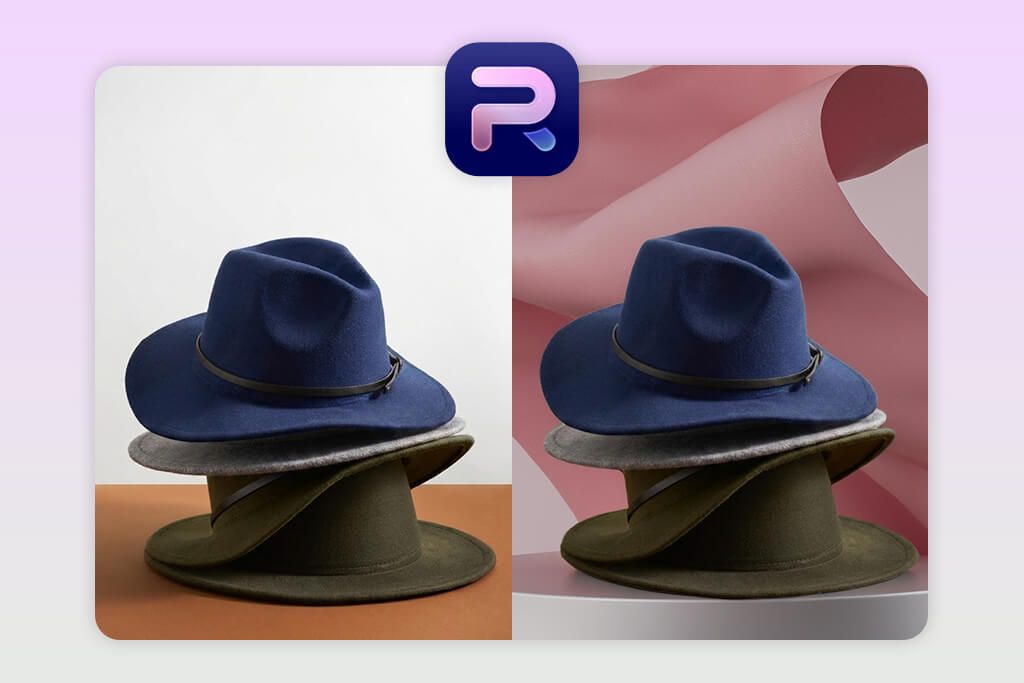
To test PhotoRoom, I uploaded a product photo and applied the “Remove Background” feature. Within seconds, the app accurately detected the object. Unlike many traditional editors, it’s clearly optimized for product and e-commerce workflows.
What stood out most was the level of automation this AI app for product images
provides. The “Instant Backgrounds” and “Templates” made it easy to place my product into clean, professional-looking scenes within seconds. I also tried the “Instant Shadows” feature, which automatically created natural-looking shadows under the object, helping it look naturally grounded instead of floating.
When editing multiple product photos, “Batch Mode” made the process much easier. In this bulk image editor, I used it to apply identical backgrounds and styles to every image, keeping the catalog visually consistent.
The app also includes a “Retouch” tool for small fixes, although it isn’t as precise as Lightroom. Even so, it works well for fast edits and creating images that are ready for e-commerce use.
PhotoRoom includes a free tier, while the Pro plan (around $9.99/month) unlocks HD downloads and full template features. With these tools, the final images looked clean and ready for use on platforms like Shopify or Amazon.
3. Fix The Photo Body Editor & Tune
Manual editing by experts

- Auto-adjustment features
- Quick processing speed
- AI-powered enhancements
- Easy-to-use interface
- Few tools for precise edits
Unlike most apps that depend entirely on AI automation, FixThePhoto Body Editor & Tune connects users with real professional retouchers. To evaluate the service, I sent in a product photo and submitted a personalized editing request through the manual correction section.
What stood out most was the option to provide highly detailed instructions, such as asking to eliminate glare, balance the lighting, refine surface details, or give the product a more premium appearance. A professional editor completed the request, and the finished image was delivered within a few hours.
The original texture was carefully preserved while the overall appearance was improved, resulting in a very natural look. There were no overly softened areas, sharp artificial edges, or typical automated editing errors – an essential factor for product images.
AI product photography apps often lack the same level of adaptability. With this service, I could request anything from minor refinements to more advanced modifications, with each change adjusted to my exact requirements.
The service charges per image, with the first edit offered for free as a trial. The delivered file was in high resolution, making it suitable for professional use.
4. InShot
Exports optimized for social media

- Ideal for product video edits
- Runs smoothly on mobile
- Simple cutting and formatting tools
- User-friendly interface
- A few features for photo editing
- Free version adds a watermark
Unlike more advanced editing tools, InShot is an app that photographers use for its speed and ease of use. I loaded a product photo and used the Adjust feature to quickly modify brightness, contrast, and saturation.
One of the most helpful tools is “Canvas”, which lets me quickly resize images to fit different platforms such as Instagram, TikTok, or online stores. I also experimented with “Filters”, but found that applying them sparingly works best for product photography.
The “Sharpness” control was helpful for lightly improving fine details, although it isn’t as advanced as professional-grade tools. The interface is also very intuitive, making it a great choice for quick edits while on the go.
However, it doesn’t include advanced tools such as detailed color correction or precise retouching. It works best for basic adjustments and getting images ready for social media. A free product photo editor app contains ads, while the Pro version costs around $3.99 per month.
5. Canva
Ideal for product marketing images
- Simple drag-and-drop editing
- Large collection of templates
- Integrated background removal
- Quick design process
- Limited advanced editing tools
- Not suitable for RAW file editing
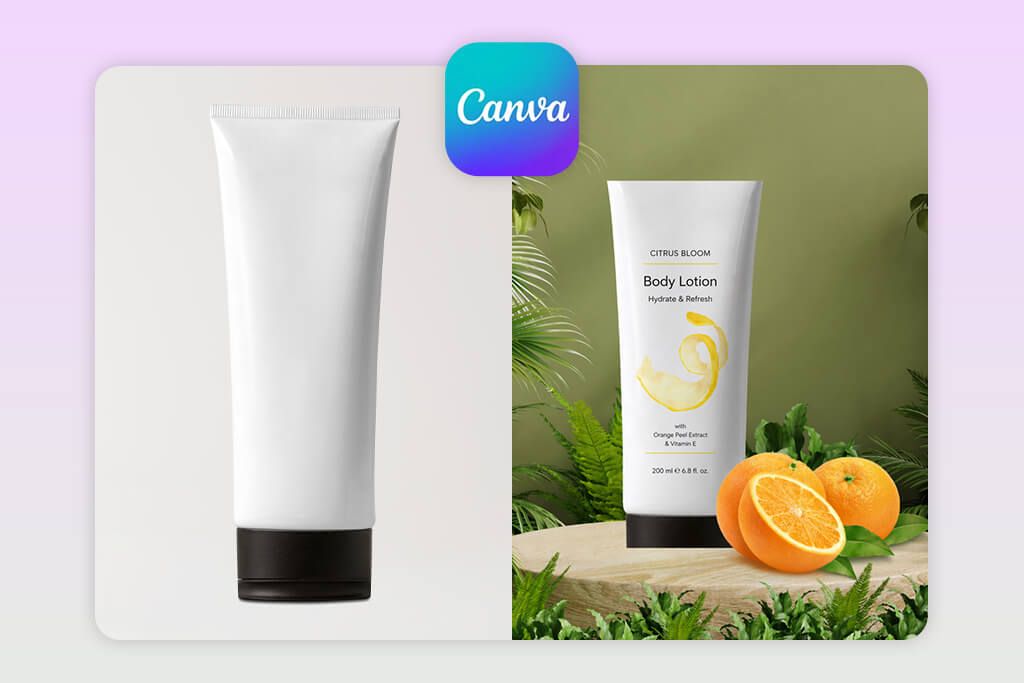
Since I needed a reliable background removal tool, I uploaded a product image into Canva and selected “Edit Image” → “Background Remover”. The tool performed surprisingly well, especially with simple product shapes that had clean, defined edges.
After clearing the background in Canva, I tested the “Shadows” settings, including Drop, Glow, and Perspective, to give the product a more natural placement. The Effects panel also helped improve sharpness and clarity slightly. Overall, its full design ecosystem is what truly sets Canva apart, even if its editing tools aren’t as advanced as dedicated photo software.
Next, I inserted the product into a ready-made template, which is where Canva really stands out. Rather than only editing a photo, I could quickly build a complete product ad with text, layout, and branding elements included. The “Brand Kit” feature was especially helpful, allowing me to store brand colors, fonts, and logos so every design stayed consistent with minimal effort.
Creating content for multiple platforms became much easier thanks to “Magic Resize,” which quickly adapts designs to formats like Instagram posts, stories, and banners. The free version covers most basic needs, while Canva Pro (about $12.99/month) provides access to advanced tools such as background removal, premium templates, Brand Kit, and resizing options.
6. DoMyShoot
Auto-enhance tools for product photos
- Beginner-friendly tools
- AI-powered background removal
- Optimized for mobile use
- Step-by-step shooting guidance
- Not suited for advanced users
- Limited customization options
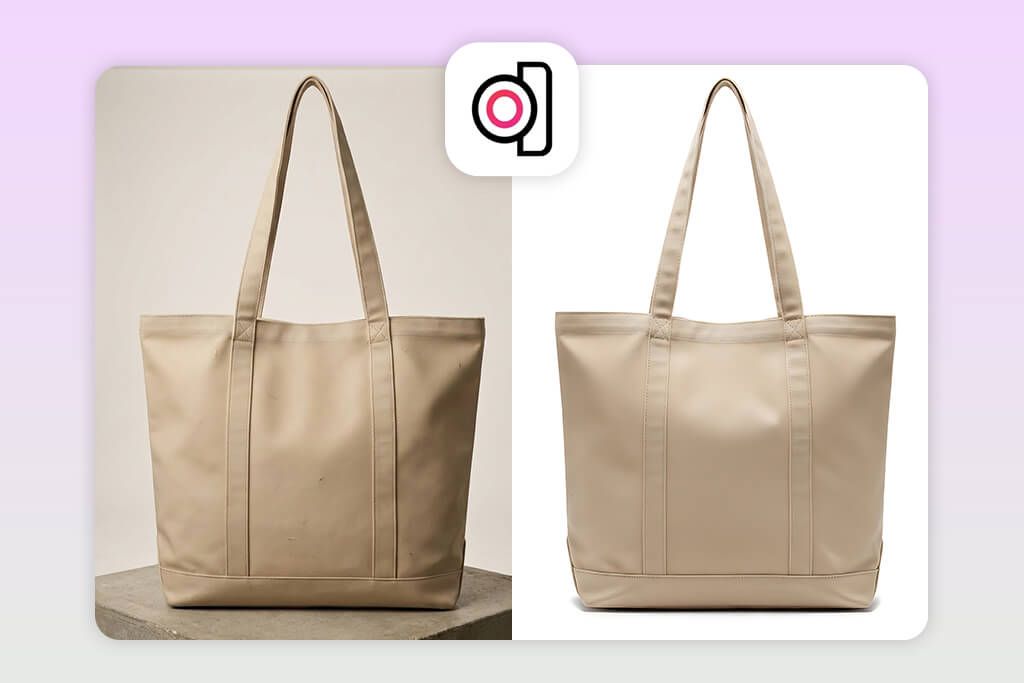
What makes DoMyShoot different is its guided shooting approach. Rather than starting with editing tools, it walks me step by step through the photo capture process, which many product photography apps tend to overlook.
During testing, I followed the app’s step-by-step shooting instructions, which covered product placement, camera angles, and framing. This guidance is especially useful for beginners because it removes much of the guesswork.
After taking the photos, I used the “AI Background Removal” feature, which performed quickly and needed very little cleanup. Next, I applied “Auto Enhancements”, including automatic color correction, exposure balancing, and shadow creation. These changes were subtle yet effective, improving the image while keeping a natural look.
A standout capability of this auto photo enhancer is its “Consistency Tools.” When handling several product shots, it keeps brightness, positioning, and overall appearance consistent across every image. This matters a lot for online shops, where a cohesive look helps the catalog appear more professional. The service includes a trial period, with subscription options beginning at about $19 per month.
7. Mockey AI
Quick product mockup creation
- No design experience needed
- Suitable for e-commerce previews
- Extensive mockup collection
- Easy-to-use interface
- Mockups can look generic
- Few customization tools
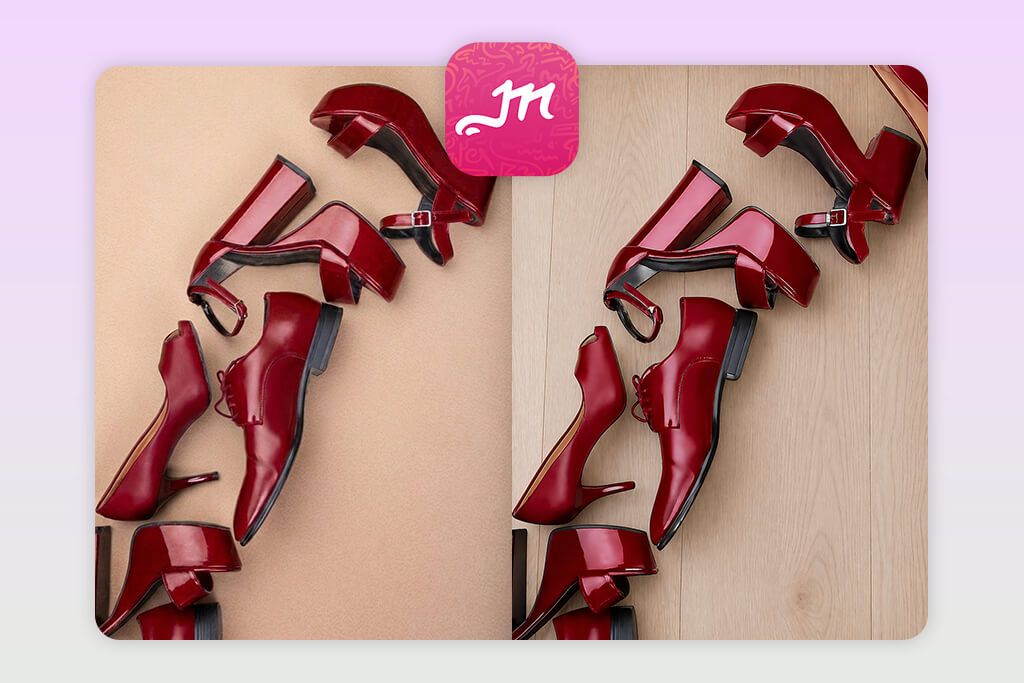
Unlike standard apps for product photography, Mockey AI is designed specifically for creating mockups rather than detailed photo adjustments. During testing, I uploaded a product image and used the “AI Mockup Generator” right away. A free version is available for exploring basic features, while higher resolution outputs and additional templates are unlocked through a paid subscription.
This Android photo editor made it really easy to place my product into different realistic scenes, like clothing mockups, packaging setups, and lifestyle backgrounds. What I liked most was the speed – I could create several versions in just a few clicks without spending much time.
Another tool I tested was “Background Customization”, where I could adjust colors or swap between different scene looks. It works well for basic changes, but it doesn’t offer the same level of control as advanced editors, especially when it comes to lighting angles or perspective.
What also stood out was the large selection of templates and ready-made categories. I could quickly create designs for ads, social posts, or website banners without starting from scratch. It’s a great fit for marketing teams or small businesses that need lots of visuals in a short time.
8. Claid AI
Useful for growing product catalogs
- Smart AI enhancements
- Boosts image clarity
- Bulk editing supported
- Business-ready API
- Few fine-tuning options
- Not very beginner-friendly
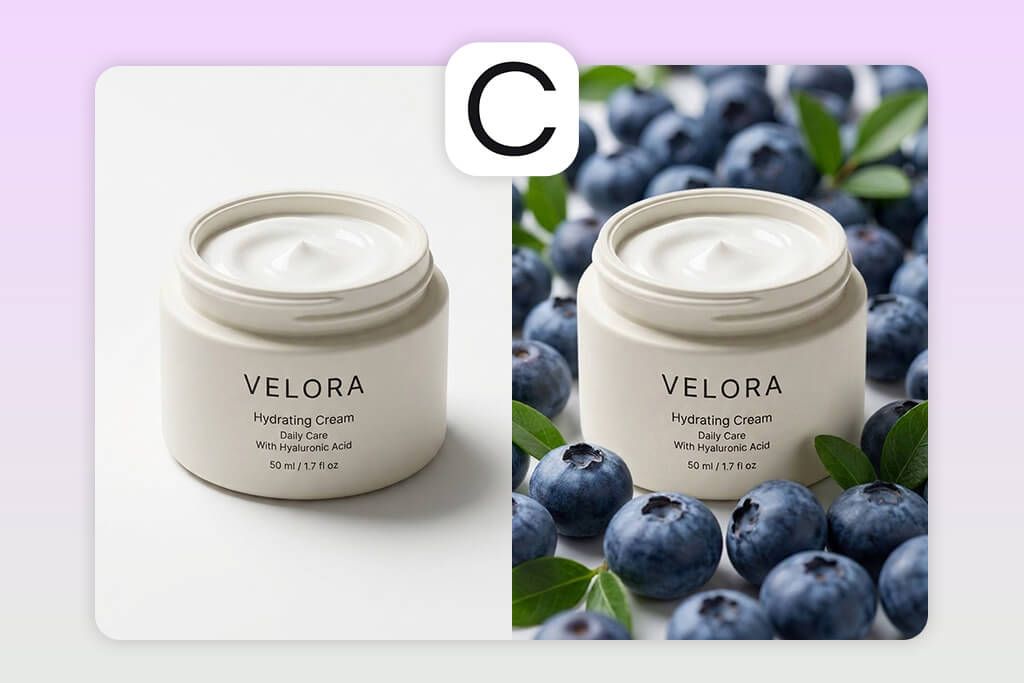
When I first tried Claid AI, it felt closer to a professional tool than a standard mobile editor. I uploaded a basic product photo with uneven lighting and a flat background, then used “AI Background Generation”. Instead of simply removing the background, the tool created a studio-like scene that aligned naturally with the product’s lighting.
What stood out most to me in this open source image editor was its enhancement feature. Instead of simply boosting clarity or edge detail as many tools do, Claid refined brightness levels, tonal depth, and subtle detail contrast in a very balanced way. The product looked sharper and more polished without appearing over-edited. I also noticed that small surface details – such as textiles or non-glossy finishes – remained realistic rather than looking synthetic.
I also tried the “Upscale” feature by saving a larger version of the image. The outcome stayed sharp and detailed, which is especially important when preparing visuals for marketplaces that require big, high-quality files.
I also found the “Color Correction” feature useful for refining tones and keeping product shades accurate, which is crucial for selling items online. However, this app for ecommerce product photos relies more on automated processing, so it doesn’t offer as much manual control as software like Lightroom. Pricing starts near $19/month, making it more suitable for professional or commercial workflows.
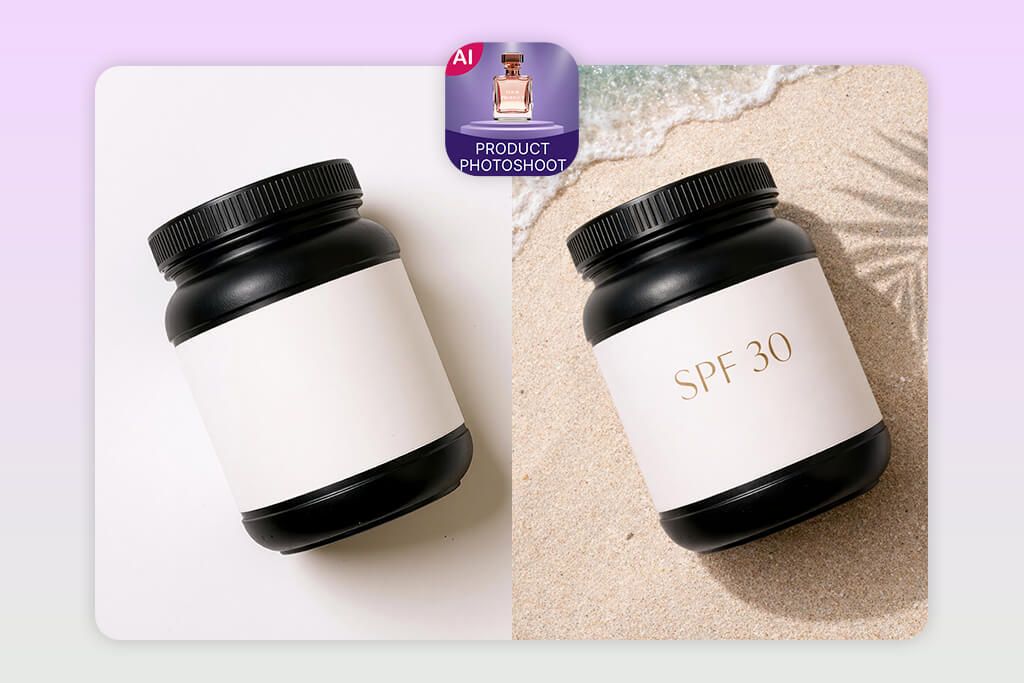
9. Product Photo Editor AI Mockup
Product scenes generated by AI
- Simple background swaps
- Beginner-friendly design
- Quick processing speed
- No design experience required
- Realism may vary at times
- Limited hands-on editing tools
This product photo editing app focuses on fast results and ease of use instead of detailed editing. During testing, I followed the standard workflow: upload → use “Auto Background Remover” → apply a “Mockup Scene.” Basic features are free, with advanced tools available through a paid subscription.
The background removal performed reasonably well, although it sometimes struggled with tricky areas like transparent or reflective edges. Still, the main advantage of this AI photo enhancer app is the speed – it lets you create ready-to-use visuals in very little time. The “Mockup Scene Library” offers simple but practical layouts that quickly make the product look more polished.
I experimented with standard controls like brightness, contrast, and saturation, which were straightforward but fairly basic. Since advanced color grading and detailed retouching aren’t available, this app isn’t ideal for tasks that require pixel-level accuracy.
What stood out to me was the simplicity of the interface. It’s easy to understand, even if you’re new to editing, and you can get good-looking results without much effort. However, next to more advanced software, the results may occasionally feel less refined or somewhat standard.
10. B612 AI Photo & Video Editor
Fast edits for social media
- Easy-to-use effects
- Good for casual posts
- Clean, simple layout
- Mobile-friendly
- Colors may look inaccurate
- No pro-level features
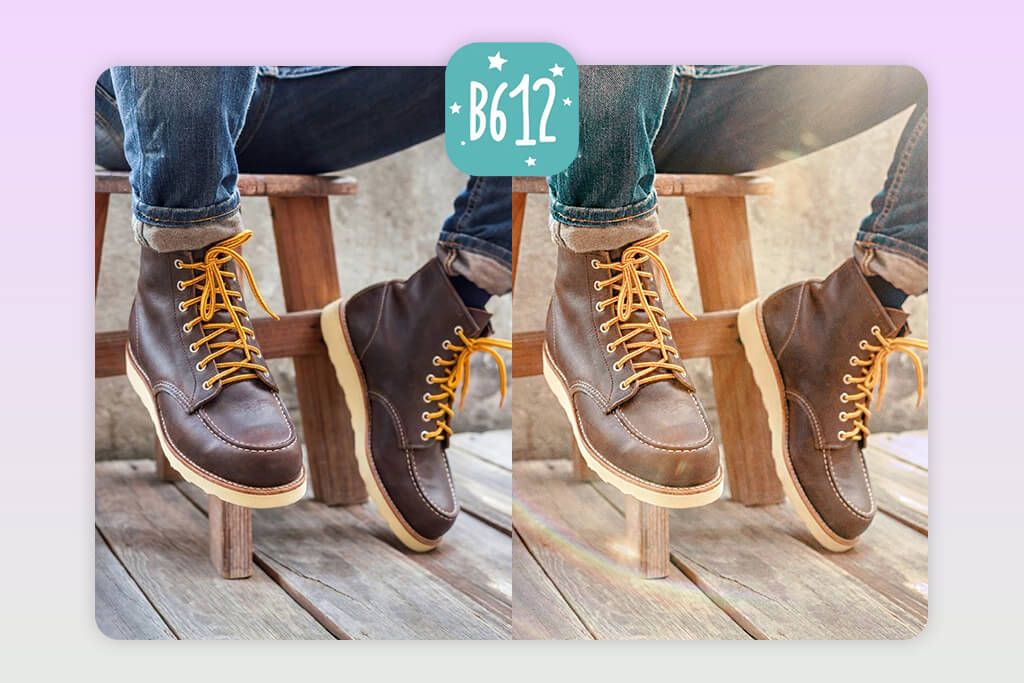
It quickly became obvious that B612 isn’t tailored for product photography. To test it, I uploaded a product image and used the “Adjust” panel, where brightness, contrast, and saturation settings are available, though they offer only basic control.
This Android and iPhone photo editor clearly focuses on “Beauty” features and “AR Filters,” which are mainly intended for faces rather than products. I experimented with a handful of these filters, but many proved unsuitable for product images, as they tended to shift color tones or apply unnecessary visual enhancements.
Even so, the app has some practical uses for quick, everyday edits. I tested “Sharpness” and “Contrast” to enhance a flat image, and the outcome worked fine for social media posting. While the app is free with optional upgrades, it still falls short of professional-level performance.
11. Pixelcut
Great option for novices
- Reliable background removal
- Bulk edits supported
- User-friendly
- Helpful for online stores
- Premium needed for full access
- Some AI scenes appear unrealistic
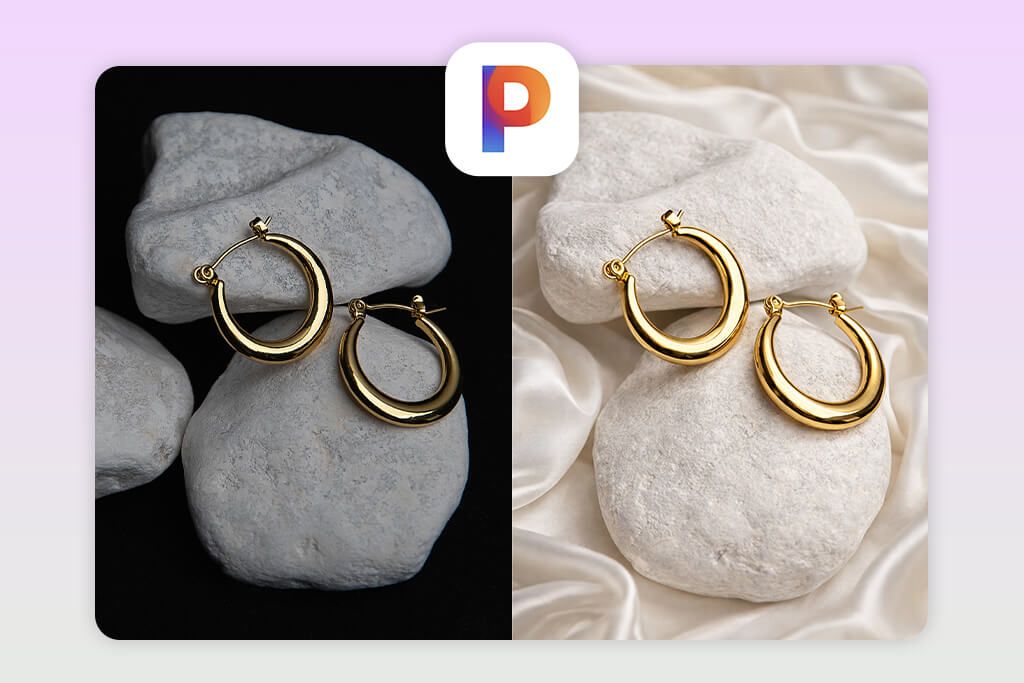
Pixelcut feels like a well-balanced mix of automation and hands-on control. When I tested it as a background remover app for product photos, I began with the “Background Remover,” and it handled the task very precisely – even around difficult areas like fine strands or uneven edges.
The image looked much more realistic once I used “AI Shadows.” After clearing the background, I added a shadow, and it automatically adjusted to match the product’s form and position, which helped eliminate the common floating appearance.
Using the “Magic Eraser,” I removed minor unwanted elements from the photo. It performed reliably on basic distractions, but more intricate surfaces were sometimes challenging for it.
Another feature I found very useful was “Recolor Background.” Instead of changing the entire scene, I could quickly try different background colors to better match branding, which is especially helpful for A/B testing product visuals. This app to blur background includes a free plan, while the Pro version (around $9.99/month) unlocks higher-resolution exports and additional advanced tools.
Must-Have Features for Product Editing
Before working on product images with mobile editors, it’s important to handle a few key preparations to achieve polished results. Even the most advanced tools won’t fix problems caused during the photo capture stage. Check that the item is easy to recognize, the surroundings are simple, and the light is spread evenly.
Taking care of these details from the start makes tools like AI background removal, color adjustments, and retouching work much better. If you ignore this preparation, the results may look unnatural, with uneven tones or poorly placed shadows that lower the overall image quality.
Camera Controls. Adjusting camera settings yourself provides more influence over the final image. Focus on the following parameters:
- Brightness level settings
- Sensitivity control (affects light levels and grain)
- Color temperature adjustment (keeps tones true to life)
- Sharpness targeting or focus tuning
These settings help you produce clear, evenly illuminated photos from the very beginning.
Background Removal & Editing. Strong product images usually look best with a simple, distraction-free setting. Helpful tools to look for include:
- AI-driven subject isolation features
- Backdrop switching with minimal or neutral scenes
- Soft-focus effects to mimic a shallow depth look
Lighting & Color Correction. If you’re working without studio lights, built-in adjustment tools become especially important:
- Sliders for balancing bright and dark regions
- Color cast adjustment features
- Temperature and tone shift controls
- Targeted color range modification tools
Retouching Tools. To give your product a more refined look:
- Use correction tools to eliminate minor defects or marks
- Balance smoothing and detail enhancement
- Refine surface definition and micro-detail levels
Cropping & Composition Tools. Presentation makes a difference:
- Adjust borders and alignment
- Select preset formats
- Use visual guides for better layout
Batch Editing. If you’re handling several items:
- Use the same adjustments across a group of images
- Store reusable styles or settings to keep the look consistent
Export Settings. To achieve high-end results, look for apps that provide:
- Large-size image output options
- Support for different file formats (e.g., JPEG, PNG)
- Adjustable quality settings to protect image detail during file reduction
AI Enhancements (Optional but Helpful). Certain tools include:
- One-tap image fixes
- AI-based light tuning
- Texture sharpening
FAQ
- What is the best app for product photography on a smartphone?
The right app really depends on what you need. If you want detailed control and advanced editing, Adobe Lightroom is a strong option with manual light and color tools. For fast background cleanup and marketplace-ready visuals, PhotoRoom and Pixelcut work very well. If you prefer guided capture with automatic improvements, DoMyShoot walks you through each step.
- Can professional-quality product images be made without studio equipment?
Yes! With today’s product photography apps, your smartphone alone can produce impressive results. Features like AI background removal, lighting correction, and shadow generation help mimic studio conditions. Add natural light and a simple setting, and your images can look clean and professional without special gear.
- What apps are most effective for background removal and replacement?
For removing and swapping backgrounds, PhotoRoom, Pixelcut, and Canva are all strong options. They rely on AI to quickly identify the subject and separate it from the surroundings, and many of them offer ready-made scenes or adjustable backgrounds suited for e-commerce and marketing visuals. Pixelcut also includes automatic shadow creation, which helps products appear more natural and professionally placed.
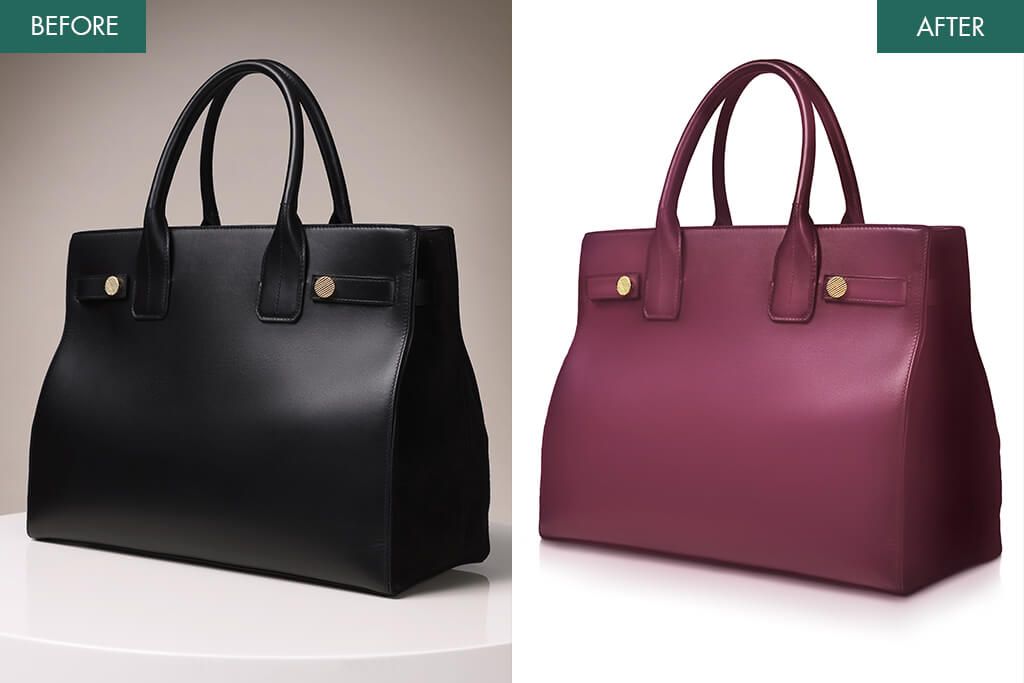
If your product photos have very complex backgrounds or you need more refined results than typical product photo apps can deliver, consider turning to the WeEdit Photos professional team.
- Which apps support batch processing for product images?
Apps such as Lightroom, PhotoRoom, and Pixelcut offer batch processing features. They let you repeat the same edits – like adjusting tones, brightness, or backgrounds – across multiple photos, which is ideal for maintaining uniform visuals in e-commerce listings.
- Can AI product photography apps match the quality of a professional photographer?
AI-powered apps have improved significantly and can now deliver highly polished results, especially for online stores and social media content. Tools like Claid and Pixelcut automatically refine lighting, colors, and overall layout. That said, for complicated items, premium branding projects, or editorial shoots, a professional photographer still offers greater precision and creative flexibility.