7 Change Skin Color Apps in 2026
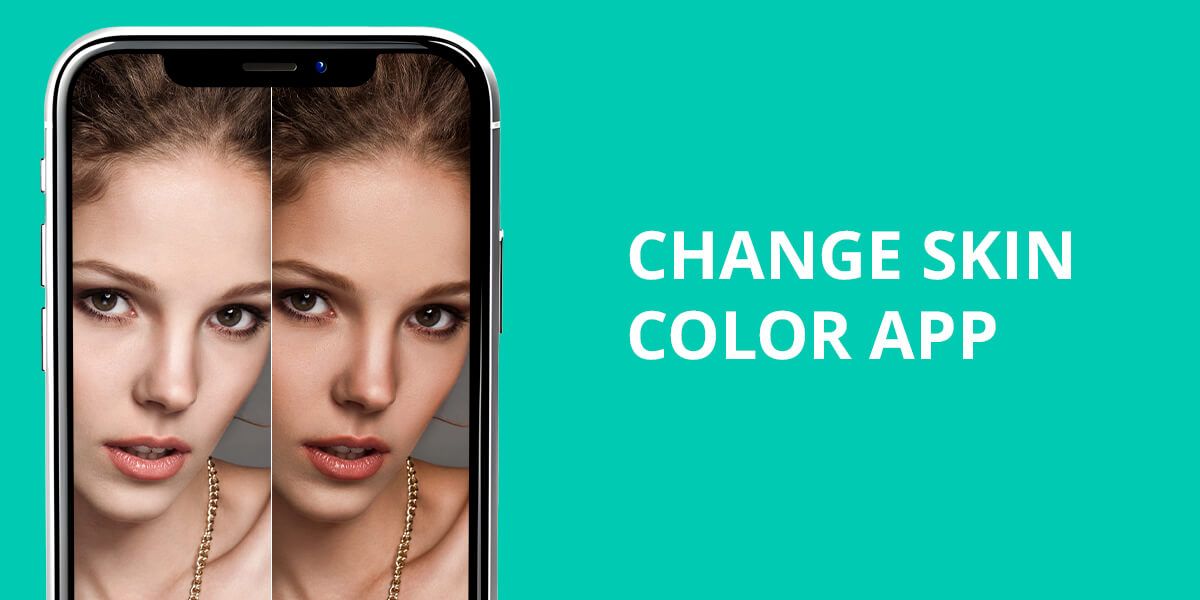
With today’s smart editing tools, changing your skin color in photos has become a common and exciting trend. Using a skin tone app, you can achieve a bronzed beach look, balance uneven shades, or experiment with creative filters. Such tools will appeal to influencers, photographers, and content creators who want every portrait to look flawless and professional.
Changing skin color in photos isn’t just about looks. It has real-world uses too. Beauty experts and fashion companies rely on these apps to demonstrate how makeup and clothing work across various skin tones. Average people use them as well, experimenting with different appearances before trying anything permanent. Many apps to change skin color use artificial intelligence to adjust complexion, remove imperfections, and enhance photos. The best part is that they preserve the realistic look.
Why Change Skin Color?
Why do people adjust skin color in their photos? The reasons are surprisingly diverse. Some make quick tweaks to improve the photos, while others have bigger creative projects or work-related needs in mind.
Most people use these tools to bring out their natural glow or create an even, flawless look. Uneven coloring happens to everyone caused by much sun, breakouts, or bad lighting when the photo was taken. A slight adjustment helps create a beautiful, balanced appearance that looks more attractive and put-together. Social media creators, models, and influencers especially love this feature because they can maintain a consistent, professional style across all their posts.
Many people also use a skin tone changer online to fix lighting problems. Bright flashes, wrong camera settings, or dark shadows can distort the skin look. So, a person’s skin will appear ghostly pale, completely washed out, or way too orange. In these situations, adjusting the color isn’t about changing your actual appearance. An app will help you make the photo match how you really look in person.
There are creative adventurers who push boundaries with their edits. Skin color apps open up a world of artistic possibilities. For example, it is possible to create magical fantasy characters, perfect cosplay costumes, or design themed photo shoots with bold, intentional color changes. You have probably seen such creative samples in advertising campaigns, artistic photography, and entertainment projects where imagination runs wild.
There’s also a business angle to consider. Makeup artists use change skin color apps to display how various products and colors look on different skin types. Now, they can achieve the result without hiring dozens of different models. Online shops do the same thing to show they’re inclusive, demonstrating their products on a wide range of complexions. It’s practical, cost-effective, and helps customers see themselves represented.
Let’s not forget the pure entertainment value. Many people just think it’s fun to play around with different looks. Some of them opt for a gentle sun-kissed glow, while others prefer a dramatic, eye-popping change. This way, you can preview how you’d look with an actual summer tan or after trying a bold makeup style you’ve been curious about.
As you can see, there are different motives that make people change skin color in photos. Using an app to change skin tone, you can experiment with how you appear online and express your personal style.
1. Facetune
Precise skin tone adjustments

- Advanced tools
- Greta retouching toolkit
- Realistic results
- AI-driven process
- Many advanced features are paid
- Not very beginner-friendly
Facetune ranks among the top mobile apps when it comes to professional photo editing. It’s packed with impressive features for skin tone changing, without sacrificing naturalness. The app includes a dedicated Skin Tone tool that gives you full control over your complexion. Want to add warmth to your look or cool things down? Need a winsome sun-kissed radiance? Or maybe you’re going for a bold, dramatic change? This app that changes skin color makes it all possible with just a few taps.
This auto photo enhancer also offers such helpful Retouch features as Smooth and Heal. These tools clear away pimples, spots, and uneven areas, setting the stage for a smoother color adjustment. When you use these features together, your final results look genuine and beautiful.
2. Fix The Photo: Body Editor & Tune
Manual skin tone changing
- Highly precise skin color tweaks
- Features for skin tone changes and full-body editing
- Auto-detection of skin areas
- High-resolution export
- Only the first photo is free
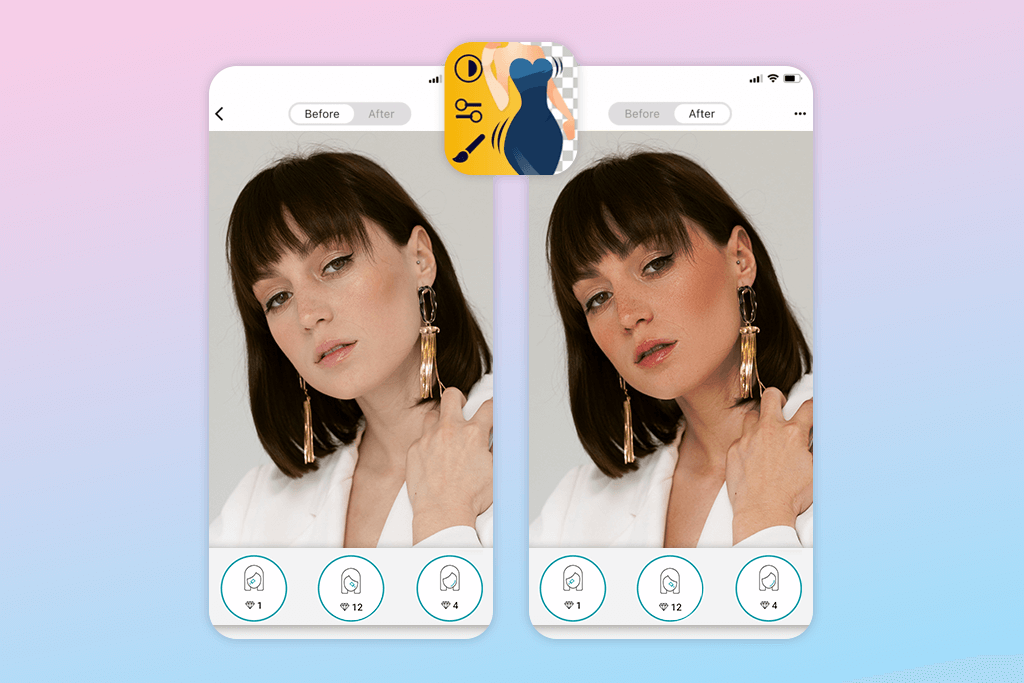
Fix The Photo Body Editor & Tune is a flexible bulk image editor. It is the best change skin tone app if you are looking for detailed touch-ups. Instead of relying on basic one-click filters, this app gives you precise control over colors and textures.
Photographers dealing with portraits or full-body shots will definitely appreciate this option. The highlight of the app is that real professionals do all the editing work by hand. Moreover, they will improve your first photo for free.
Using the Skin Tone tool, you can modify colors everywhere in your image or zoom in on particular sections. The Color Brush option allows you to alter skin colors in chosen areas without losing the shadows, bright spots, and natural texture. Thus, your edited images will be realistic. On top of that, the Auto Tone feature uses intelligent detection to locate skin in your photos and offer smart tweaks for harmonious tones.
3. Skin Tone Booth
Allows selecting areas to change skin tone
- Manual corrections
- Multiple edits per image
- Skin smoothing feature
- Handle bad lighting
- For iOS only
- Full access is paid
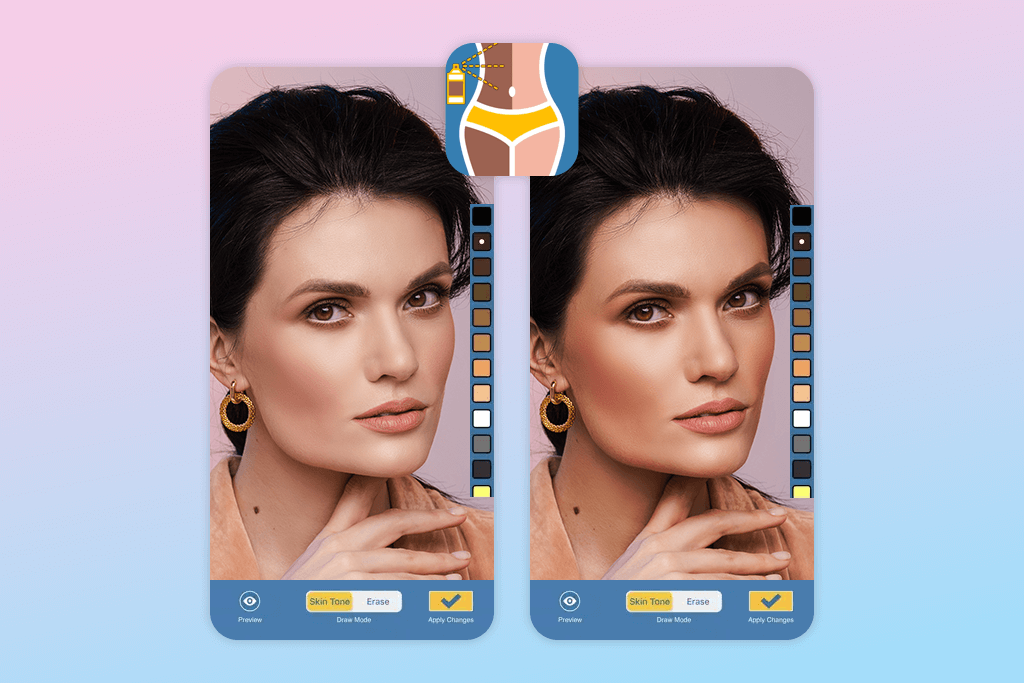
Skin Tone Booth offers more than generic filter apps. It puts you in the driver’s seat with precise controls for tone, brightness, and shadows. The standout Tone Your Skin tool lets you zoom in on specific body areas and tweak them one by one. Want to brighten your face but add a tan to your arms? No problem. You can lighten or darken skin, perfect your tan, erase unwanted shadows, and smooth out any imperfections. Most of all, I like that the results are always realistic.
The Custom Select feature in this iPhone photo editor is very helpful. You decide exactly which parts of your photo to edit. It is easy to keep certain elements in images untouched. Plus, the skin smoothing tool works hand-in-hand with color adjustments to enhance your photos. So, you can improve your appearance without going overboard.
4. Fotor
For changing skin color in multiple photos at once
- Batch photo editing
- High-resolution outputs
- Precise skin color adjustments
- Effect strength controls
- Processing of large files can be time-consuming
- Most premium options are paid
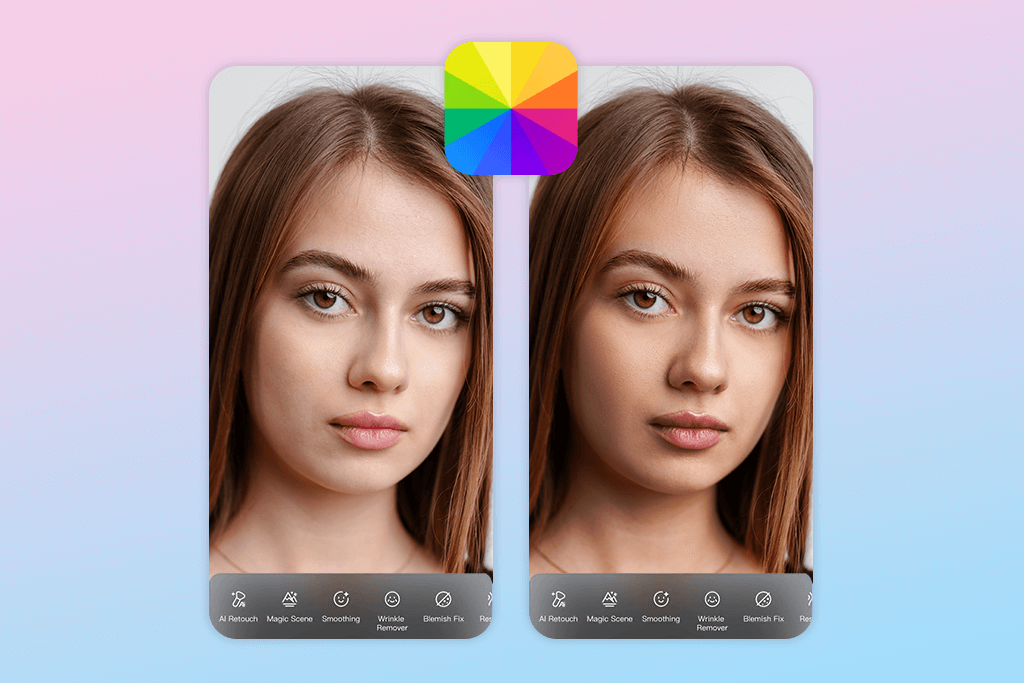
Whether you’re just snapping casual photos or dreaming of becoming a photographer, Fotor is a great app to change skin color that you should try. It’s packed with tools to fix, beautify, and share your images. You can use the Beauty Retouch feature to adjust skin color and improve your complexion. Inside, you’ll find the Skin Tone tool that lets you lighten, darken, or change your skin color however you like. Fotor keeps your skin looking natural with all its original texture and light reflections intact.
If you need to edit just one specific spot, take advantage of the Selective Brush tool. It lets you work on particular areas of your face or body without touching anything else in the photo. Your edits stay exactly where you want them. This open-source image editor also includes Makeup Enhancements. You can add blush, change lip color, or brighten your eyes. These features work perfectly alongside the skin color tools to create a complete, beautiful portrait that all fits together naturally.
5. Color Splash Effects
For creative recoloring
- Meticulous color correction control
- Many color enhancements
- Hair recoloring feature
- Great for creative edits
- No dedicated skin retouching tools
- Results may be unrealistic
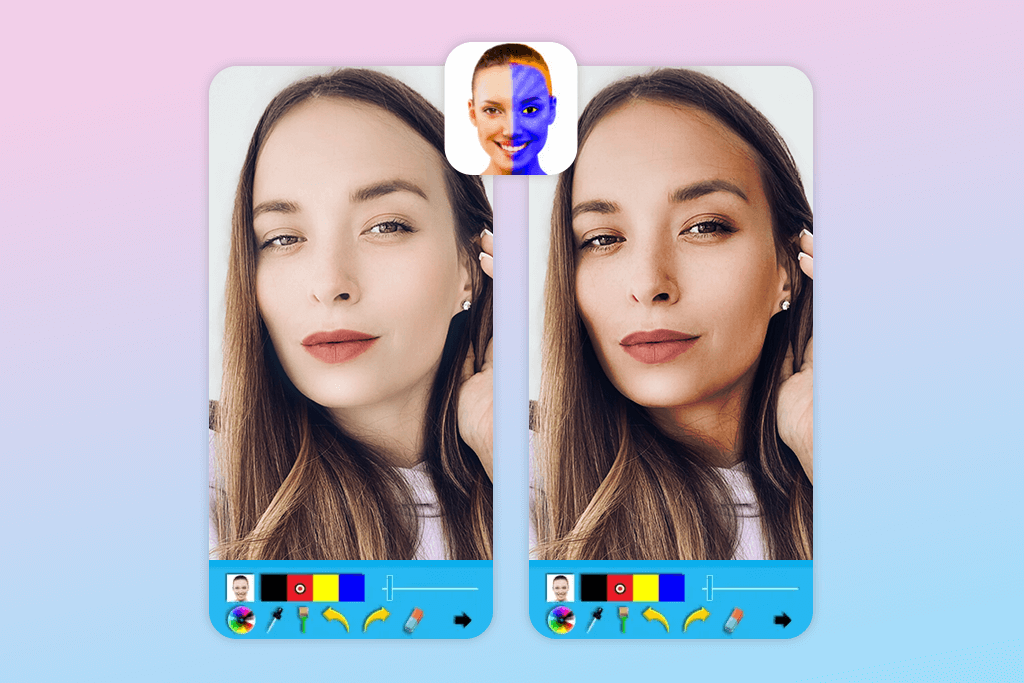
Color Splash Effects is different from other skin tone editors online because it does more than just make your skin lighter, darker, or a natural shade. It lets you paint your skin in bold, unusual colors like blue, purple, or green. This means you can bring your wildest creative self-portrait ideas to life.
Users particularly like the Color Brush tool. It lets you paint over chosen areas like your face or body to change skin color naturally or add artistic shades. You can zoom in for pixel-perfect control and edit tiny spots without touching the areas around them.
Color Splash Effects isn’t limited to changing skin tones only. You can recolor almost anything in your photo. That’s why the app is great for both artistic projects and quick fixes. The Glow and Color Fill features boost the brightness of your edits. They help you create eye-catching art while keeping skin natural.
6. Skin Tanner
To make skin tanned
- Custom skin toning
- Tan adjustments
- Auto skin detection
- Creative options – freckles or beach sand
- iOS-compatible only
- The results depend on lighting and photo quality
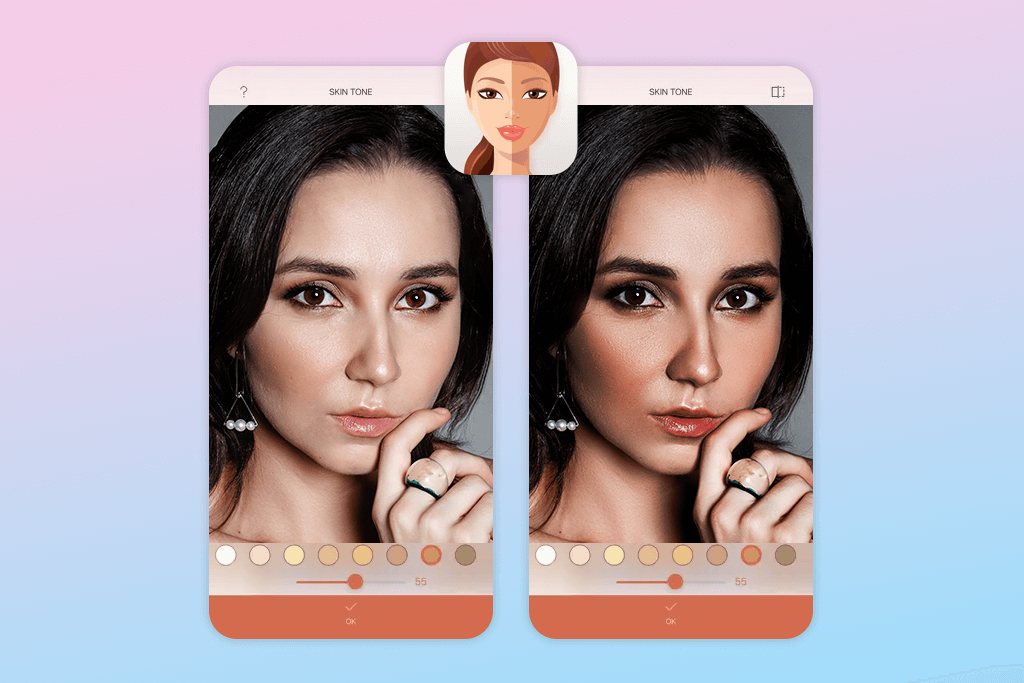
Skin Tanner is a photo and video editing app, using which you can perfect your skin tone. Want a sun-kissed glow or to try out a different complexion? This skin color app makes it simple. It gives you precise control to adjust and enhance skin color. Thus, you can achieve natural-looking results without any professional editing skills.
The Skin Selection feature automatically detects where your skin is in photos, so you can edit just those areas without messing up the background or clothes. After the app finds your skin, you can easily adjust the intensity of the tan. Go for a gentle hint of color or dial it up for a deep, dramatic bronze. It’s entirely up to you.
If you want to add gorgeous sun rays to your pictures, the Sunbeams effect will come in handy. It layers warm, glowing light across your photos. It’s perfect for capturing that summer feeling or making outdoor shots pop. Combined with the skin editing features, everything blends together beautifully. So, you will get mesmerizing images, which align with Instagram photo editing standards.
7. CapCut
Offers ready-made color correction bundles
- Customizable skin tones
- Masking and brush tools
- Pre-designed filters
- Beginner-friendly
- Video-focused tool
- Handles low-quality footage poorly
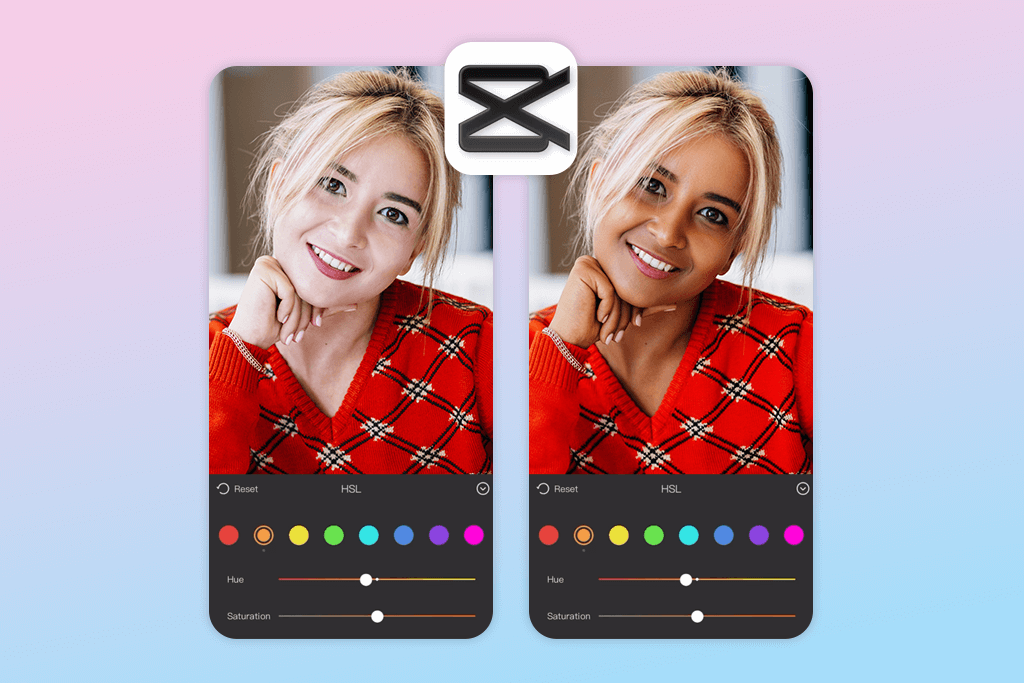
CapCut gives you detailed control when it comes to changing skin color in videos and photos. The Skin Tone Adjustment tool is feted by many users. You can tweak the color, warmth, and brightness to lighten, darken, or add a gentle tan. Plus, with masking and brush tools, you can paint your edits exactly where you want them. Your skin changes while everything else stays completely untouched.
This iOS and Android photo editor has the Smooth Skin feature that erases blemishes, softens wrinkles, and evens out rough patches. Together with the Glow and Brightness settings, it makes your skin literally light up with a fresh, healthy radiance. Whether you’re editing a close-up selfie or a full-body picture, it works perfectly. There are also color filters and LUTs that help your skin edits blend perfectly with your photo’s overall vibe and color scheme.
F.A.Q.
- Is it possible to change my skin tone naturally with these apps?
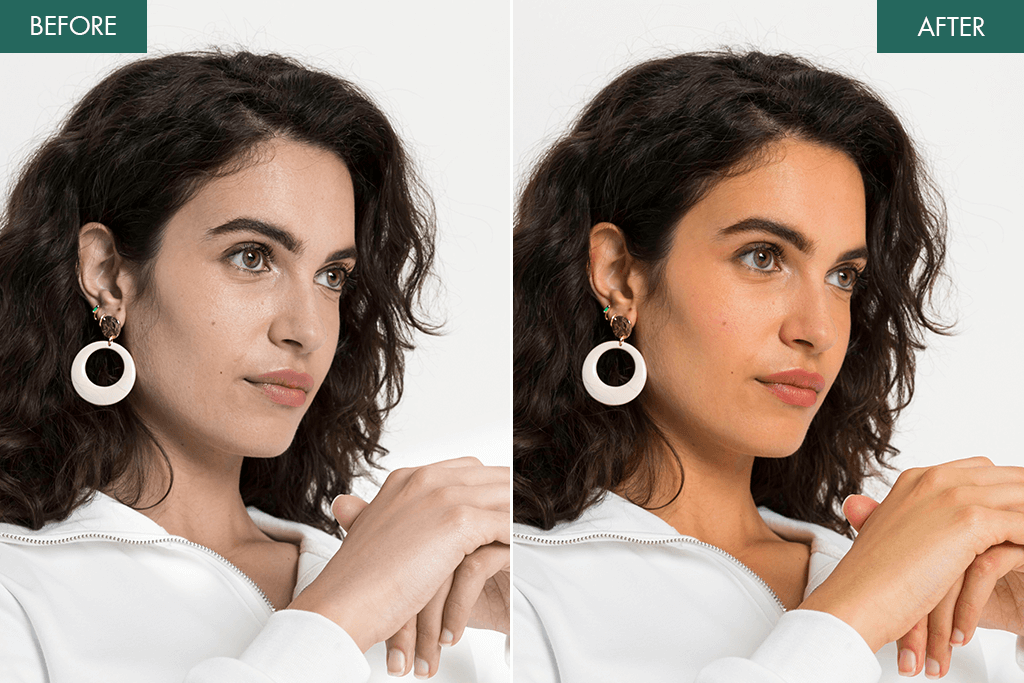
Surely. Modern skin color changer apps use smart AI technology that helps you adjust your skin’s color, brightness, and warmth while maintaining a realistic appearance. You can use such features as “Skin Tone Adjustment” and “Smooth Skin” to enhance or tweak your complexion without creating a fake look. Just keep in mind that small, gradual changes work best. If you go too extreme, the results may look obviously edited.
- Do these apps work well for everyone’s skin color?
Yes, they do. They can handle fair skin, deep dark tones, or anything in between properly. They use smart features, namely, targeted editing and color balancing to enhance your natural complexion instead of covering it up with something fake-looking.
- Do these apps work on videos too?
Many of them handle both. For example, CapCut and Skin Tanner let you edit videos as well as photos. You can tweak skin tone frame by frame or use automatic features to apply your changes across the entire video. However, some apps like Skin Tone Booth and FaceApp focus mainly on still images. They’re perfect for high-quality photo editing but won’t help with video projects.
- Does adjusting my skin tone affect the rest of the picture?
Usually, it does not. Advanced photo skin tone editors let you use masks and brushes to target only the skin. So, you can avoid unwanted changes to your hair, clothes, or background. To get the best results, zoom in and refine the edges while editing.
- Do I have to pay to change skin tone online?
Many apps include free tools for simple edits. You can adjust skin color or remove small imperfections without paying anything. But to access unlimited edits, high-quality downloads, or pro filters, you often need a paid subscription. Always review the app’s pricing policy.
- Do skin color apps have tools to remove imperfections?
Yes, many apps include features for smoothing, blemish removal, and redness correction. With tools like “Auto Repair” and “Spot Healing,” you can quickly create a natural-looking finish.
- How to make realistic skin color corrections?
Start with gentle adjustments instead of bold ones. Play with brightness and warmth to match your natural tone, and avoid over-editing. Fotor and FaceApp offer preview and undo buttons, so you can refine every detail.






