7 Best Apps to Change Sky in 2026 [iOS & Android]
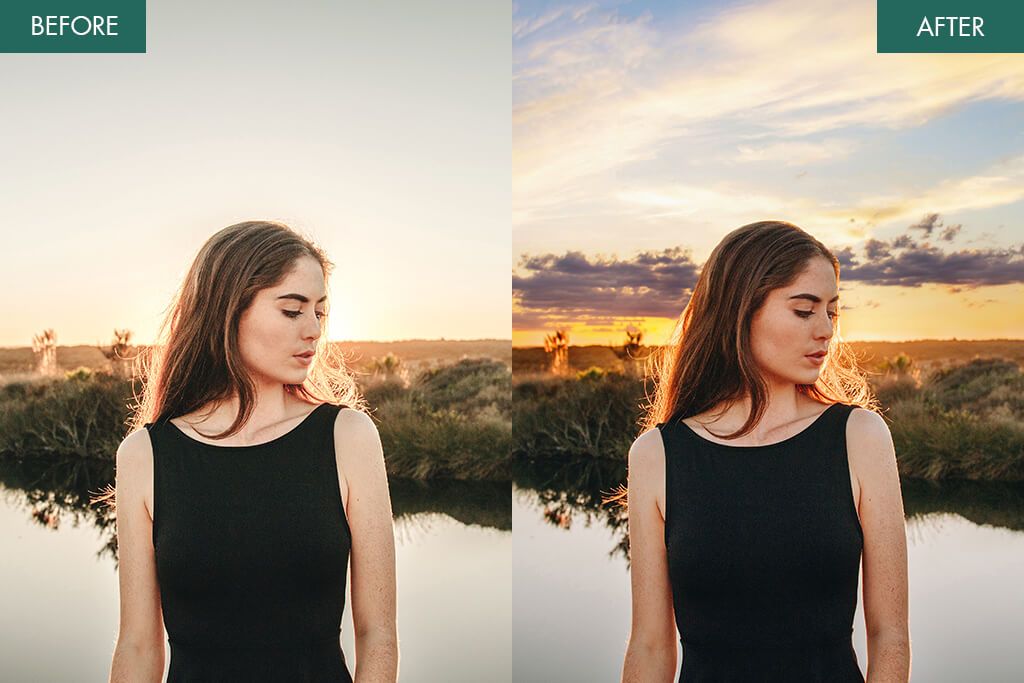
When collaborating with experts from Weedit.Photos, my eyes were drawn to how frequently the sky looks unflattering when looking at mobile pictures. Rough midday lighting, brownish highlights, and bland gray clouds can significantly hurt the appeal of a photo. Thankfully, with a proper sky replacement app, you can set the desired mood, adjust the colors, and make the picture look more vibrant without any manual editing.
Applying the change only requires a couple of minutes, which is perfect if you’re in a hurry to prepare content for social media. After trying a variety of solutions, I prepared a rundown of the best apps to change the sky in photos while covering their strengths and weaknesses.
Common Mistakes When Changing Sky
A simple sky replacement can do wonders for enhancing the mood of a photo. I’ve experimented with a long list of applications, and eventually ended up with a list of common mistakes made by both beginners and more experienced retouchers:
1. Lightleap
Single-tap convenience
- Intuitive UI
- Instant results
- Impressive effects (lightning, stars)
- Wide range of free options
- Unreliable masking
- Free tier is very limited
Pricing: Free or from 3.99/month
OS: Android and iOS
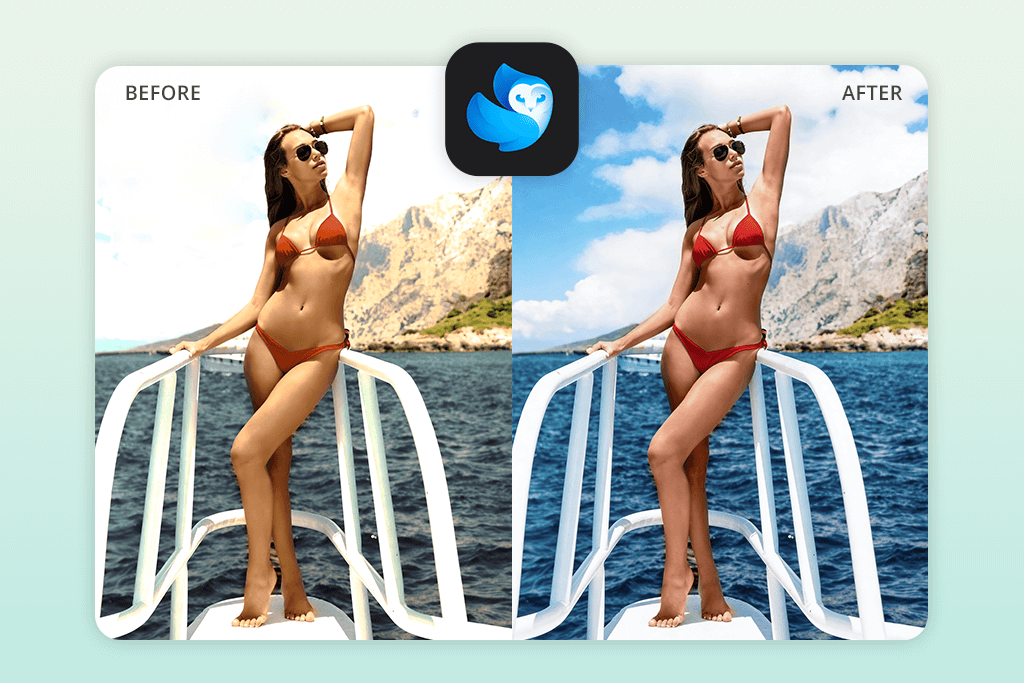
When it comes to convenience, Lightleap is arguably the best app to change the sky you can find. In a single tap, you can swap out the skies in outdoor photos with trees, buildings, and uneven horizons. Using it is pleasantly straightforward. You open a photo, pick the Sky tool, and choose one of the offered sky backdrops.
This app provides over 60 sky options, covering sunny, dusk, sunset, storm, and fantasy skies. It doesn’t allow you to import your own sky images, which feels quite limiting. There are several free options, but most of the asset library requires a subscription. In addition to sky swapping, Lightleap offers several “light tricks”, including lightning, shooting stars, sparkles, and lens flares. These additions are easy to apply and can greatly enhance your photo, but you can’t personalize them, meaning the results often look generic.
This iPhone and Android photo editor automatically masked and replaced the sky in just one tap. On lighter skies, the AI achieved a believable result. The edges looked natural, and the replacement looked believable enough for social media.
However, when I employed Lightleap for darker or dramatic photos, the app created halos around trees and smaller details, which made the picture look artificial. If your needs are limited to quick, stylized enhancements, this is a great choice. Otherwise, look for a more professional alternative.
2. Fix The Photo Body Editor&Tune
Clean & realistic sky replacements
- Minimalist, ad-free UI
- Backed by actual human retouchers
- Natural lighting and tone matching
- First image is free
- Can ask for specific edits
- Doesn’t provide instant results (edits take a few minutes)
- No sky preset library to browse
Pricing: Free; edits from $0.99 per photo
OS: Android and iOS
After dealing with an endless row of sky editing apps that provide artificial results with distracting halos and broken edges, I turned to Fix the Photo Body Editor & Tune to see how a human-backed solution works in comparison. Instead of simply choosing a preset, here you import your picture and describe the exact changes you want to see. You don’t have to deal with ads, confusing tools, or manual sliders.
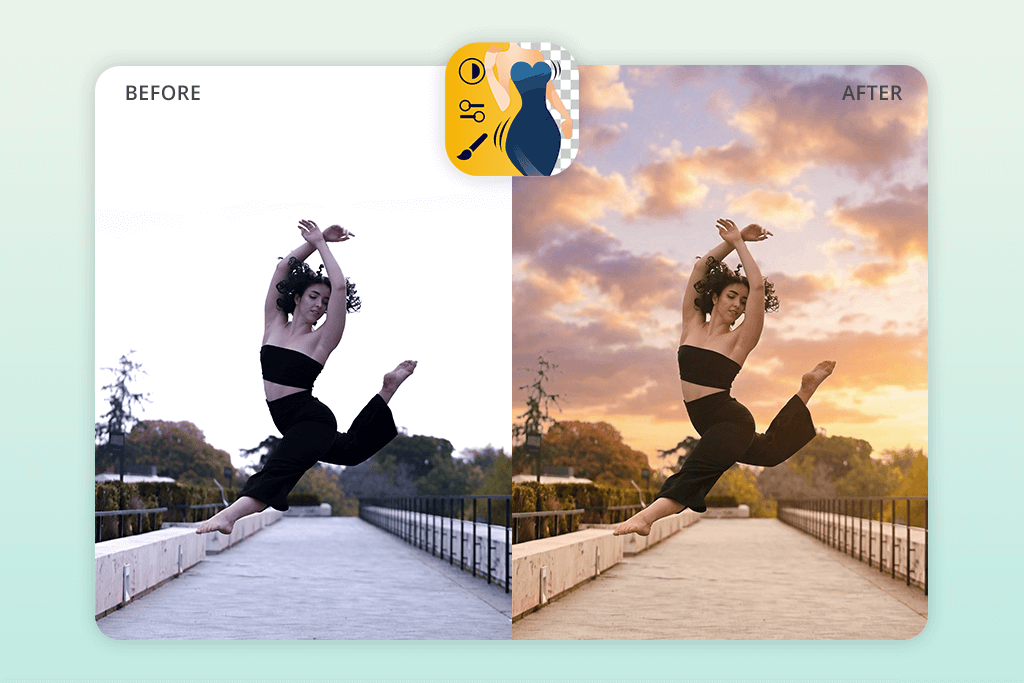
I used this solution on multiple outdoor photos with flat, overexposed, and gray skies. For different images, I asked for a bright blue daytime sky with soft clouds, a warm golden-hour sunset, a dramatic evening sky with deeper shadows, and a moody storm sky to enhance the atmosphere. In all cases, the changes were made within 10-15 minutes since the order was processed by actual human retouchers instead of AI.
The delivered photos looked a lot more realistic compared to what I got from the majority of single-tap solutions. The added skies blended naturally into the environment, with clean edges around the trees, buildings, and even smaller details like branches or hair. The fact that you’re not forced to pick from a limited number of sky options is a blessing.
You can ask for any kind of skies you want in the description, be it clear summer skies, hazy cloudy mornings, pastel sunrises, cinematic sunsets, dramatic storm clouds, night skies, or even more creative options. The retouchers will pick an appropriate foundation and tweak the colors, contrast, and lighting to ensure the added sky is a natural fit for your image.
The biggest downside is that you don’t get the result instantly. You need to wait for the retouchers to make the edits, and you can’t preview the changes like in AI-based solutions. To ensure you’ll be happy with the outcome, you have to provide a clear description of what you want to see, and the process can also involve a couple of revisions. In addition to sky replacements, you can use this tool as an app to blur background, for background removal, and general retouching, meaning it’s more versatile than most other options on this list.
The pricing system is pleasantly reasonable. You can get the first photo for free, after which you follow a credit system. You can purchase 5 credits for just $0.99. The team is available 24/7, which is great news if you need to meet a tight deadline or have a sudden urge to post something online.
3. Photoshop for iPhone
Precise control
- Pro-grade results
- Precise selection and masking features
- Robust selection functionality
- Perfect for complex scenes
- Doesn’t offer single-tap sky swapping
- Restrictive free plan
Pricing: Free or from $7.99/month
OS: iOS
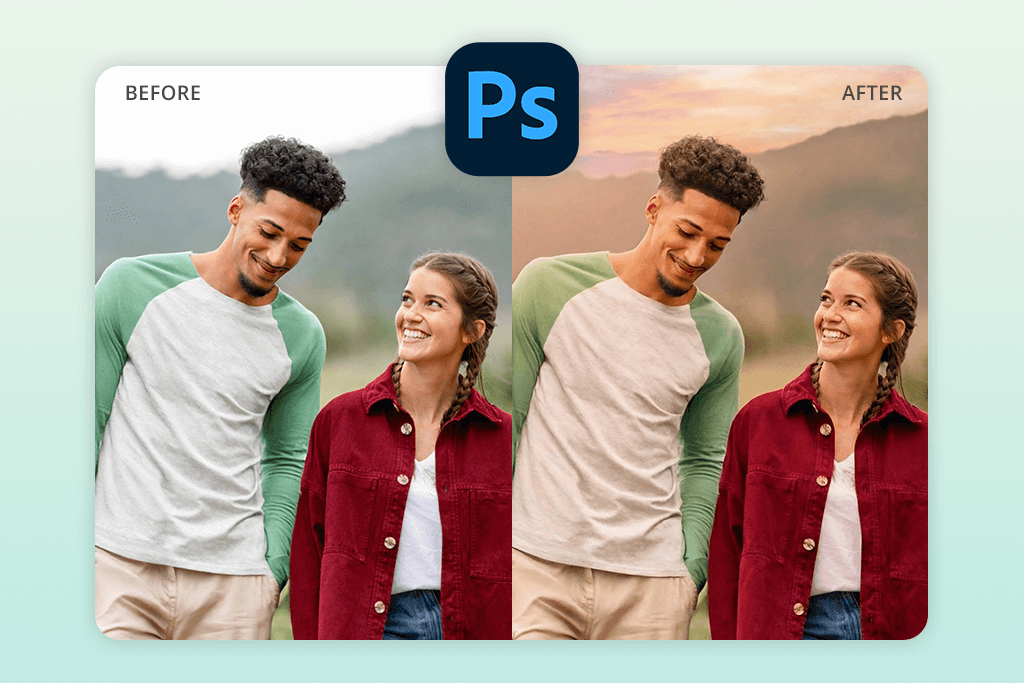
Rather than searching for a single-tap solution, I wanted to see if I could use Photoshop as an iPhone app to replace skies while remaining in full control over the outcome. I employed it with outdoor pictures with houses, trees, and uneven horizons. I started by choosing the skies with Object Selection and Select Subject before fine-tuning the edges manually. In certain cases, I deleted the backdrop completely and recreated the environment with layers, masks, and blend modes.
If the need arose, I wrote a prompt and entrusted Photoshop to generate parts of the sky. Using this app is more time-consuming than most alternatives, but the added sense of control makes up for it. I received clean, professional results, and the added skies looked realistic thanks to the performed blending and masking. I also tweaked the brightness, contrast, and color to ensure the entire photo comes together and the sky doesn’t look artificially added.
My favorite thing about this iPhone photo editor is that you aren’t limited to templates. You’re free to add a clear blue sky, a partly cloudy atmosphere, a warm sunset, or a more dramatic sky while taking advantage of the selection, layering, and blend mode features. Moreover, you can use Photoshop on iPhones to delete backgrounds, select objects, perform retouching and color correction, and much more.
4. YouCam Perfect
Intuitive interface

- Fast and efficient solution
- Customizable intensity and blur
- Automated blending
- Broad selection of sky options
- Several advanced tools require a paid subscription
- Can produce unrealistic results
Pricing: Free or from $5.99/month
OS: Android and iOS
YouCam Perfect is a straightforward sky replacement software that helps you completely change the mood of your photo with minimum effort. I imported multiple outdoor pictures of landscapes and city skylines while trying out the provided variety of sky filters and background replacements. This solution provides more than 30 premade skies, from clear blue afternoons to warm sunsets and even whimsical northern lights, allowing you to completely shift the atmosphere of your image in just a couple of seconds.
The Sky feature is pleasantly intuitive. I picked the option I liked, tweaked its intensity and blur with handy sliders, and watched the app blend the sky into the original photo. YouCam Perfect provides believable results for simple horizons and regular landscapes. Replacing the background with midnight skies or a golden sunset also worked great.
Sadly, this auto photo enhancer can have issues when dealing with complex edges. If your photo has a lot of trees, hair, or smaller details, the edge detection algorithm can falter and produce somewhat unrealistic masks. Additionally, several premium sky filters are locked behind a paywall, which can be a deal-breaker for some. Lastly, people with older smartphones can suffer from some performance drops when using more complex effects.
5. PICNIC
Quick app for inexperienced users
- Single-tap edits
- Convenient intensity settings
- Integrated camera with live filters
- Provided in 32 languages for global users
- Results can occasionally look too intense or unnatural
- Doesn’t have image editing tools
Pricing: Free
OS: Android and iOS
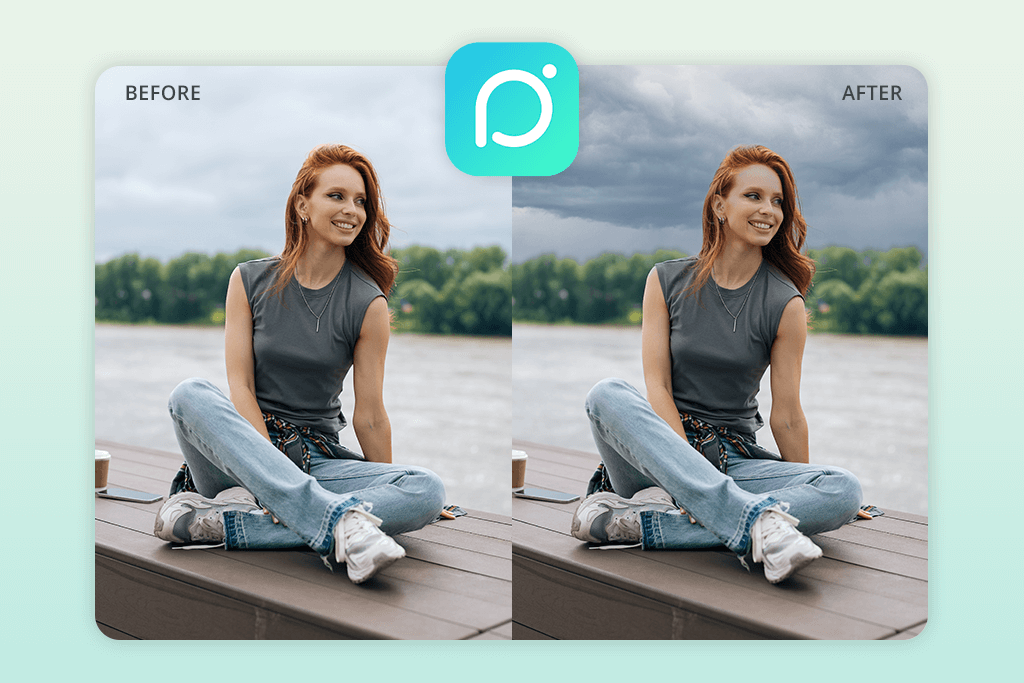
PICNIC is a sky replacement app that was purposefully made to be as user-friendly as possible. I had several photos taken at beautiful locations, but with bland skies, so I used this solution to add a clear blue sky to Santorini, a golden sunset over the Seine, and a more dramatic background to the Chicago skyline. The AI automatically identifies the sky and edits the lighting and colors to ensure your photo looks eye-catching and lively in a single tap.
PICNIC comes with 33 high-quality sky filters that include sunsets, starry nights, and bright, clear days, while allowing you to tweak the intensity for both the sky and the foreground. When dealing with simpler scenes, this app provides realistic results, but it usually has trouble with more intricate elements like tree branches, hair, and uneven rooftops, which can result in white halos.
In contrast to more advanced options, this app doesn’t offer color correction or image editing tools. You can also use it as a camera app to take pictures with the filter applied, while setting PICNIC to one of the 32 supported languages.
6. Pixlr
AI-based convenience
- In-depth manual controls
- Robust, layer-based workflow
- Wide range of tools
- Integrated sky library
- Certain premium tools demand a subscription
- Advanced features can be laggy
Pricing: Free (with watermark) or from $2.99/month
OS: Android and iOS
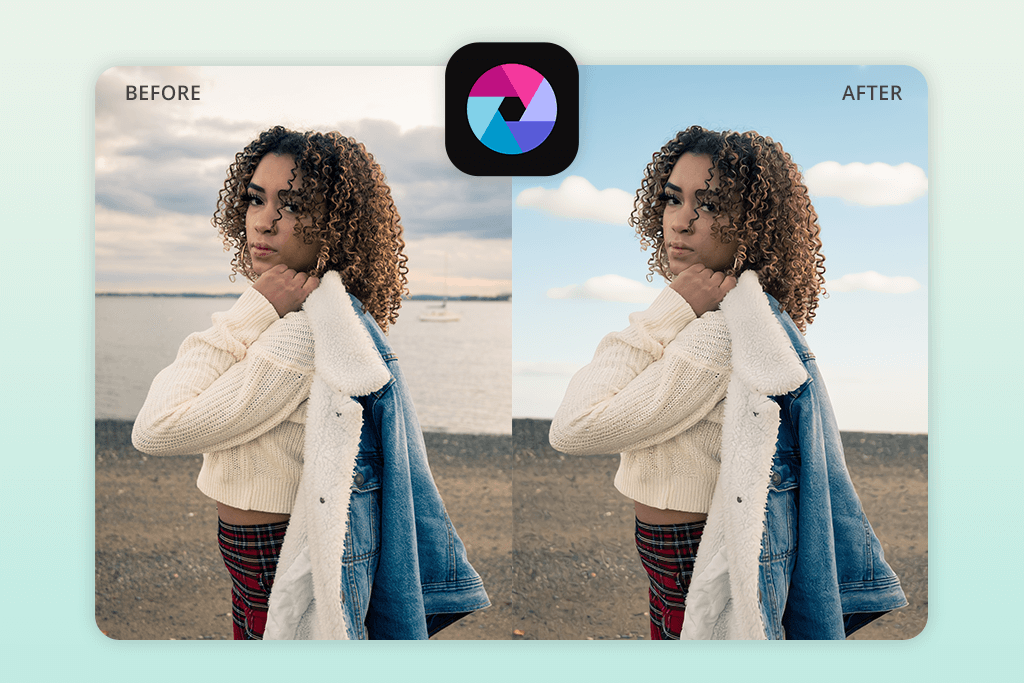
Pixlr offers a terrific combination of user-friendliness and versatility when using it for sky editing. I imported multiple outdoor images with bland or grey skies and employed Pixlr’s selection and layering functionality to swap out the sky for a more vibrant option. In contrast to fully automated AI apps, Pixlr offers a more hands-on workflow – letting you select the area, add a mask to it, and blend the new skies with the help of layers and opacity tweaks.
I was mostly happy with the results – the blue skies, warm sunsets, and vibrant horizons were added naturally to the environment, while allowing me to adjust the brightness, contrast, and color balance. Edges around the tree branches and rooftops sometimes required manual involvement, but that task was simplified thanks to the provided layer and eraser features.
Pixlr provides a wide selection of sky options, from bright blue afternoons to golden sunsets, and even fantasy-like skies. In addition to sky replacements, this app is capable of background removal, applying overlay effects, filters, and basic retouching, which is why I can recommend it for Instagram photo editing. Pixlr comes with single-tap filters that adjust the colors and lighting across the entire scene. That said, certain premium tools demand a subscription, and you have to pay to get rid of the watermark.
7. BeFunky
Diverse sky library
- User-friendly interface
- Fast, natural sky replacement
- Automatically adjusts the depth, mood, and atmosphere
- Customization features
- Performance can suffer when handling bigger images
- Expensive Pro version
Pricing: Free or from $14.99/month
OS: Android and iOS
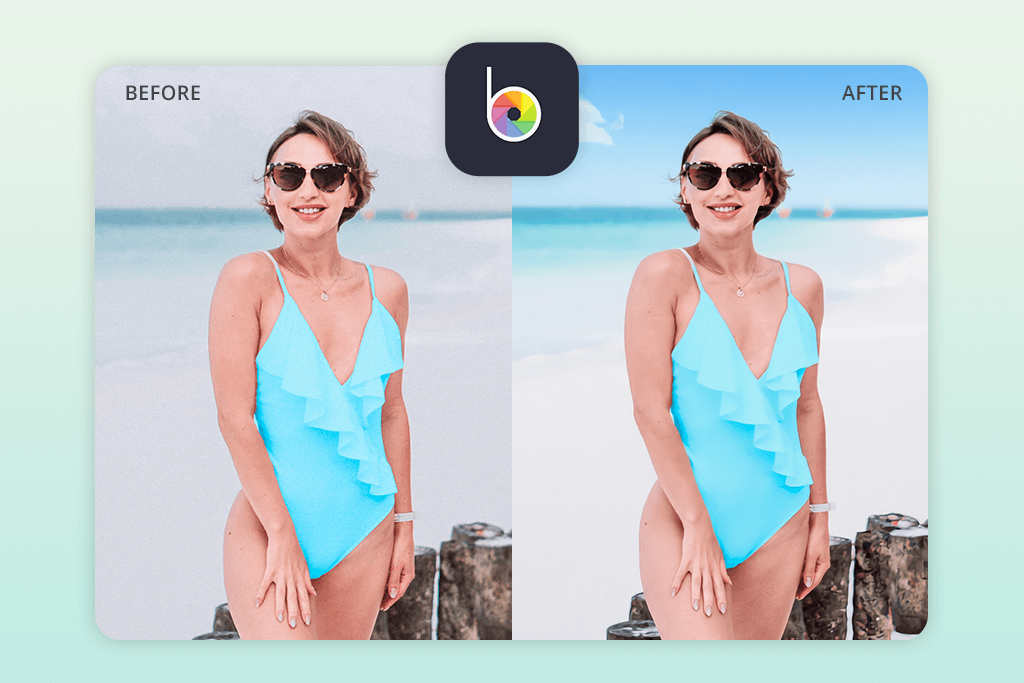
BeFunky can be considered the best app to change the sky in your photos in many aspects. I import a set of different images, including landscapes, city skylines, and travel photos, before entrusting the AI-based Sky Replacer to find the sky areas automatically. In just a few taps, the grey skies turned blue, golden, or into beautiful starry canvases, while ensuring the photos still had depth, atmosphere, and a polished look.
The integrated sky library is diverse, covering all options from clear sunny skies to dramatic clouds, warm sunsets, stormy horizons, gentle pastel sunrises, twilight hues, and celestial starry nights, while also allowing you to import your own photos to fully personalize the result. Additionally, this app lets you make small adjustments to ensure the entire scene looks natural. I was largely happy with the results, and the AI is great at tackling edges around smaller objects like trees or rooftops.
In addition to sky photo editing, BeFunky offers features for background and object deletion, retouching, and filters, meaning it is a versatile app that photographers use. That said, several of the more appealing sky options and tools demand a subscription, and the free plan is very restrictive. When dealing with bigger files, the upload speed can slow down, and you can even experience an occasional crash.
FAQ
- How do such apps function?
The majority of sky-changing apps employ AI to locate the skies in your image. Next, they let you pick one of the available sky replacement options or import your own photo. Finally, the app blends the new sky into the existing scene while fine-tuning the lighting, colors, and other elements.
- Can I import my own sky image?
Yes. Several solutions, like BeFunky or Lightleap, let you import your own sky images, meaning you aren’t restricted to their asset library. This is ideal if you have a specific look in mind and have already prepared a photo for it.
- What kinds of skies can I pick from?
The provided libraries are usually quite diverse. They tend to include clear sunny skies, sunsets, cinematic clouds, starry nights, or even more unconventional options like auroras. Some solutions, like Photoshop for iPhone, allow you to find AI-generated skies by using text prompts.
- Do sky editing apps work for all kinds of images?
Yes. They provide the most realistic results with landscapes, cityscapes, and outdoor portraits. Such apps can have trouble with overly busy skies or unclear horizons.
- Can such apps enhance a picture that was taken in bad weather or lighting?
Yes. Replacing a bland sky with a more eye-catching one can ensure your image looks more appealing. Professional applications like Fix The Photo Body Editor&Tune also let you fine-tune the overall tone to match the new sky without lifting a finger.
- Is it a good idea to let a professional change the sky in my photo?
Yes, particularly for client work, commercial undertakings, or important personal pictures. Professionals like Weedit.Photos offer realistic blending, color correction, and proper lighting adjustments that can’t be matched by most automated solutions. Even though they are great for making sky replacements on the fly for social media, the result you get from a professional will look polished and ready for printing.