9 Best Breast Enlargement Apps for Photos
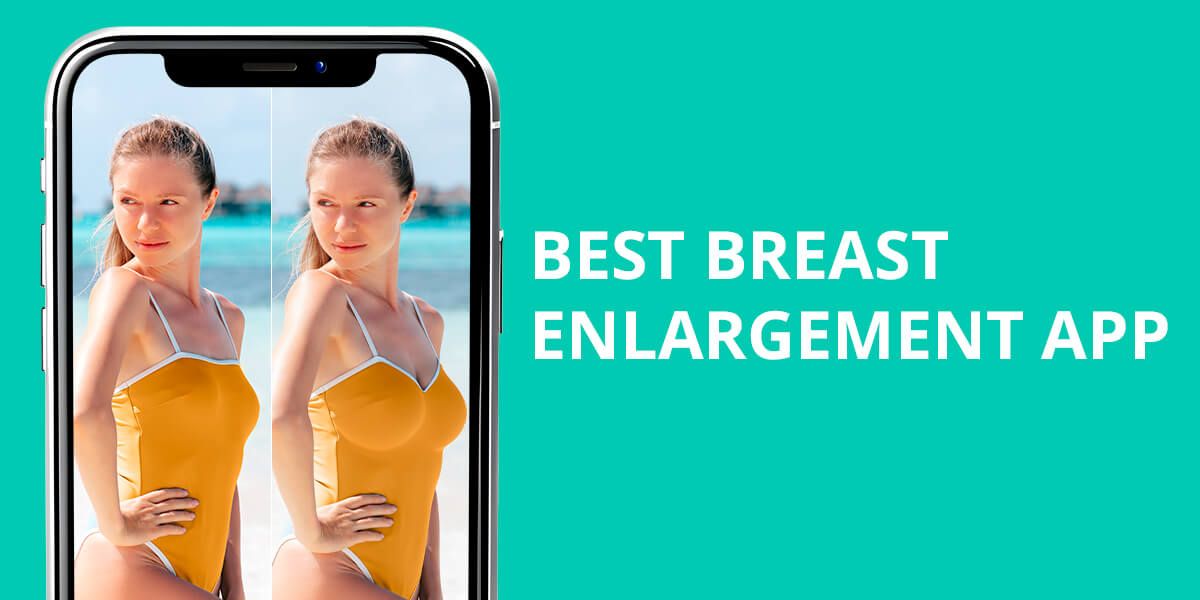
Nowadays, you don’t need heavy filters or fake-looking beauty effects to make your breast shape look better in a photo. Some apps can help you shape or lift your breasts in just a few taps and still keep the picture looking natural.
Some tools use AI, and others let you adjust things manually, like a photo editor would. I tried both kinds of breast enlargement apps on real portrait and lifestyle photos to see which offers the most natural results. I wanted to make sure the body looked real and nothing in the background got stretched or messed up.
Smart Curves or Too Much Control?
Using AI-powered apps is the easiest way to enlarge breasts in photos. You just upload a picture, and the app does the work for you. It looks at your pose, the lighting, and your body’s shape, then enhances the chest area. In many cases, the results look very natural, even when you zoom in.
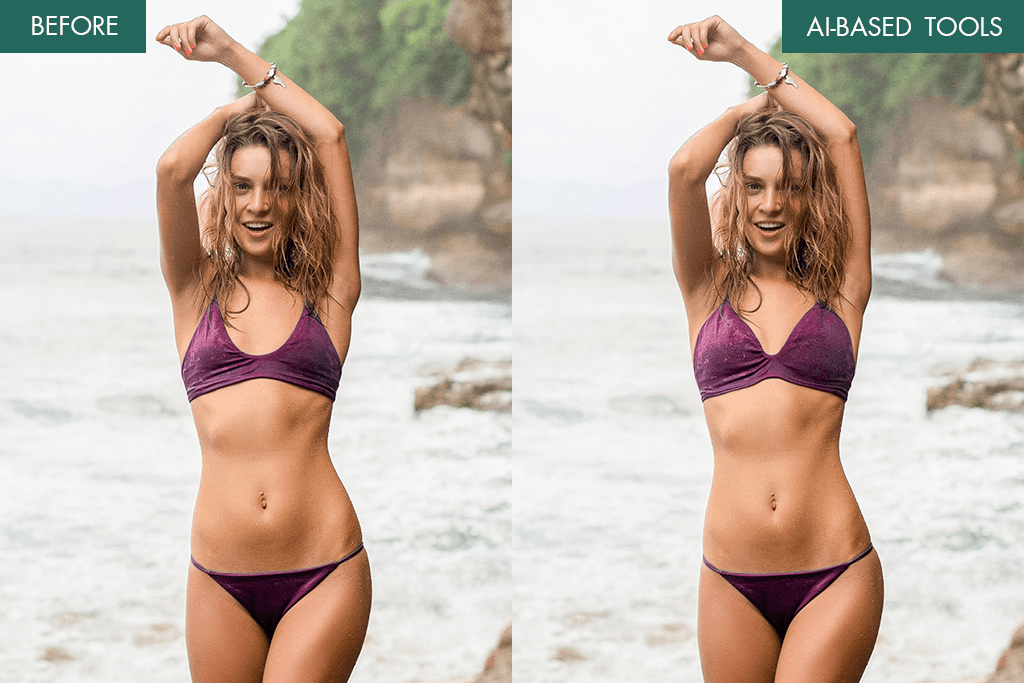
This is perfect for beginners who don’t want to adjust sliders or use brush tools. But there’s a small problem: if you don’t like part of the edit, 99% of AI tools redo the whole thing instead of just fixing one area. That’s why apps with both AI and manual modes are better: you get a quick result but can still fix details if needed.
However, AI doesn’t always get it right. In one breast enlargement app I tried, it made everyone’s chest bigger, even if it wasn’t needed. Sometimes the changes didn’t match the person’s body shape, and the picture felt fake. That’s another reason why having manual tools is helpful.
1. FixPlus
AI-enhanced reshaping tool
- AI chest detection
- Manual reshape tool available
- High-resolution export
- No watermark
- In-app purchases may be required
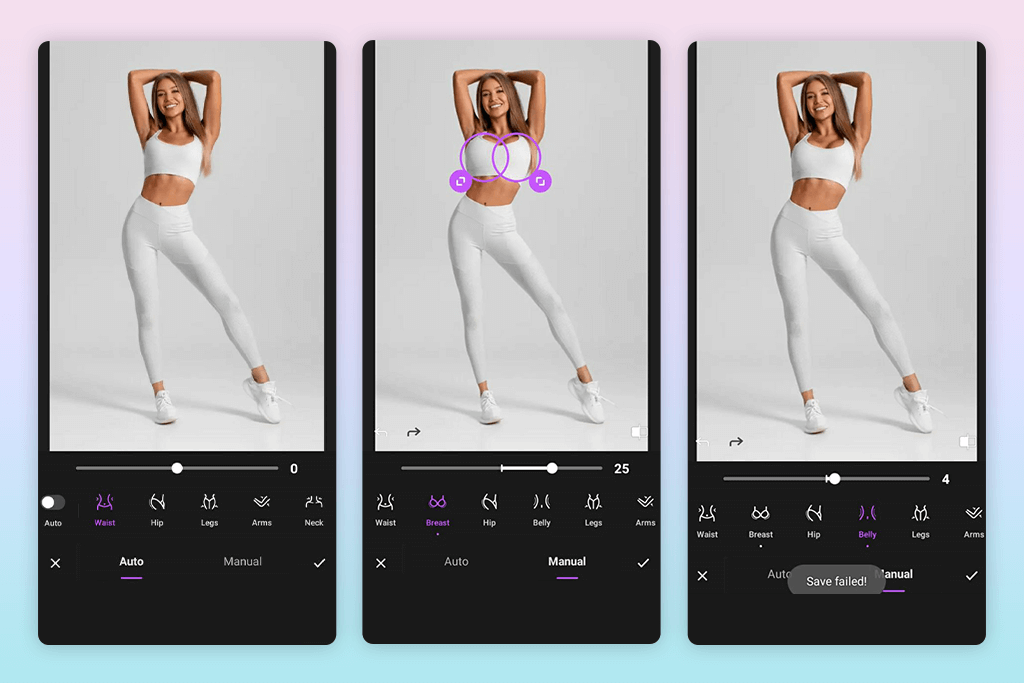
One Android photo editor I use is called FixPlus. It helps make the chest look better without messing up other parts of the photo. When you upload a picture, the app finds your body outline using AI. To enhance the breasts, go to the “Body” section and tap “Bust.” A slider will show up, and you can gradually increase the size, keeping the lightning and skin texture the same as in the original.
If you want more control, use the “Custom Shape” tool in the manual section. You can tap on just one side of the chest, lift or shape it, and use a symmetry slider to even things out.
The good part is that it doesn’t deform nearby areas like the collarbone or waist. You can also see a before-and-after preview and save the edited photo in HD without watermarks, which is rare for a free breast enlargement app.
Price per photo: Free basic / $1.99 for premium tools
2. FixThePhoto Editor & Retouch App
Real retouchers
- Handled by real editors
- 1st photo is free
- Custom instructions supported
- Magazine-level edits
- Per-photo payment
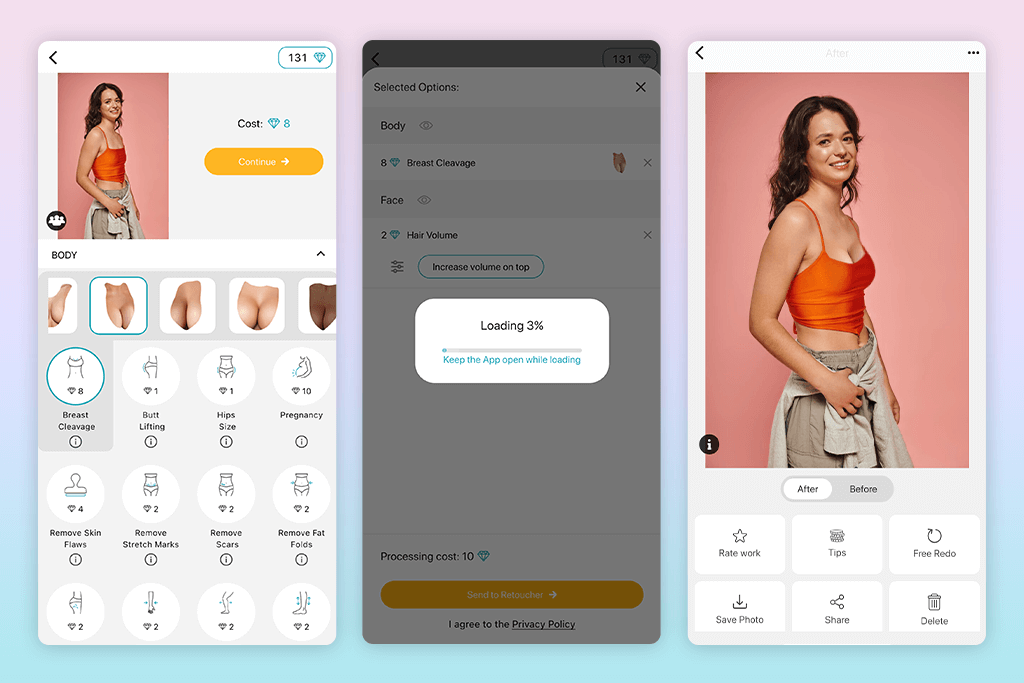
If you want the most natural-looking breast enlargement, nothing works better than manual editing — and that’s what this app is made for. In FixThePhoto, you upload your picture, choose the “Body Retouching” option, then select “Breast Enlargement.” There’s a small notes box where you can write what you want, like “lift and enhance, but keep it looking natural.”
You don’t do the editing yourself. Instead, professional retouchers from FixThePhoto make the changes for you. In about 30 to 60 minutes, you get your edited photo back where the chest looks fuller and lifted, but still real, not fake or too edited. The first edit is free, but you have to pay for each subsequent image.
Price per photo: First photo free / $6.00
3. Mentor Breast Simulator
Real-world simulation
- Realistic
- Medical-grade accuracy
- Free to use
- Great for planning
- No photo editing
- Lacks creative tools
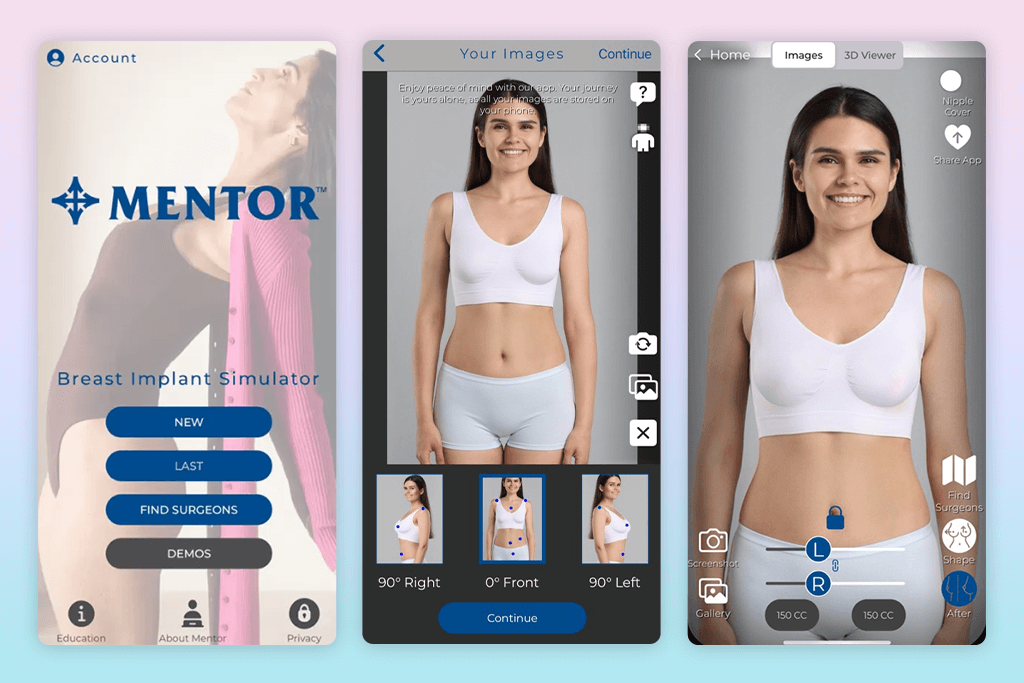
Now, this tool isn’t for editing photos, but I’m including it for people considering real breast enhancement surgery. The Mentor Breast Simulator works best if your portrait is taken from the front. Upload the image, and then you can try out different breast implant sizes and shapes. It shows a before-and-after image, kind of like a preview of what surgery results might look like based on real anatomical models.
Although it’s not a regular iPhone photo editor, because it’s got no filters or editing features, if you’re thinking seriously about surgery and want to see what your breasts might look like, this is one of the most trustworthy tools.
Price per photo: Free
4. PrettyUp
One-tap body shaping
- Quick auto reshape
- Natural breast lift
- Slimming options
- Easy to undo
- Ads in free version
- Occasional misshaping
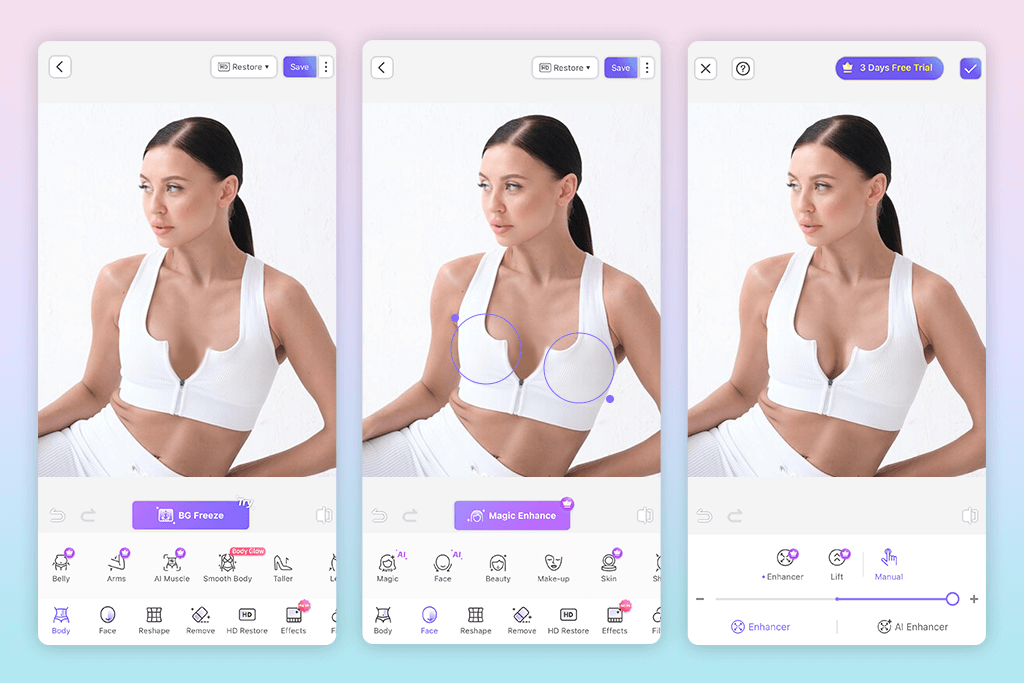
When I’m editing selfies or Reels, I use PrettyUp. It’s very easy to use. Breast shaping is built into the “Body” tool, and you can enhance curves with one simple swipe. It doesn’t mess up the background too much, either, making the result look realistic. I also use the auto photo enhancer in the app to smooth the skin and fix the lighting if needed.
This AI breast enlargement app isn’t perfect, but it’s great for quick edits. While it might cause occasional distortions, you can press “Undo” or use drag tools to fix anything that looks off. For casual selfies or social media videos, PrettyUp is a quick and practical tool.
Price per photo: Free with ads / $2.99 to unlock full tools
5. BodyApp
Full control
- Manual body sculpt tool
- Built-in presets
- User-friendly UI
- Natural results
- Paid tools locked
- Can be too subtle
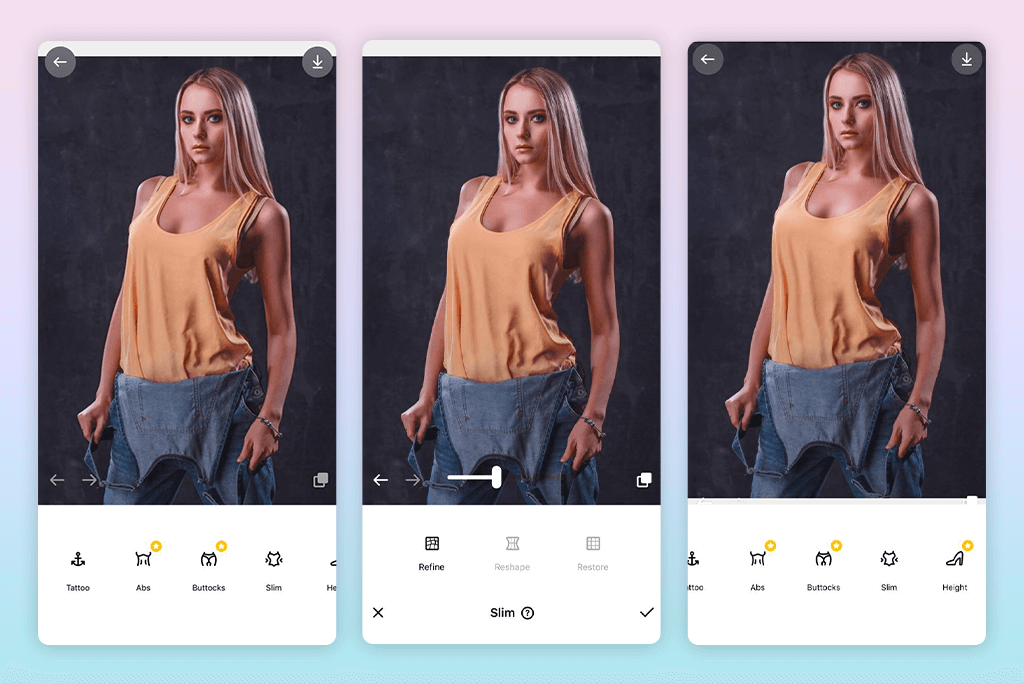
Another app I use is BodyApp because it offers full manual control. I go into the “Body Editor” and choose either “Chest” or “Bust,” depending on the app version. A slider lets you make the chest fuller, but not too much. If I don’t like one change, I can hit “Reset Area” to undo just that part.
What I like most about this breast enlargement app is how accurate it is. You can zoom in and adjust each side separately, which helps fix uneven shapes caused by bad posture or tight clothes. I use this tool for more professional-looking portraits.
Price per photo: $3.99 (via subscription or per edit)
6. Hotune
Bold breast edits
- Bold reshaping tools
- Face and body edits
- Trendy filters
- Built-in presets
- Less realistic
- Heavy processing
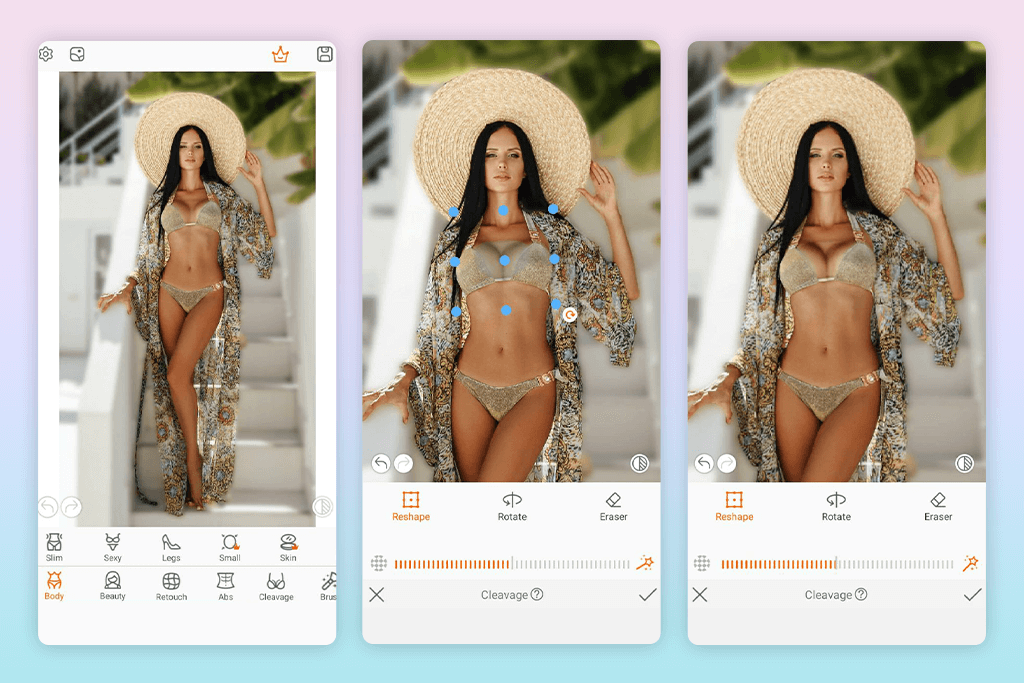
If I’m going for a bold or fashion-style look, I use Hotune. In the “Reshape” section, there’s a “Boobs Up” tool. It starts strong by default, but you can lower the strength with a slider. There’s also an “Enlarge” tool for more volume, but you have to be careful, as it might stretch clothes in the photo, making it look unrealistic.
I usually add a filter like “SoftSkin” or “Vogue” afterward to smooth everything out. The final picture doesn’t always look natural, but for creative or eye-catching edits, Hotune gives you lots of freedom. It’s not for soft, subtle changes, but it’s great if you want something bold and different.
Price per photo: Free with ads / $1.99 for premium access
7. Peachy
Clean results
- Simple interface
- Easy zoom tools
- Reshape by drag
- No sign-up needed
- Few extra tools
- Limited AI help
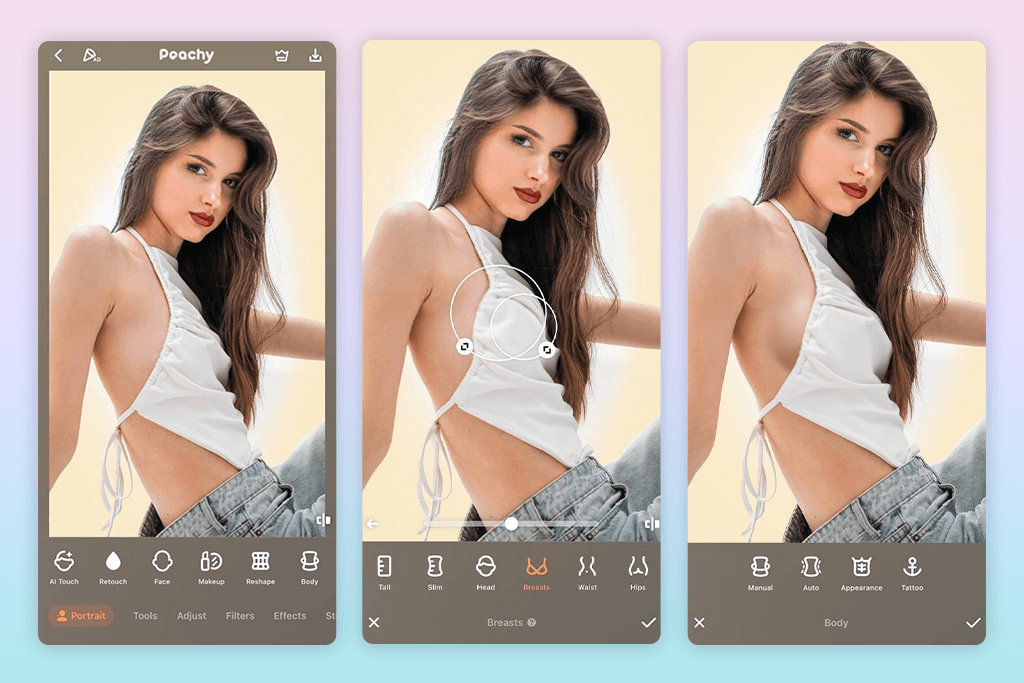
Peachy is a simple and light breast enlargement app. After you upload your photo, go to the “Reshape” tool, zoom in, and use the “Enlarge” brush on the chest area. There isn’t a special button just for breast edits, so you have to do it manually. But if you’re careful, the results look smooth and neat.
It doesn’t fix posture or lighting, but it works well for small chest lifts or for fixing how your curves look in tight clothes. It’s great when you’re in a hurry and don’t want to waste time logging in to an advanced app or going through too many options.
One helpful feature is the before-and-after preview: just press and hold the screen to see what changed. Peachy isn’t a full editing app, but it’s good for fast and simple chest edits.
Price per photo: Free basic / $1.49 for HD export
8. AirBrush
DIY tools with presets
- Manual body editing tools
- Preset filters and lighting
- Background-safe edits
- Popular on Android & iOS
- No dedicated breast tool
- Needs steady hand
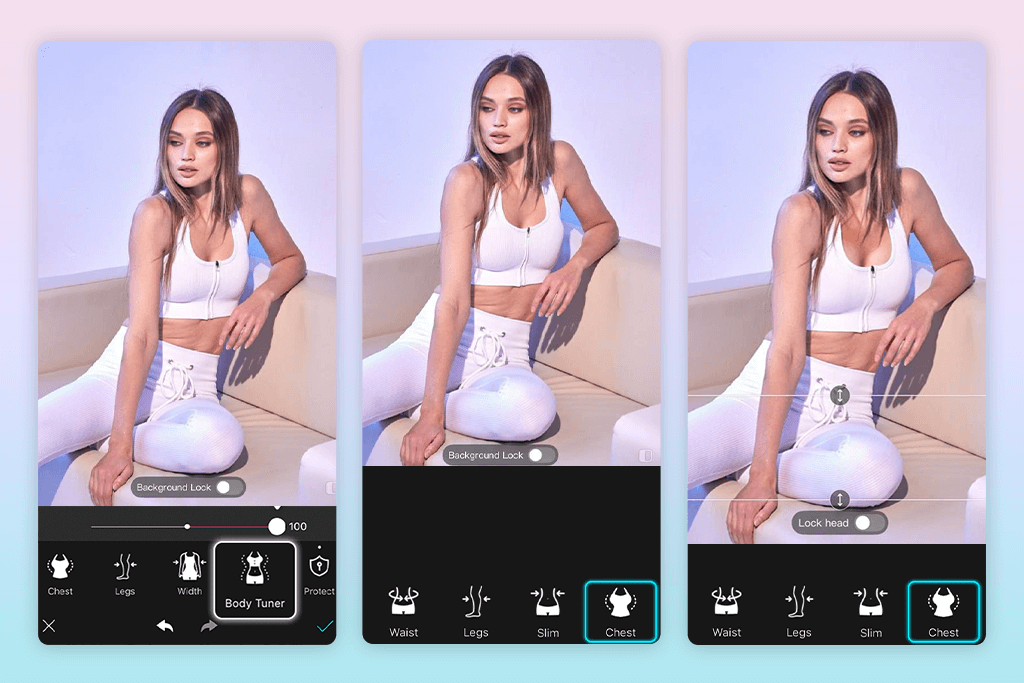
AirBrush isn’t mainly made for breast enhancement, but its “Reshape” and “Sculpt” tools can work well if you use them the right way. I zoom in on the chest and gently use the “Widen” or “Expand” brushes, and I do this in small steps, so the clothes or background don’t get stretched.
It’s not as accurate as apps with a detailed bust slider, but you can make the final picture look better by adding filters and changing the lighting. AirBrush is a good option if you already know how to make small changes manually and want more control instead of using full automatic filters.
Price per photo: Free basic / $1.99 for premium features
9. YouCam Perfect
Quick shaping
- Predefined body curves
- Quick “Bust Up” tool
- AI scene preservation
- Face + body editing
- Ads in free plan
- Watermark on exports
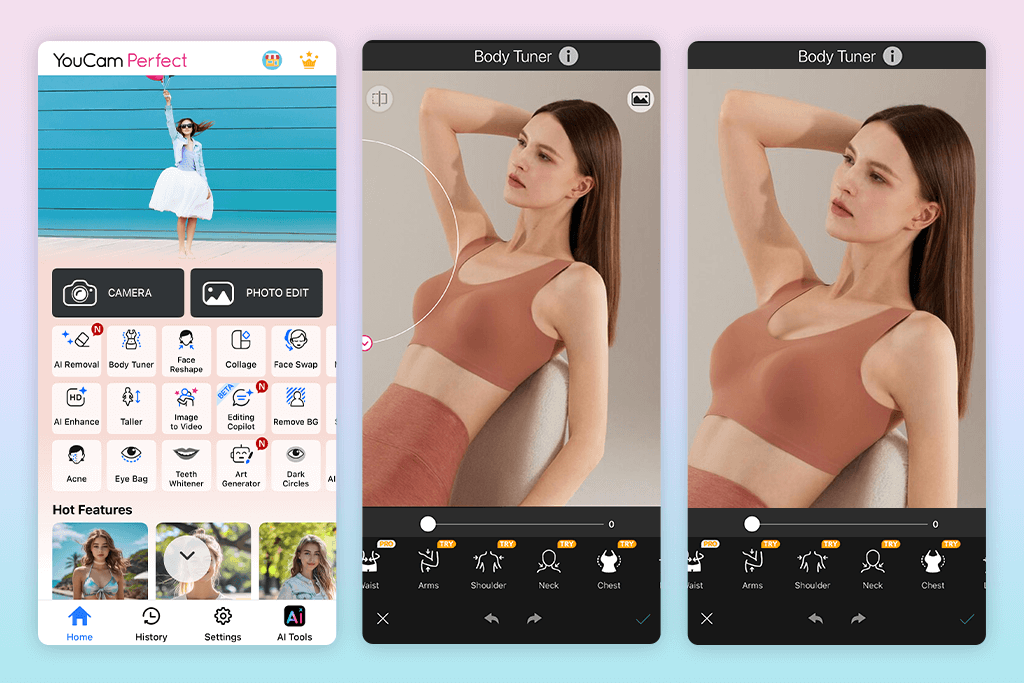
YouCam Perfect isn’t just for editing body shapes, but it does have a tool for chest enhancement. In the Body Tuner section, there’s a “Bust Up” template that slightly lifts and adds shape to the chest. It works well on photos where you’re facing forward or slightly turned. It doesn’t deform your clothes, thanks to its AI tool. To use it, go to “Shape” and pick “Bust Up”, then move the slider to adjust how much change you want.
There’s also a manual tool under “Retouch” that lets you zoom in and fix little details to make everything look smoother. This app is great for quick edits, and it also has filters and lighting tools to get your photo ready to post on social media.
Price per photo: Free basic / $2.99 for HD export without watermark
FAQ
- Are breast enlargement apps safe to use?
Yes, these apps are safe when used just for editing photos. They don’t change your real body; they only change how things look in the picture.
- Do these apps work on all body types?
Most apps use AI tools or let you edit manually, and they can work on many different body shapes. However, how well they work can depend on how you’re standing, your outfit, and the lighting in the photo.
- Can I enlarge breasts without knowing how to edit?
If you don’t know much about editing, it’s easier to let professionals do it for you. At Weedit.Photos, expert retouchers can gently improve breast shape and smooth out the body. Their edits look natural and don’t mess up the photo.
- Can I undo or fix changes in breast enlargement apps?
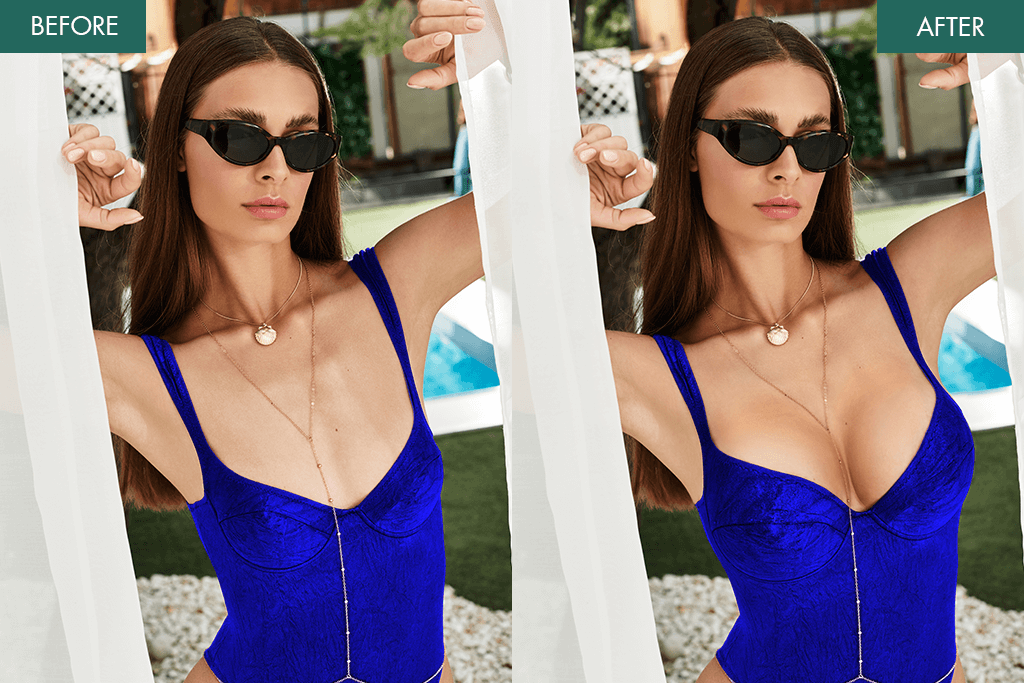
Most of these apps have an “undo” or “reset” button, so you can go back if you don’t like how the changes look.
- Will the edits look natural?
That depends on how much you change and which app you use. Small changes usually look more real. Apps with manual tools or professional editors often give the most natural results.
What to Check Before You Enlarge?
Use apps from the official platform, like the App Store or Google Play. Also, check that the app is updated often and that the developers are active. This means they are more likely to follow safety guidelines.
Always read the app’s privacy policy. A good editing app should explain how it handles your photos (like if the changes happen on your phone or if the picture gets sent to a server). For example, Peachy and Fix The Photo can make edits offline, which keeps your photo more private.






