7 Best Apps to Add Golden Hour Light to Photos
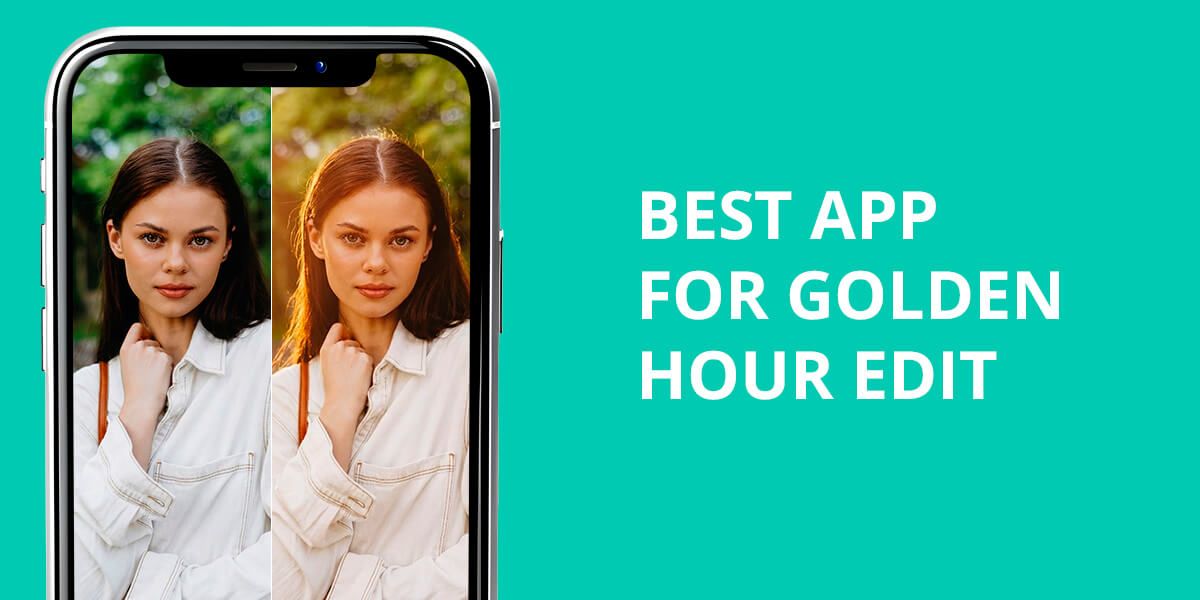
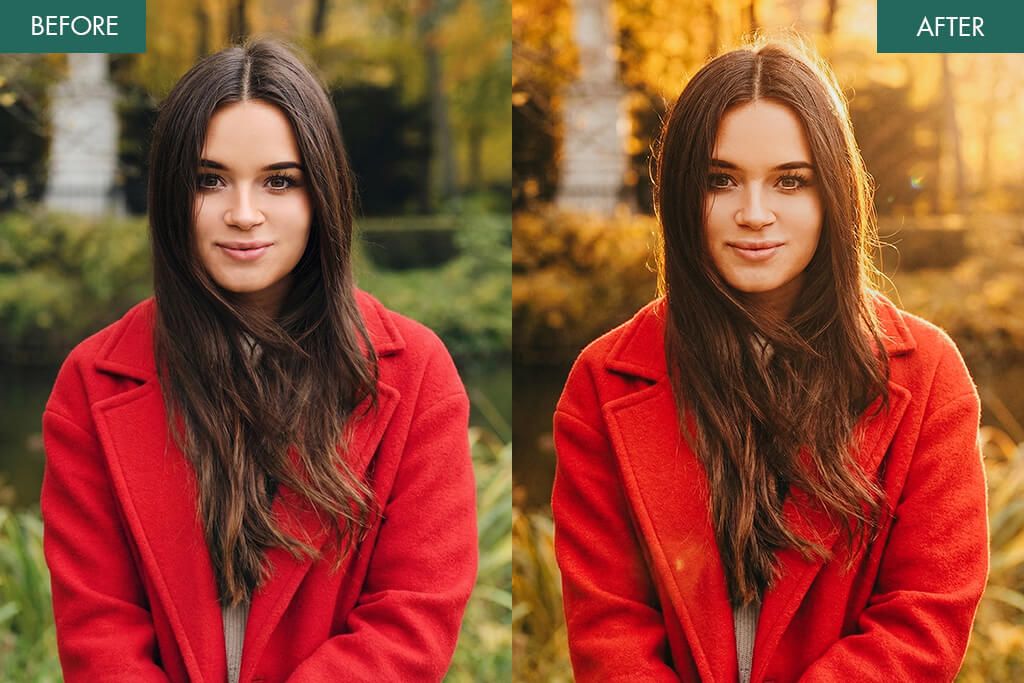
Everyone appreciates the enticing, warm glow of the golden hour, but it can be difficult to capture the perfect conditions in real life. As such, the Weedit.Photos team decided to find the best app for golden hour edits to create sunset-time lighting digitally.
We used these applications to enhance portrait, travel, and candid lifestyle pictures to check which of them apply natural golden hour lighting and which only add overly aggressive filters. Some options rely on instant AI tools, while others provide manual editing features for more natural results.
Whether you’re looking for single-tap AI-based solutions or more advanced apps that offer manual control over the lighting, shadows, and color temperature, you’re bound to find a suitable golden hour light app below.
Can Apps Replace Natural Golden Hour?
It’s hard to match the charm of actual golden hour lighting – the sun’s low angle, diffused glow, and deep shadows are difficult to imitate. However, modern golden hour effect apps that function similarly to an auto photo enhancer, can simulate golden hour aesthetics impressively accurately by adding warmth, gentle highlights, and sunset-like contrast.
What sets both cases apart is control. Whereas in the real world, golden hour requires perfect conditions, apps allow you to adjust the warmth, glow, and shadows as you see fit. When used intently, the output can look surprisingly realistic.
Apps can’t replace the actual sun, but they can help you avoid the chaos involved in the process of trying to catch that perfect moment, allowing you to create beautiful sunset photos even when nature and timing aren’t on your side.
1. Photoshop on iPhone
Maximum golden hour control
- Complete control over the lighting
- Robust masking functionality
- Natural shadows
- Cinematic results
- iOS exclusive
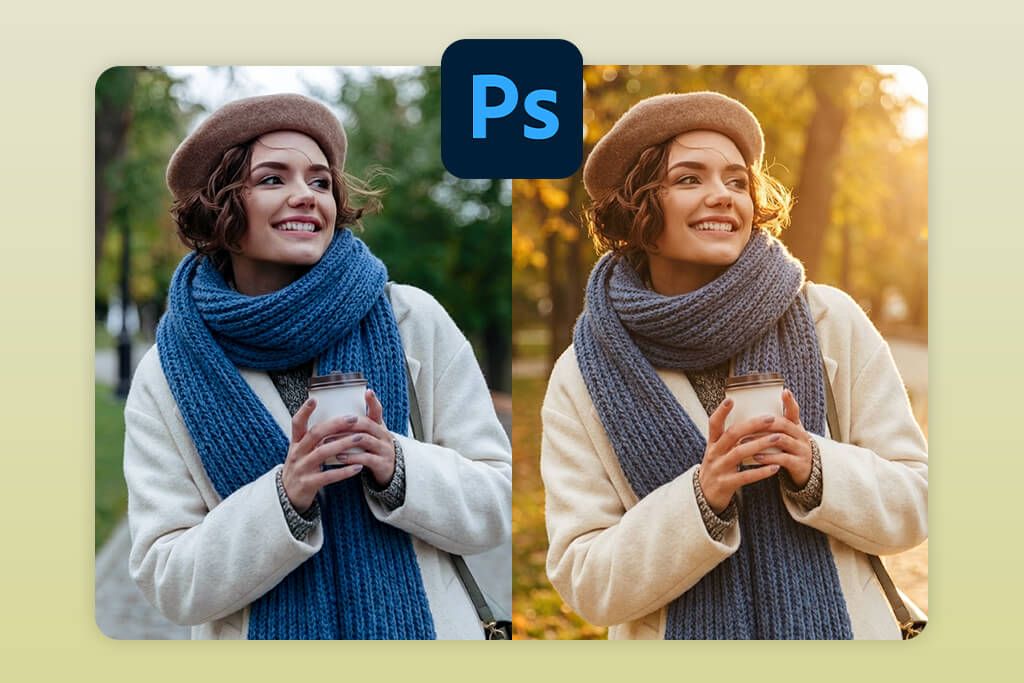
Photoshop on iPhone is the best golden hour photo app when it comes to realism. Rather than applying a preset, it allows me to create a sunset effect manually, which is important if you want your photo to look like it was actually taken at golden hour instead of being manipulated afterward.
Such an effect can be created by employing Curves, Color Balance, Gradient Masks, and Selective Warmth. These features let you determine the placement of the light, its intensity, and the shadow distribution, imitating real-life golden hour.
Such an approach is time-demanding, but Photoshop makes up for it with realism. It’s a great option for photographers and content creators who don’t want to be limited by rigid filters and AI tools.
Pricing: Free; from $12.99/mo
2. Fix The Photo Body Editor&Tune
Most realistic effect

- Human retouchers
- Natural lighting placement
- Realistic skin tones
- First photo is free
- No instant filters
Fix The Photo Body Editor&Tune caught my attention since it relies on real human retouchers rather than AI functionality. I imported an image, specified the exact type of lighting I needed, and got the result. Professional editors manually fine-tuned the Highlights, Shadows, Color Temperature, and Light Direction, shaping the light until it looked like the actual golden hour sun.
When necessary, they also employed background removal tools to separate the subject from the backdrop to ensure the light is placed more naturally and fits into the environment. This helped them avoid typical problems like flat overlays, rough edges, and artificial color shifts.
This is the best app for golden hour photography if you want to get highly realistic results but don’t have the skills or time to master professional software. The delivered photo looks like it was taken during the actual golden hour, enticing you with soft transitions, aesthetic shadows, and naturally warm skin tones.
Pricing: First edit free; from $0.99 per edit
3. Snapseed
Natural golden warmth
- Free professional features
- Accurate selective adjustments
- Natural color correction
- No ads or watermarks
- Doesn’t offer golden hour presets
- Fully manual controls
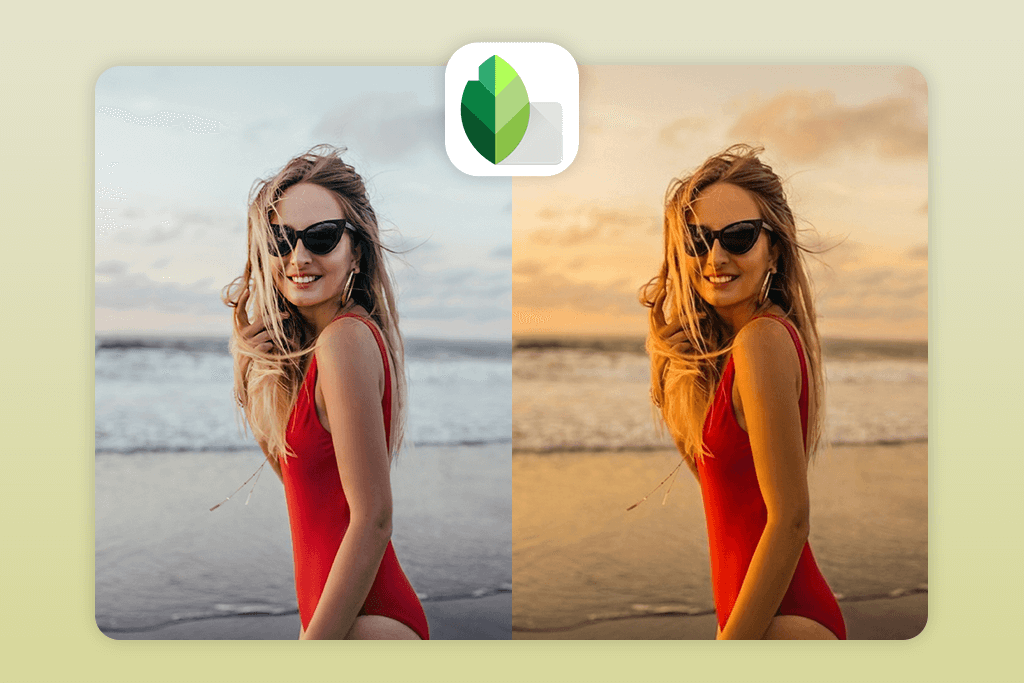
Snapseed is an impressive golden hour photo editing app that allows you to achieve natural results even though it doesn’t offer specialized filters. This solution lets you create the effect by hand by adjusting the warmth, location, and direction of the lighting.
To get the desired effect, I primarily relied on Warmth, Curves, and Selective Adjust. Warmth helps create sunset-style tones, Curves allow you to soften the highlights and add definition to the shadows, while Selective Adjust makes it easy to brighten specific parts of the photo where natural sunlight would reach, such as faces or background edges.
Snapseed is great if you’re looking for a natural golden hour effect that doesn’t suffer from the overwhelming artificial glow that AI-applied filters are known for. It’s perfect for portrait, travel, and outdoor photographs that require a more subtle approach.
Pricing: Free
4. VSCO
Aesthetic sunset hues
- Warm cinematic presets
- Film-stylized color styles
- Quick and efficient workflow
- Popular with content makers
- Restrictive lighting controls
- Most presets are paid
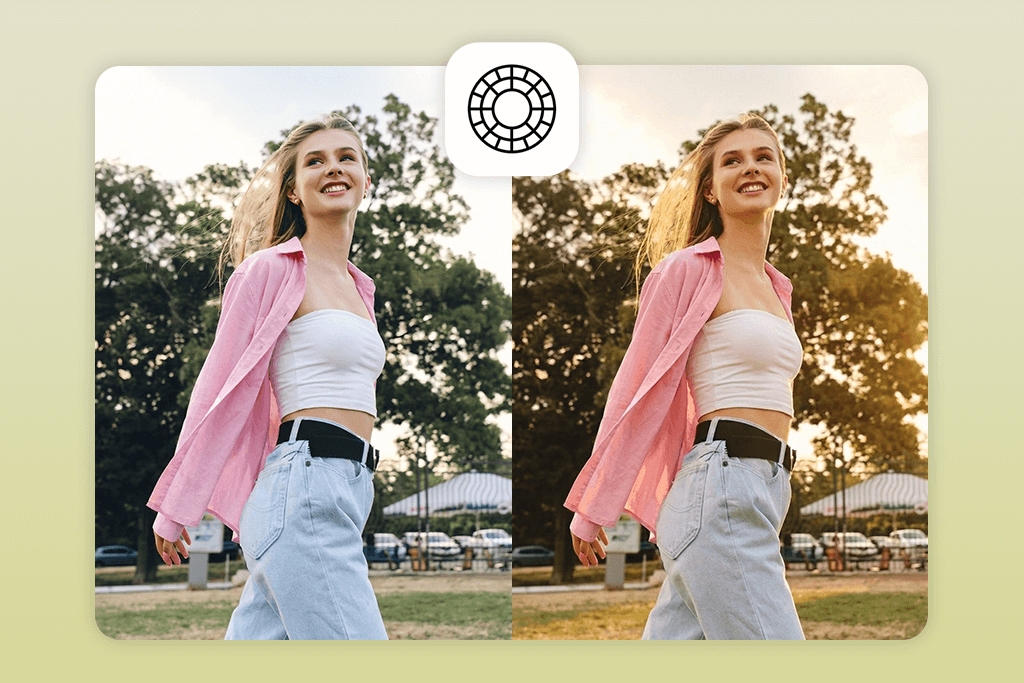
VSCO is a great golden hour filter app if you’re interested in getting the vibes right without worrying too much about realism. Throughout my test, I primarily employed its warm presets instead of making manual edits, which is typical for apps that photographers use to make fast, aesthetic edits.
Presets like A4, M5, and C8 apply soft warmth, subtle contrast, and sunset-themed hues. You can adjust the image further by tweaking the Temperature and Highlights settings, but VSCO doesn’t allow you to alter the lighting direction or shadows.
VSCO is ideal for lifestyle, Instagram, and travel photography that puts a premium on mood and doesn’t care as much about realism. I can recommend this app to users who chase quick, aesthetically pleasing golden hour effects without having the time or skills to achieve such results manually.
Pricing: Free; offers paid presets
5. Lightroom Mobile
Balanced golden hour editing
- Robust color grading functionality
- Preset-based structure
- Pro-grade results
- Consistent results across images
- Noticeable learning curve
- Demands a subscription
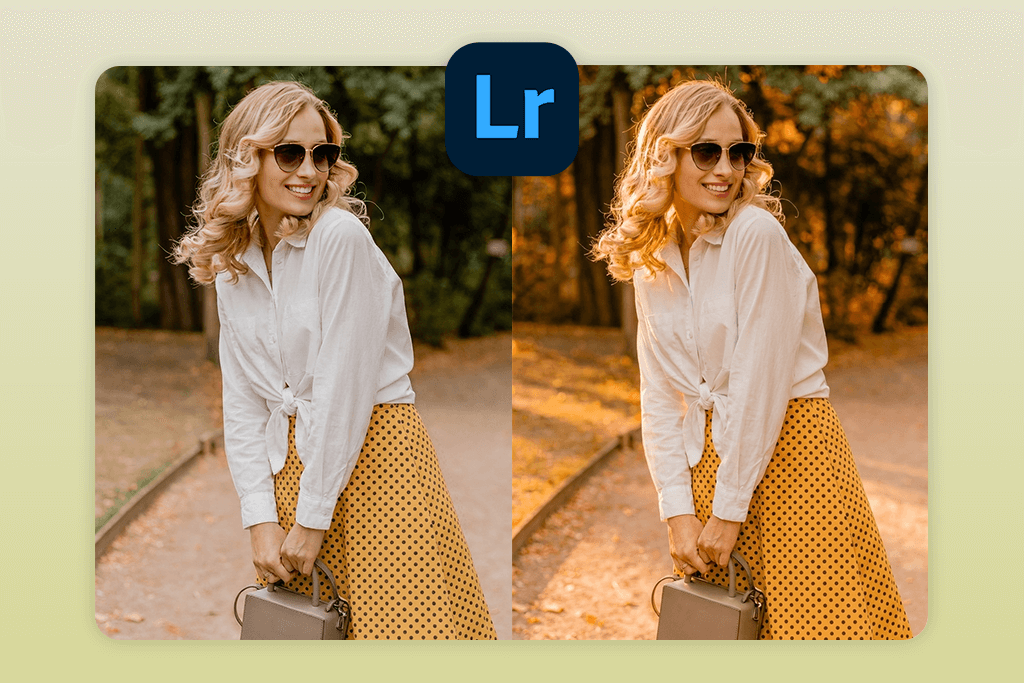
Lightroom Mobile is a robust golden hour editing app that allows you to ensure your images look realistic and polished. I used it for portraits and outdoor shots that required careful skin tone, sky, highlight, and shadow tweaks to preserve the natural appeal of your photos.
I particularly like using the Color Grading, HSL, and Highlights/Shadows tools. Color Grading lets you strengthen warm hues particularly for the highlights, imitating sunset lighting, while HSL enables you to adjust separate tones to ensure the skin looks natural. By tweaking the Highlights and Shadows, you can add depth and softness to specific areas to better match the golden hour vibes.
This golden hour photo enhancer app is perfect for photographers interested in consistent results across a variety of different photos. It’s harder to learn than single-tap solutions, but the output looks refined, professional, and highly realistic.
Pricing: Free; from $9.99/mo
6. YouCam Perfect
Quick golden glow
- Single-tap golden filters
- Intuitive UI
- Quick results
- Perfect for social media content
- Light can look unnatural
- Ads in the free version
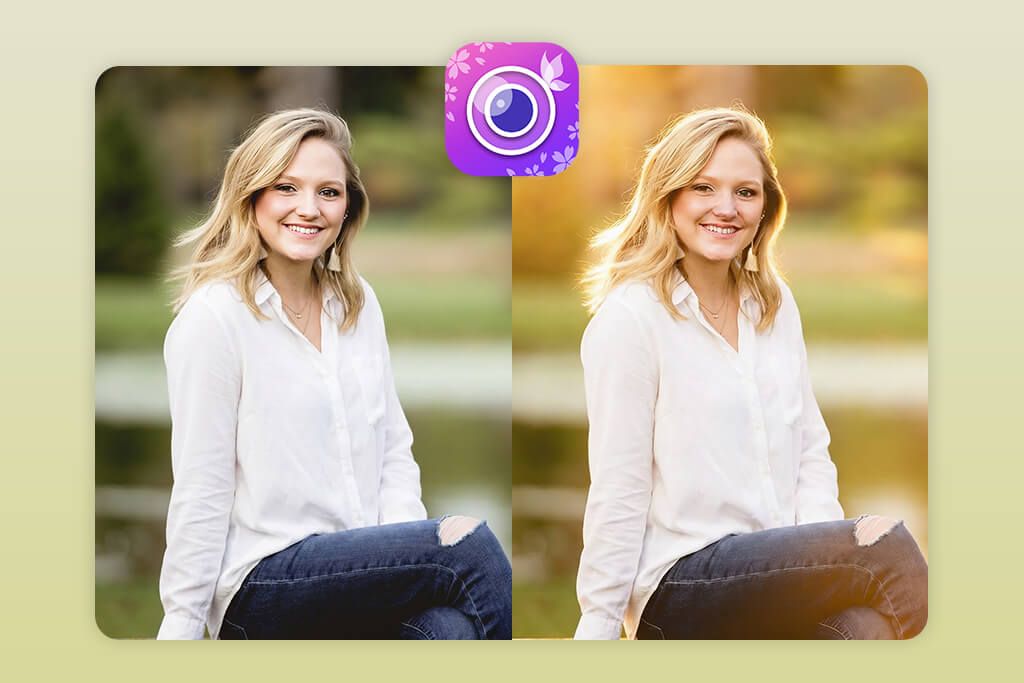
YouCam Perfect prioritizes efficiency over realism. When I used this app for adding golden hour effects, I primarily used the integrated sunset-themed filters to get the needed result immediately.
You can get the golden hour effect by using the available Single-Tap Filters and Auto Enhance, which boost warmth, brightness, and saturation for the entire photo. This applies a visually pleasing, glowing overlay, but the lighting is added uniformly.
YouCam Perfect doesn’t examine the light direction, depth, or shadow location, so the created look resembles a color overlay more than a thoughtfully crafted sunset lighting effect. This app is solid for selfies, lifestyle portraits, and social media content that values the overall atmosphere more than realism.
That said, if your goal is to create cinematic or highly realistic golden hour photography, I suggest you look for other options.
Pricing: Free; from $5.99/mo
7. Lens Distortions
Cinematic light overlays
- Natural sun flares
- Cinematic lighting effects
- Pro-grade overlays
- Terrific finishing tool
- Lacks editing features
- Demands layering skills
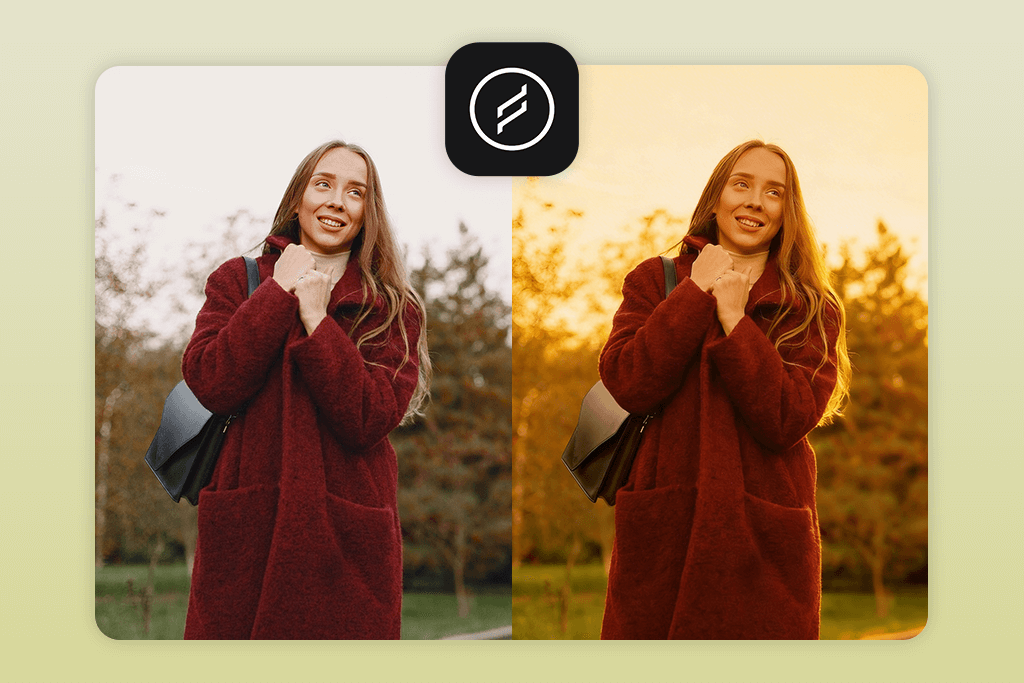
Lens Distortions can’t be used for proper image editing. Instead, it allows you to add beautiful, realistic lighting effects on top of a photo you already prepared. It allows you to make the final touches after adjusting the colors in other software or Android photo editors to add more depth and emphasize the mood without affecting the original colors too aggressively.
The most important features are Sunlight Overlays, Golden Flares, and Glow Effects, which let you arrange, resize, and rotate the added lighting manually to fit the environment. When employed wisely, the added effects look natural as if they were already a part of the photo when it was taken, offering soft flare edges and natural lighting falloff.
When adding a golden hour look, this app relies on you having tweaked the exposure, contrast, and white balance beforehand to ensure the added sunlight looks immersive. Lens Distortions is a particularly good choice for landscapes, outdoor portraits with heavy backlighting, and cinematic compositions where lighting is essential for visual storytelling without feeling overwhelming.
Pricing: Free; paid packages included
Golden Hour Photo Guide
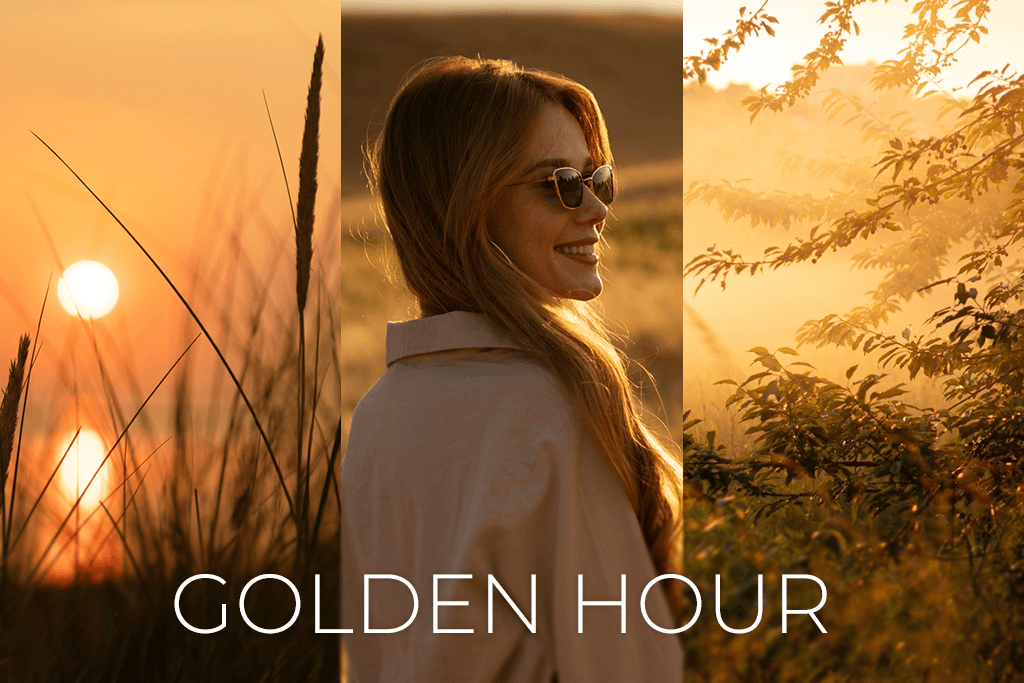
Even the best golden hour filter apps need good source material. It’s highly recommended to use photos taken under the correct conditions with well-chosen timing, locations, and lighting direction.
When the original photo already has soft lighting and well-balanced exposure, the application only has to enhance the existing elements rather than creating artificial golden hour lighting from nothing.
| Factor | Best choice | Why it works |
|---|---|---|
| Time of day | Sunrise & sunset (±30–60 min) | Light is soft, warm, and flattering |
| Light direction | Side or backlight | Creates natural glow and depth |
| Location | Open spaces (parks, beaches, rooftops) | Light spreads evenly without rough shadows |
| Weather | Light clouds or clear sky | Clouds soften highlights and shadows |
| Subject distance | Medium distance | Preserves skin tones and details |
| Camera angle | Slightly above eye level | Reduces harsh shadows on the face |
Pictures taken under these conditions typically involve minimal editing. Rather than applying intense warmth or glow effects, you can limit yourself to subtly strengthening the highlights, boosting color temperature, and softening shadows. This way, you can preserve the original textures and prevent the artificial look that AI-based apps are known for.
If you get the timing, lighting, and composition right, every edit you make with a golden hour camera app will feel purposeful. Your photo will look warm, cinematic, and atmospheric, while creating the impression that it was genuinely snapped at the perfect moment.
FAQ
- What is a golden hour editing app?
A golden hour photo editing app allows you to imitate warm sunset lighting digitally by tweaking the color temperature, highlights, shadows, and glow. These solutions add soft, flattering light that you can typically witness right before the sun sets.
- Can a golden hour effect look realistic when added to a daytime picture?
Yes, as long as the original image has fitting lighting and exposure. Applications with manual tools or professional retouching tend to excel at adding golden hues naturally, while single-tap solutions tend to provide more “fake”-looking results.
- Can golden hour filter apps replace manual editing?
Filters are quicker and simpler to use, while manual editing delivers more realistic and polished results. Tools like Photoshop for iPhone or Snapseed let you choose where the light is added instead of simply adding a universal overlay like most AI apps do.
- What to do if I need realistic results but lack the time to edit photos manually?
If you’re interested in quickly receiving pro-grade golden hour photos, reach out to the Weedit Retouch Service powered by Fix The Photo Body Editor&Tune. Their experienced retouchers manually create golden hour lighting by tweaking the highlights, shadows, warmth, and glow to ensure everything looks natural, which is unachievable for most filters and AI tools.
- Which is the best app for golden hour photos for beginners?
For inexperienced users, apps like VSCO or YouCam Perfect are a great choice. They provide premade presets that apply a golden hour filter without requiring any manual involvement.
- Can I share my golden hour edits on social media or for marketing materials?
Definitely. Golden hour effects are always a great fit for Instagram, lifestyle branding, travel photography, and personal portfolios since they ensure your images look warm, cinematic, and cozy.
- Do free golden hour apps apply watermarks?
Most free solutions don’t apply watermarks, but some of them can impose limits on the export parameters or show ads. Meanwhile, more advanced apps tend to require subscriptions to let you save photos in higher resolutions.






