Apps to Edit Wrinkles on Clothes [Without Blurring Fabric]
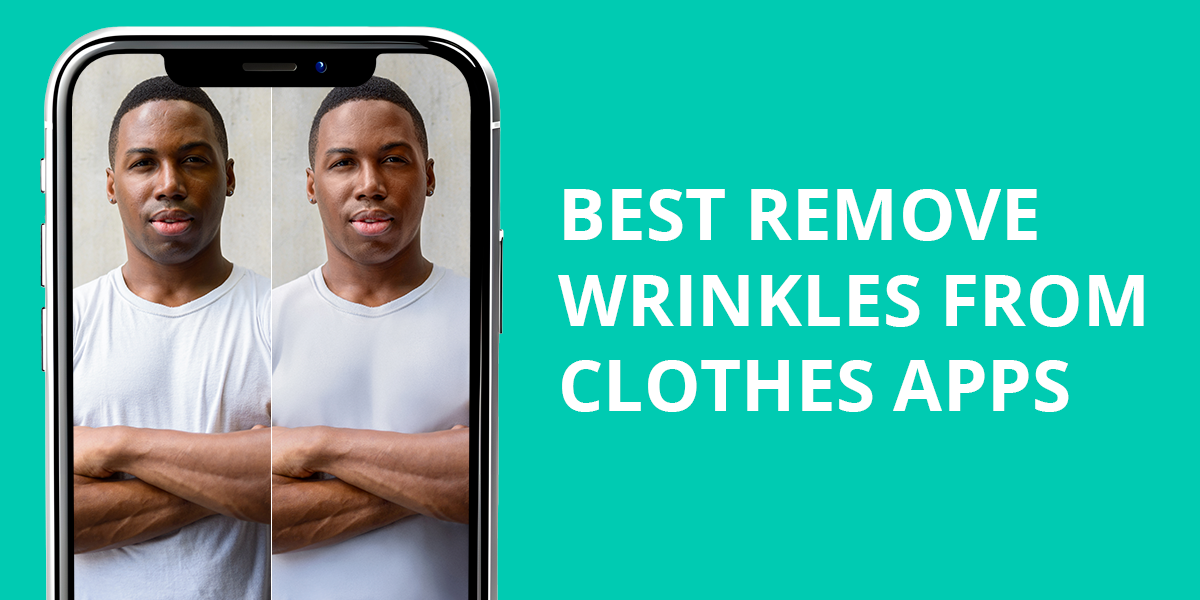
Wrinkles on clothes may significantly worsen the quality of a portrait photo and make it appear less polished. When a shirt, dress, or any other clothing item is creased or has wrinkles, it might have a more disastrous effect than poor lighting.
Fixing these issues might be challenging, especially if you want to make the fabric texture look realistic and avoid blur. There is no need to master a desktop version of Photoshop to solve this issue anymore. Nowadays, you can quickly smooth out clothing in photos using handy image editing apps.
These apps allow you to remove wrinkles from clothes, smooth folds, make skirts look ironed, and enhance outfits in LinkedIn portraits, fashion photos, product listings, or pics for Instagram posts. Some of them come with AI-driven smoothing tools, while others allow users to enhance their images manually to achieve more natural results.
I have tested over 20 apps for those who wonder how to edit wrinkles out of clothes without making their pictures look overly edited and blurry.
No-Iron Wrinkle Removal Hacks
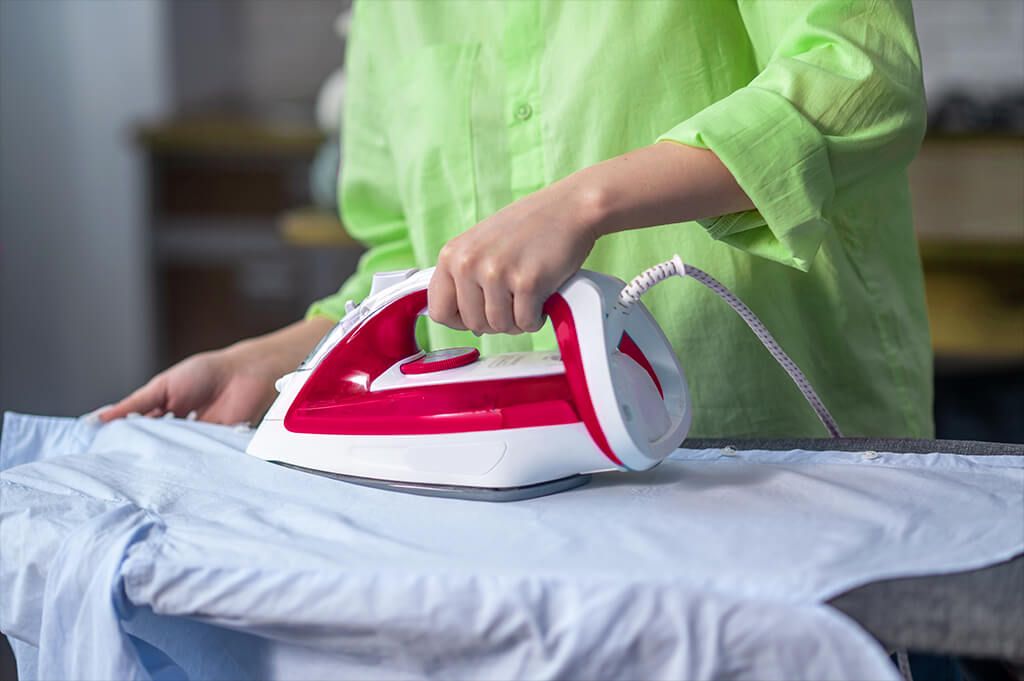
Wardrobe care experts from Real Simple U.S. argue that one can quickly remove clothing wrinkles without ironing their outfits if they choose the most suitable method for each type of fabric.
They have created a detailed guide to emphasize that steaming is the safest and fastest option for those who want to remove wrinkles without affecting their clothes.
Shirts (cotton, office shirts). Spray some water over the wrinkles on shirt, pull the fabric softly, and use a hair dryer to smooth it. This approach is suitable when you don’t have a lot of time to iron your clothes but still want to look neat.
- Advice: Dry your clothes in small sections to ensure that the fabric stays flat and doesn’t get wrinkled again.
Dresses (chiffon, satin, evening wear). Hang your dress in a bathroom full of steam or point a garment steamer at it, holding it from a slight distance. It will allow you to make fabric fibers smoother.
- Advice: Steam your dress from top to bottom and let it hang for 3–5 minutes to achieve a more natural result.
Blazers and jackets (structured clothes). Put the blazer on any surface or hang it on a firm hanger. Use a garment steamer on seams and lapels to make them less wrinkled.
- Advice: Do not iron your clothes. It’s better to use steam and shape the texture with your hands to ensure that there won’t be any shine marks.
T-shirts and casual wear. Put the shirt and a damp towel into a dryer for 8–10 minutes. It will allow you to smooth light fabric wrinkles without any effort.
- Advice: Shake and hang the shirt after taking it out of the dryer. It will ensure that no new creases will appear.
If you don’t want to master any manual editing techniques, the best way to get wrinkles out of clothes is to outsource this task to the experts from WeEdit.Photos team. You just need to upload your photo and describe the result you want to achieve. You may ask the retouchers to reduce wrinkles or create on your dress or shirt without making the fabric texture appear blurry.
1. Photoshop for iPhone
Professional wrinkle removal
- Highly accurate wrinkle editing
- Realistic fabric textures
- Suitable for any clothing type
- Some tools require a subscription
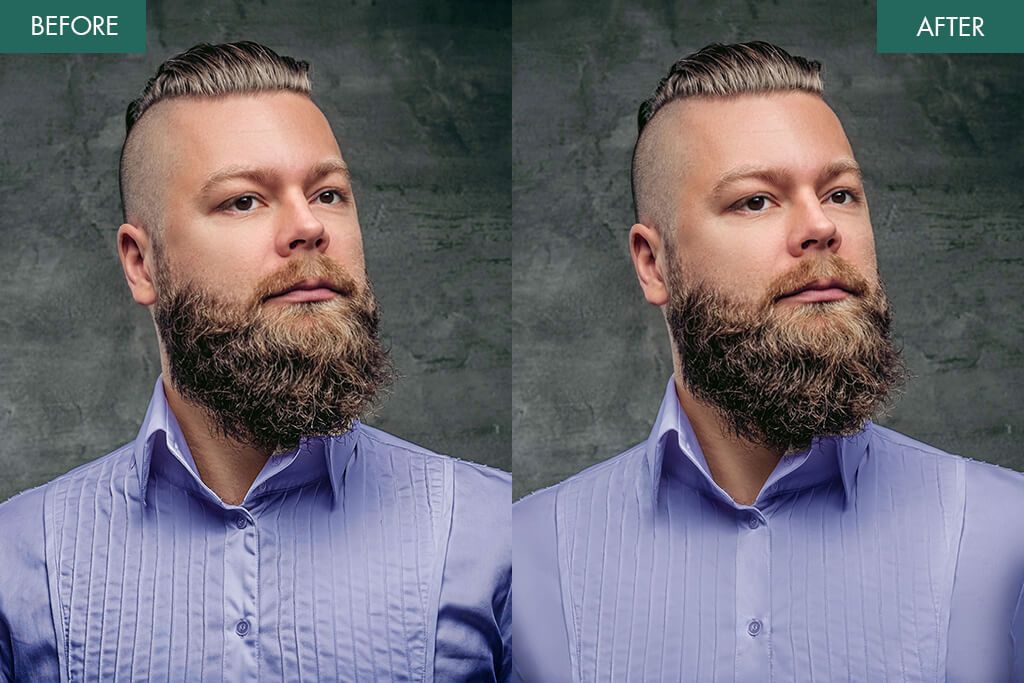
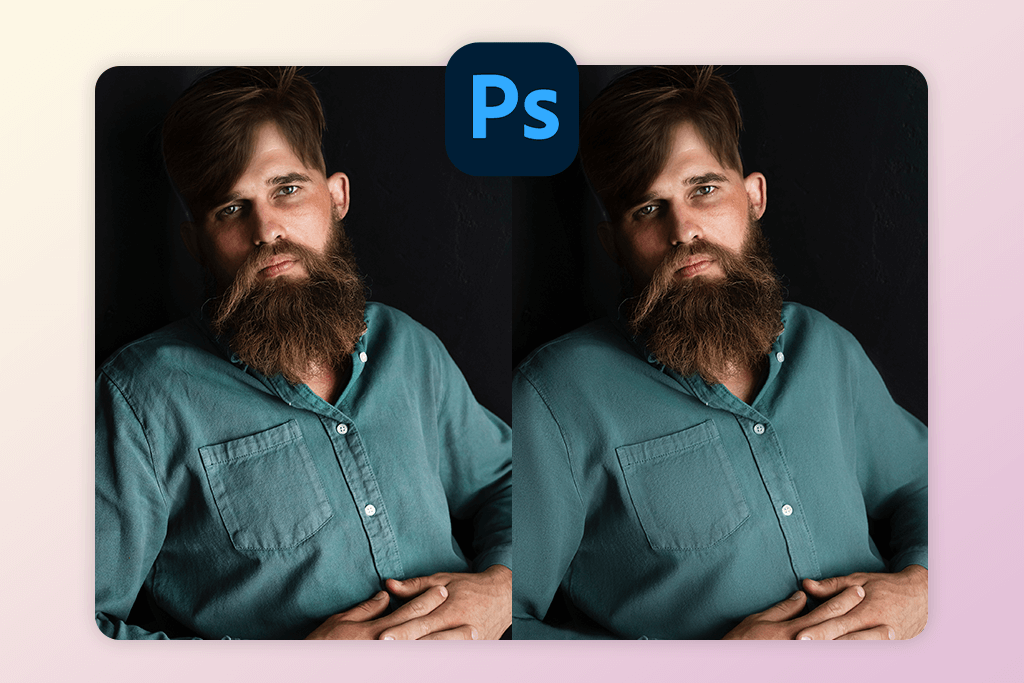
Photoshop for iPhone is the best app to perform clean wrinkle removal and edit your clothes without making them look blurry. Instead of AI filters that often distort fabric, Photoshop allows you to control fabric texture, light, and shape to edit your clothes naturally.
To remove wrinkles from clothes in Photoshop, you can zoom in and eliminate wrinkles when editing shirts, jackets, blazers, and dresses using features like Spot Healing, Clone Stamp, and Smooth.
Photoshop is different from popular mobile filter apps, as it supports layered editing and allows you to retouch wrinkles without distorting the original photo.
In addition, it’s compatible with other free Adobe apps like Lightroom Mobile or Photoshop Camera. You can use them to perform advanced color correction and fix lighting before removing wrinkles.
While it takes longer to edit your photos manually than to use AI tools, you will be pleased with the higher quality of the outputs.
Price: Free basic tools; full tools require an Adobe subscription
Key features:
- Spot Healing tool for removing fabric creases
- Clone Stamp for reconstructing textures
- Layers and masking for smooth wrinkle adjustments
- Edge-aware smoothing for clothing
- Professional output quality
2. Snapseed (iOS & Android)
Free option
- Free and powerful app
- Healing tool
- No watermarks
- No AI wrinkle removal tool
- Manual editing is time-consuming
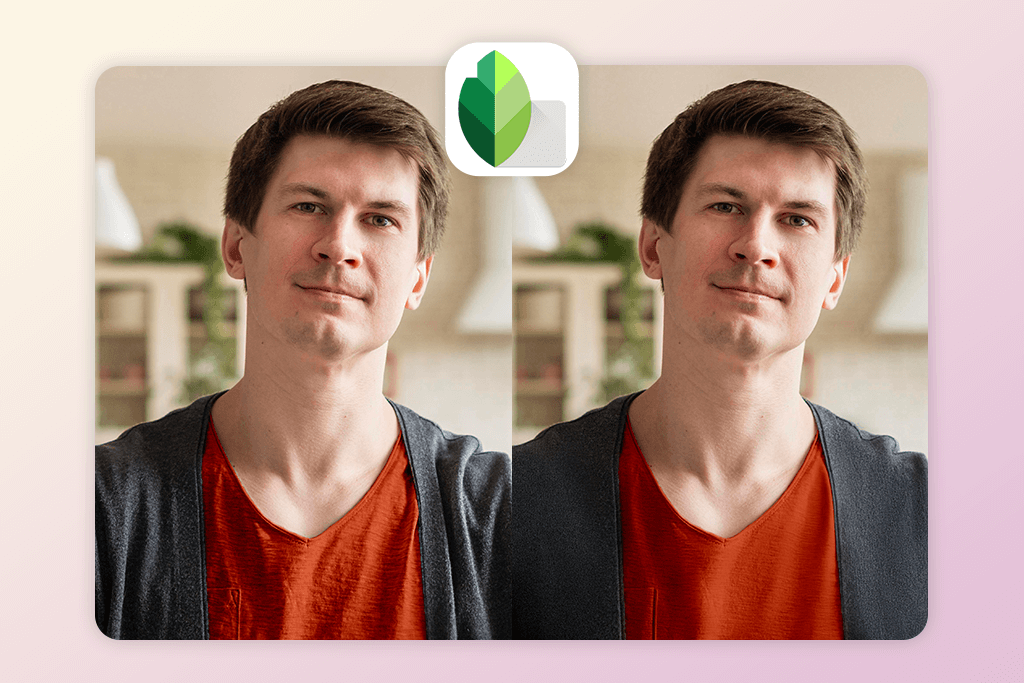
Snapseed comes with a Healing tool that allows you to fix small fabric creases, smooth out shirt folds, and remove imperfections manually. It’s best suited for editing cotton shirts and simple clothing textures with a few small wrinkles.
You can zoom in and tap away wrinkles without adding any excessive blur. The result will look realistic, and your clothing will have an immaculate feel. That’s why this app is used by photographers. It allows one to control their edits manually instead of applying generic-looking filters.
While you won’t be able to use Snapseed to remove deep wrinkles from jackets or strong folds from dresses, it allows you to remove wrinkles from clothes photo online free of charge, making it perfect for casual editing.
Price: Free
Key features:
- Healing tool for removing wrinkles from fabric
- Selective edits for enhancing clothing
- Saves outputs in high-quality JPEG and RAW formats
- Adjustable smoothing without blur
- Professional wrinkle removal on shirts
3. Fix The Photo Body Editor&Tune (iOS & Android)
Wrinkle removal without blur
- Made by professional retouchers
- Keeps fabric texture realistic
- Suitable for any clothing type
- It takes 5–15 min to complete an order
- Requires an internet connection
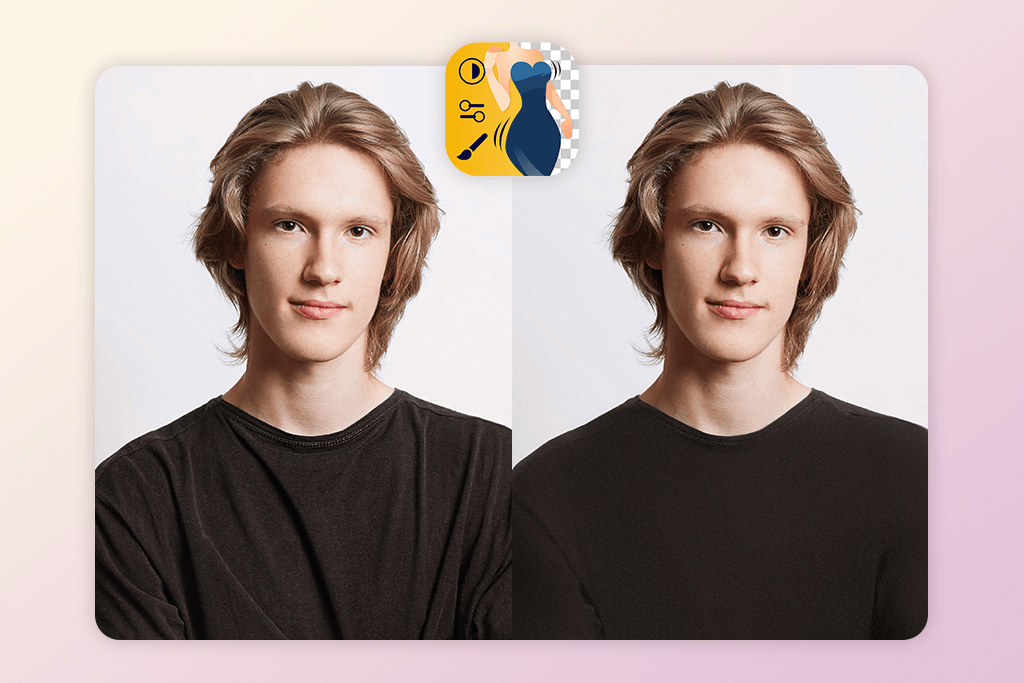
The Fix The Photo Body Editor&Tune app allows one to order manual retouching services and hire professional editors to remove wrinkles from clothing in photos. You just need to upload your photo, choose the option “Remove Clothing Wrinkles,” and describe what issues you need to solve.
For instance, you may ask the editors to smooth shirt folds, make sleeves less wrinkled, fix blazer creases, or perform dress fabric cleanup.
What makes it different from other AI-powered tools is that this app allows you to edit out wrinkles in clothes and keep the fabric texture natural. It’s perfect for enhancing fashion photos, portraits, eCommerce listings, modeling portfolios, and business images. Besides, it’s the top choice among users who want to make their skin cleaner using blemish remover apps https://weedit.photos/best-blemish-remover-app/ (Best Blemish Remover Apps List).
If you don’t have a lot of free time to learn Photoshop, you can achieve professional-level results using this app.
Price: First edit free; $0.99 per photo
Key features:
- Manual wrinkle removal tools
- Realistic fabric smoothing
- Suitable for enhancing suits, shirts, dresses, and jackets
- Fixes stretched fabric or folds
- Tools suitable for retouching clothing, skin, and backgrounds
4. AirBrush (iOS & Android)
Quick clothing smoothing
- Intuitive wrinkle smoothing tool
- Tools for editing portraits and outfits
- Quick results
- It might make pictures blurry
- Not suitable for detailed fabric
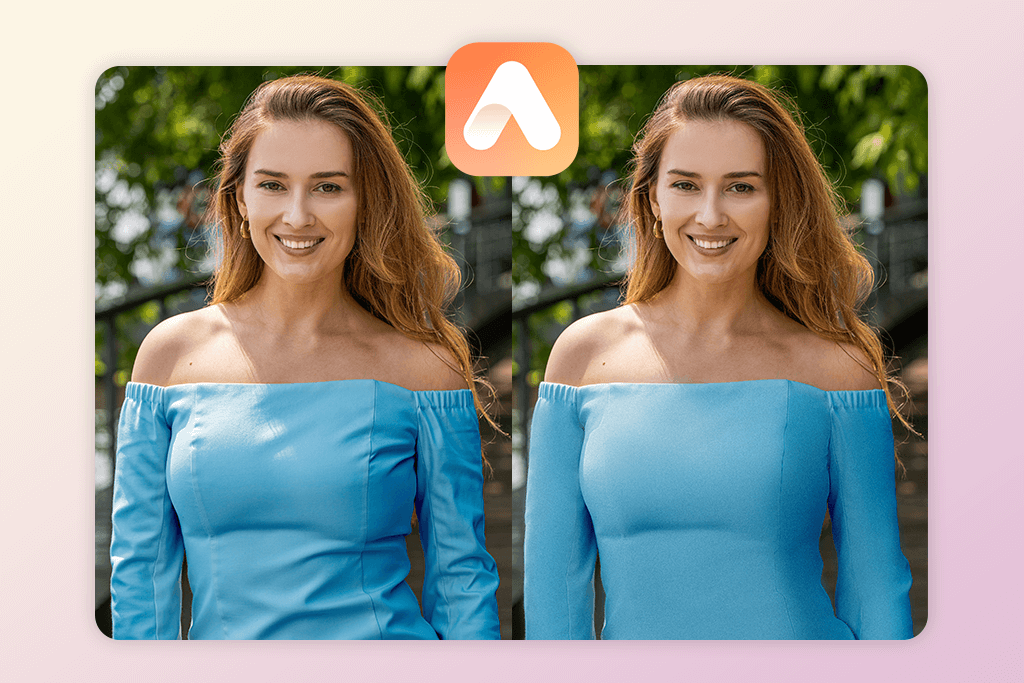
AirBrush is mostly used as a selfie editor, but it also allows one to remove wrinkles from casual photos. The Smooth tool can help one eliminate creases from shirts, dresses, and jackets in a few clicks. You can minimize the intensity of the smoothing effect so that your pictures do not look overly edited.
This app will be the best fit for you if you need to enhance your wrinkled clothes before posting your photos on Instagram, Tinder, or LinkedIn. While it’s not suitable for professional clothing retouching, it’s a great choice for everyday use. It allows one to remove light fabric folds from clothes when editing casual photos. Be sure not to edit the texture too much.
You can also access additional tools to reshape your body, fix lighting issues, remove blemishes, and make the background cleaner. It will allow you to edit your photos professionally without switching to third-party software.
Price: Free basic version; VIP from $6.99
Key features:
- The smoothing tool reduces fabric wrinkles
- The intensity of the effect is easy to customize
- Removes minor cloth imperfections
- Comes with a set of portrait enhancement tools
- Streamlined interface for quick edits
5. PhotoDirector (iOS & Android)
All-in-one remover with AI
- AI wrinkle remover
- Realistic clothing smoothing
- Extra retouching tools
- Requires a sign-up
- Ads in the free version
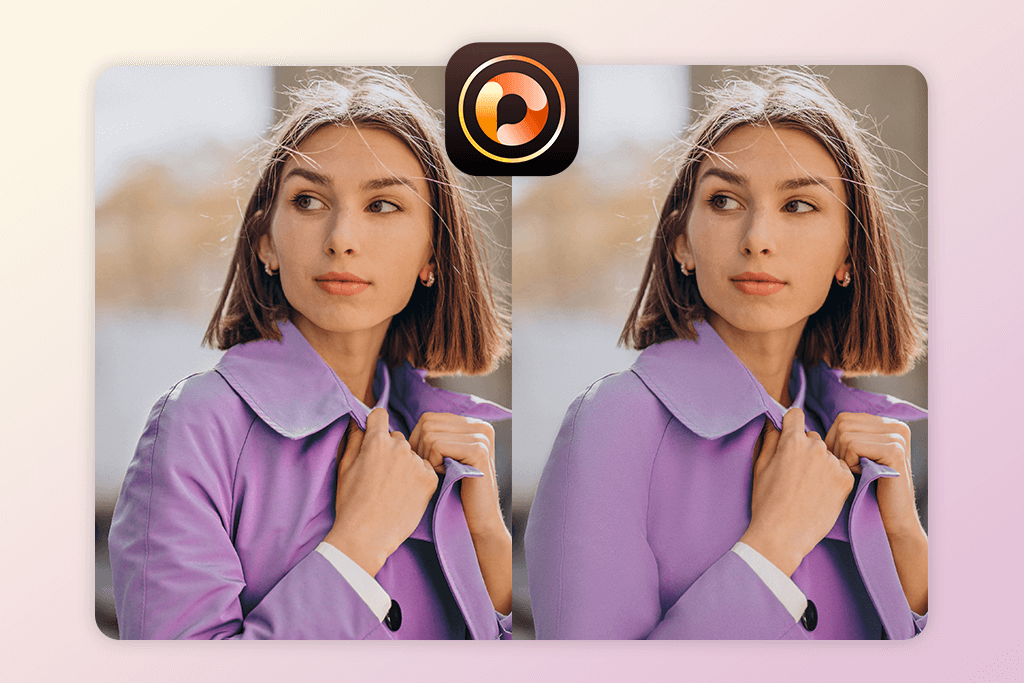
PhotoDirector is one of the best apps to get wrinkles out of clothes, as it comes with a special fabric-smoothing tool. It allows you to remove wrinkles from clothes, make folds on shirts smoother, clean jacket textures, and fix lighting issues to make clothing look better. What makes it different is that it maintains realistic textures instead of adding excessive blur.
This app also comes with handy AI tools that allow one to eliminate spots, remove lint from clothes, and tweak colors. It is perfect for editing product photos, portraits, and fashion pictures.
PhotoDirector can replace Photoshop if you need to remove wrinkles quickly without performing advanced editing tasks. However, if you need to perform advanced edits, for instance, fix noticeable fabric creases and folds, you need to edit your pictures manually.
Price: Free basic tools; Premium from $5.83
Key features:
- AI clothing wrinkle remover
- The smoothing effect that preserves textures
- Background and skin cleanup
- Fabric color correction
- Streamlined interface for fast edits
6. PicsArt (iOS & Android)
Creative editor with manual tools
- AI & manual wrinkle removal
- For enhancing clothes and skin
- Perfect for editing social media photos
- Might leave blur patches
- Watermarks in the free version
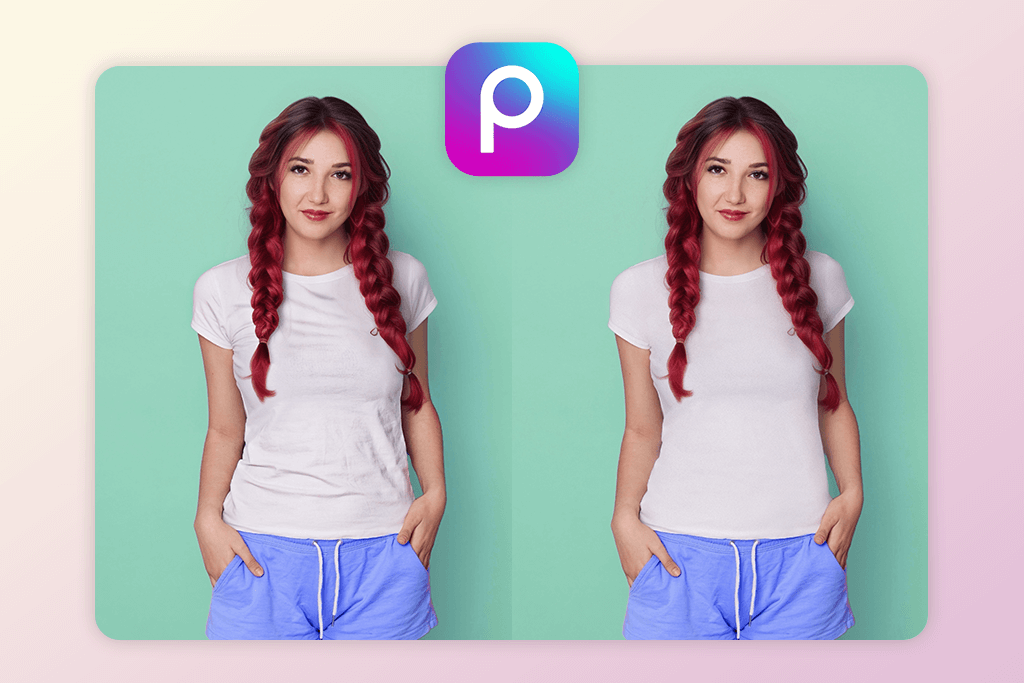
PicsArt offers a great combination for removing wrinkles from clothes: the Remove tool + Smooth brush. It lets you remove fabric folds and shirt wrinkles, as well as smooth out uneven clothing areas. What makes it different is that it allows you to remove wrinkles manually with the help of the Clone and Retouch tools and keep the original texture realistic.
This app to smooth wrinkles also lets you apply a variety of filters and perform color grading. You can use PicsArt together with body editing apps to make you look skinny and give your clothes an immaculate look when editing fashion photos.
Price: Free with watermark; Premium $11.99 per month
Key features:
- Tools for removing folds from clothing
- Smooth and Clone tool for fabric repair
- AI retouch support
- Realistic textures
- Filters and color tools
7. Facetune (iOS & Android)
Tool to smooth clothes in portraits
- Extremely intuitive
- Accurate wrinkle removal
- Suitable for enhancing casual photos
- Limited choice of free tools
- Not for professional retouching
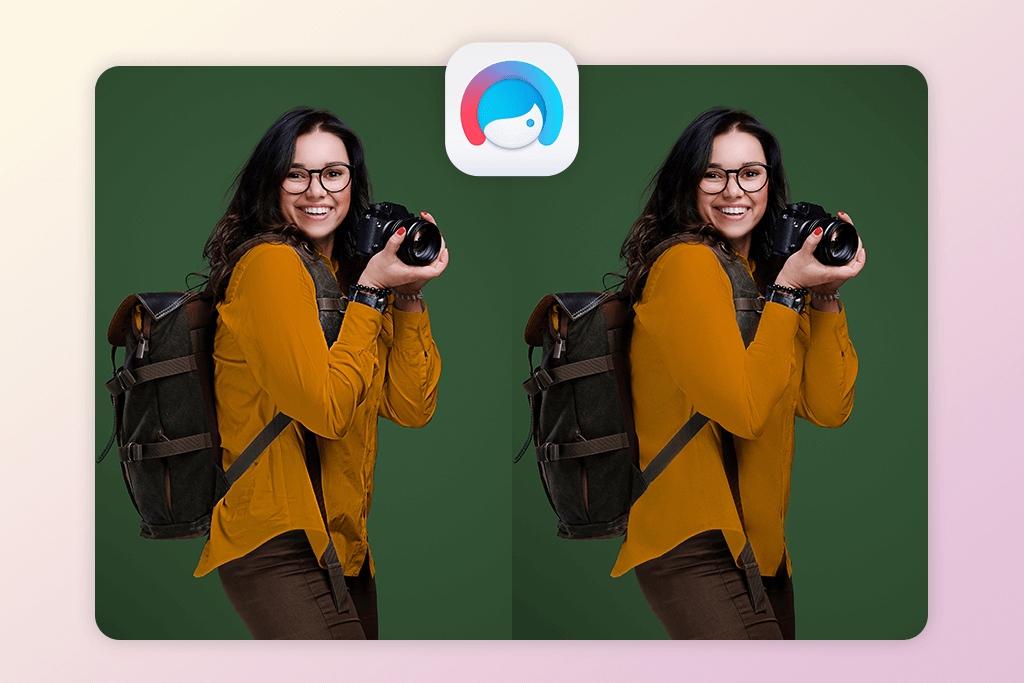
Facetune is the perfect choice for skin retouching tasks, but one can also use it to smooth out wrinkles on clothing when editing portrait photos. You can use the Smooth and Patch tools to remove fabric creases from shirts, enhance wrinkled sleeves, and remove unwanted details when editing selfies and lifestyle photos.
This is especially suitable for content creators and influencers who want to photoshop wrinkles out of clothes quickly before posting their photos online. The Patch tool allows one to repair broken fabric areas using the parts of the shirt or jacket texture. The edits look better if you reduce the intensity of the effect. It will allow you to reduce the plastic effect.
Facetune is hardly the best option for those who want to improve commercial product photos or perform fashion retouching. However, it’s a great solution for casual wrinkle cleanup.
Price: Free trial; $5.99 per month
Key features:
- Perfect tools for making fabric wrinkles smoother
- Patch tool for fixing folds
- Clothing cleanup in portraits
- Fabric texture adjustment tool
- Intuitive interface for quick edits
8. Remini (iOS & Android)
AI enhancement

- Improves fabric quality
- Improves low-quality clothing photos
- Suitable for restoring outfit details
- Fabric may look overly sharp
- More for enhancing portraits
Remini is good for getting rid of wrinkles in shirts and other clothing with AI. While one cannot use it to remove folds from fabric directly, it allows one to enhance fabric texture and sharpness to make wrinkles look less noticeable.
This auto photo enhancer is suitable for enhancing portraits and outfit photos to make them more realistic. You can make fabric texture smoother using Remini and then continue editing your photos using another app like Snapseed or PicsArt to remove wrinkles completely. This thorough approach will allow me to achieve more natural results.
However, in some cases, Remini might emphasize wrinkles too much. To avoid this outcome, one should lower the strength of this effect to unwrinkle clothes. It’s the best option for those who want to clean up their outfits and enhance their photos before publishing them on social media.
Price: Free basic version; Pro from $4.99
Key features:
- AI fabric detail enhancement
- Clothing texture restoration tools
- Suitable for enhancing blurry outfit photos
- Excellent choice for portrait outfits
- Compatible with other editing apps
9. YouCam Perfect (iOS & Android)
Beginner-friendly app
- Quick clothing smoothing
- Suitable for editing everyday photos
- Object and skin retouch tools
- Not for removing complex wrinkles
- AI blur may reduce fabric detail
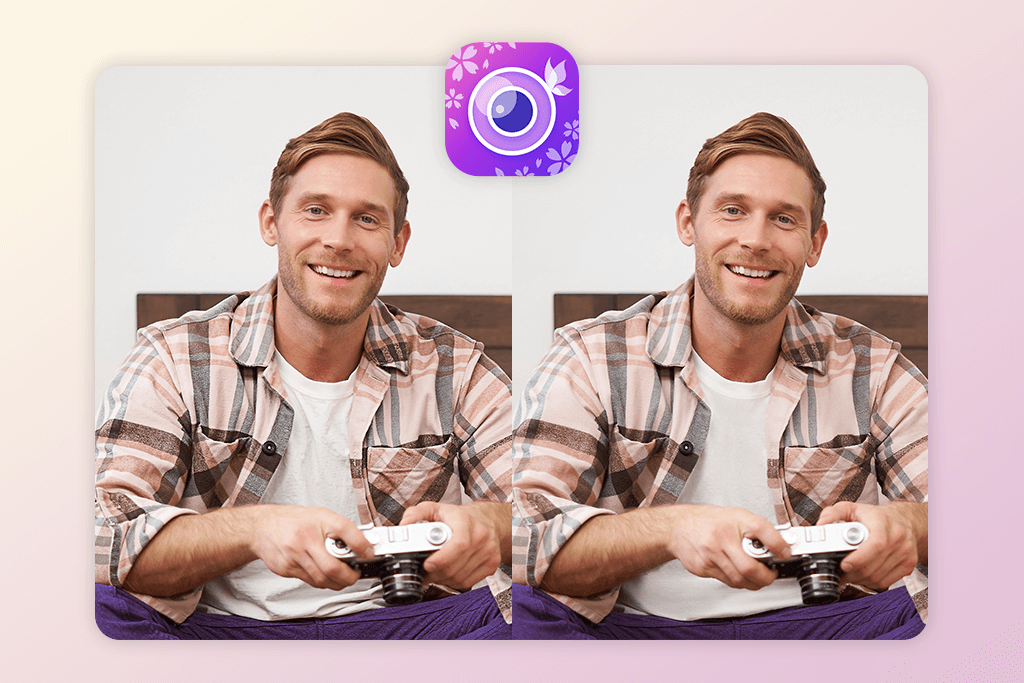
YouCam Perfect is suitable for those who want to quickly remove wrinkles from shirts, T-shirts, or dresses to give them an immaculate look. The brush-based editor is perfect for making clothing smoother without editing the rest of the image.
YouCam will come in handy for those who do not want to master Photoshop or perform advanced editing. It has an in-built Remove tool that allows users to fix fabric defects or lint.
The app is hardly suitable for professional fashion retouching or eCommerce product photos. However, it’s an excellent choice for daily use, as it allows one to make their photos cleaner quickly.
Price: Free with optional premium plan
Key features:
- Clothing wrinkle-smoothing tool
- Brushes for cleaning up fabric
- A tool for removing small distractions
- Fabric-friendly filters
- Suitable for editing mobile portrait photos






