9 Apps to Smooth Skin Which Will Impress You
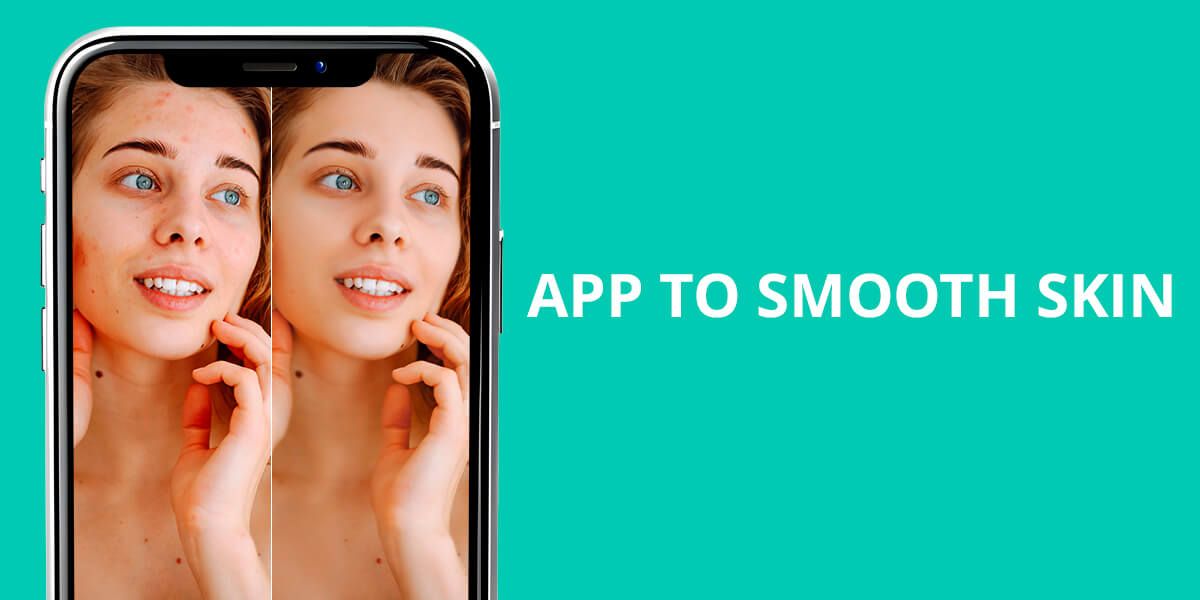
Skin smoothing apps today are smarter than ever. Using AI and facial mapping, they target wrinkles, acne, and uneven skin, but still keep your pores and features looking real. Therefore, you can use the tools for a gentle touch-up, a polished headshot, or Instagram-ready selfies.
Can AI Smooth the Skin Naturally?
An AI-based smooth skin app can improve skin in photos without making it look fake. Advanced tools can “understand” facial features and apply corrections accordingly.
Unlike older filters that blurred everything and created a plastic look, these AI tools make precise changes to remove imperfections and enhance the skin’s natural texture. Such results are possible thanks to:
Smart texture analysis. AI skin-smoothing tools are very precise. Rather than covering everything in a blur, they recognize small details, including pores, fine lines, and natural glow, keeping your face realistic. Thus, you won’t get plastic, airbrushed effects.
The most popular tools are Facetune and Remini. They use deep learning modes, trained on countless portraits to understand what’s part of natural skin and what’s an actual imperfection.
Spot-specific corrections. Instead of covering the entire face with one smooth skin filter, AI focuses on exact problem areas such as acne, dark marks, or red patches. By correcting each detail on its own, it delivers soft, realistic edits that look just like professional retouching.
Customizable intensity levels. When using an application, you can typically adjust the intensify of the effect applied. For example, choose
- Light smoothing if you want a natural selfie.
- Medium smoothing in case you need a professional portrait.
- Strong smoothing if you are after creative and glamorous results.
It is great to be able to control the output.
Real-time video editing. In YouCam Makeup and Snapchat, AI smoothing works live. You can watch your skin look smoother right away during video chats or TikTok videos. It’s an ideal tool for anyone creating content or streaming online.
Old Filters vs. Modern AI Smoothing
Preserves natural pores & detail
Fixes blemishes individually
Adjusts to different lighting conditions
Offer real-time video editing
Delivers high-quality results
❌ No, everything looks flat
❌ No, edits entire area at once
❌ Poor adaptability
❌ Rarely
❌ Fake, over-edited look
✅ Yes, keeps texture
✅ Yes, precise corrections
✅ Intelligent lighting detection
✅ Common in top apps
✅ Natural, professional finish
1. AirBrush
Dedicated acne removal tool
- Task-specific tools
- Real-time previews
- AI-based blemish detection
- User-friendly interface
- No deep professional editing
- Cloud saving is limited
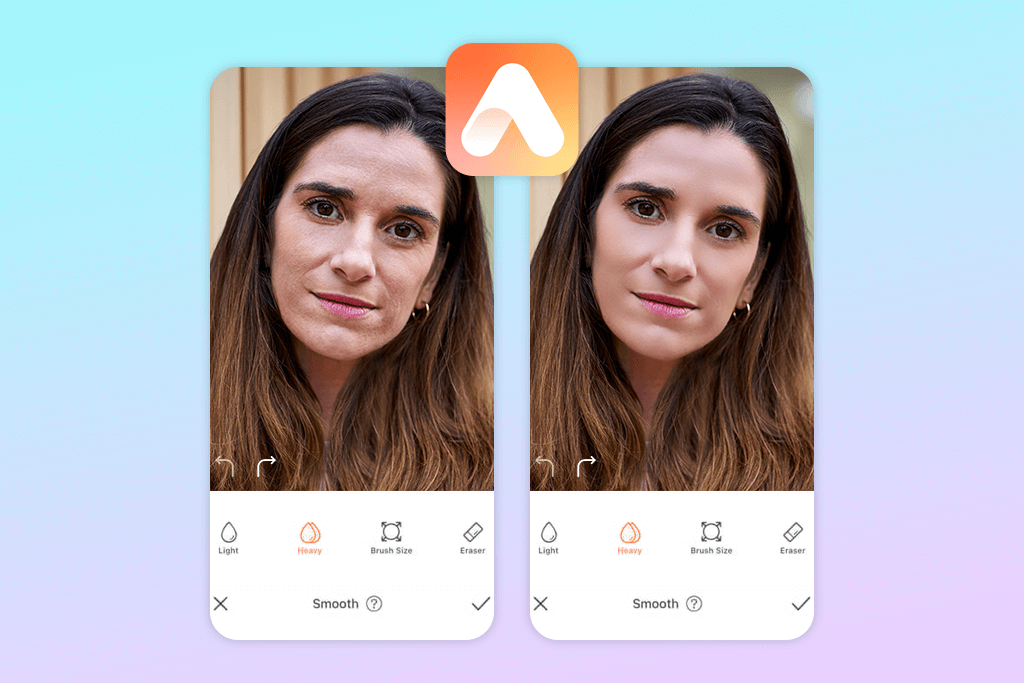
If you want smooth, natural-looking skin, AirBrush has all the right tools. The main one is called Smooth. It helps soften uneven areas but still keeps your skin texture and tiny details clear, so your photos look flawless yet realistic.
The effect strength is adjustable, so you can choose between a light, subtle correction or a glamorous effect. If you need a quick edit, the Acne tool instantly clears pimples and redness while keeping your skin tone natural. Such an approach is ideal for last-minute selfies.
2. Fix The Photo Body Editor&Tune
Manual photo retouching
- Great manual controls
- Makeup and wrinkle removal
- Advanced editing possibilities
- First photo is free
- No automatic filters
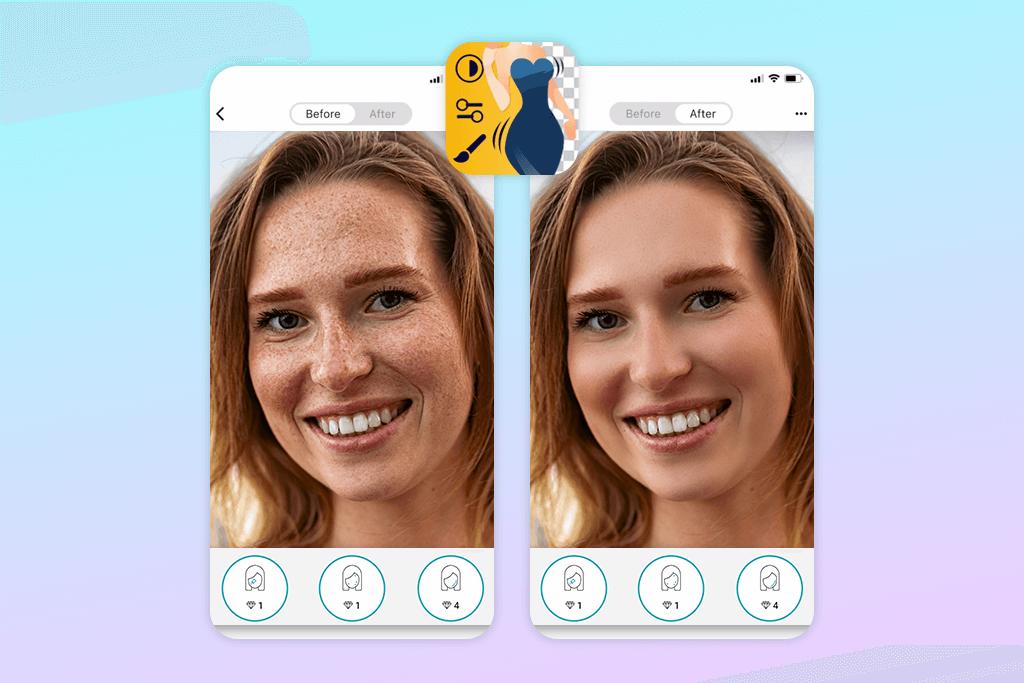
With Fix The Photo Body Editor & Tune, you can easily perfect your portraits and body photos without sacrificing naturalness. This app goes beyond basic skin smoothing filters, offering advanced retouching tools and precise manual adjustments. What’s more, your first photo edit is free.
Packed with tools to enhance your skin and facial details, this blemish remover app focuses on giving you a naturally perfect appearance. Its key highlight is Skin Smoothing. This feature helps you achieve soft, even skin in seconds.
This tool evens out skin tone, softens fine lines, and reduces rough spots without erasing your natural features. Unlike cheap filters, it keeps your skin looking real. You can adjust the intensity of the effect, choosing a gentle fix or a full makeover.
3. Peachy
Offers tone balancing tools
- Simple and flexible
- Handy sliders
- Wrinkle-removal option
- Lifelike results
- Costly premium features
- Advanced editing is limited
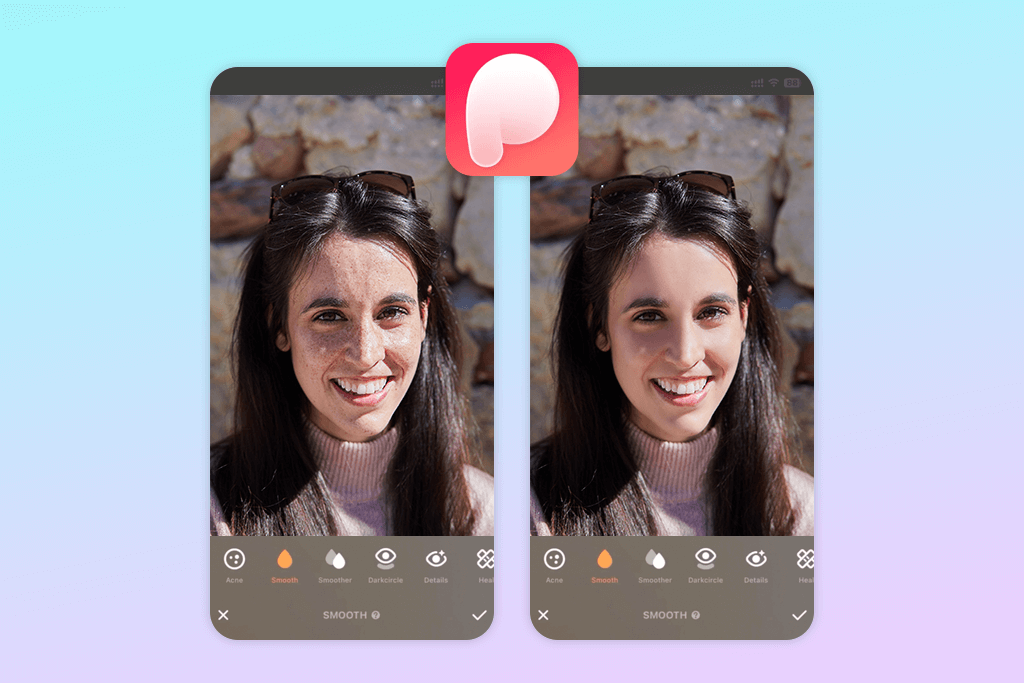
The Smooth tool is one of Peachy’s best features for improving your skin. It softly reduces flaws like bumpy texture, tiny wrinkles, and minor breakouts without erasing your natural features. I also like that users can control how strong the effect is with a simple slider. Thus, your photos will never look fake or too heavily edited.
When you’re doing Instagram photo editing and need pixel-perfect results, Peachy is a great option. The Retouch tool works like a digital eraser for pimples, redness, or scar marks. You simply tap on the spot you want fixed, and it disappears.
This photo smoothing app also has a handy Skin Tone feature that fixes uneven coloring from harsh lights or shadows without you lifting a finger.
4. Facetune
Allows smoothing skin in videos
- Relight features
- Auto corrections
- Video editing
- Tone variations
- Unrealistic results from time to time
- Free features are limited
Facetune’s Smooth tool gently blurs away pores, tiny wrinkles, and minor spots while letting you control the intensity. Whether you prefer a natural vibe or a completely flawless look, you can adjust it to match your style.
When you want to tackle particular blemishes, the Patch tool is a great option. It works like a Healing Brush in professional programs that designers use. Just tap on any acne spot, scar, or redness you want gone, and it disappears while matching your skin perfectly. Thus, you’ll get a beautiful result without going overboard with editing.
Facetune is a top app to smooth skin when it comes to fixing patchy skin tone. The Tone tool lets you correct annoying color differences that appear because of harsh lights. By applying soft color adjustments, you can create a beautifully uniform complexion that radiates across your whole face.
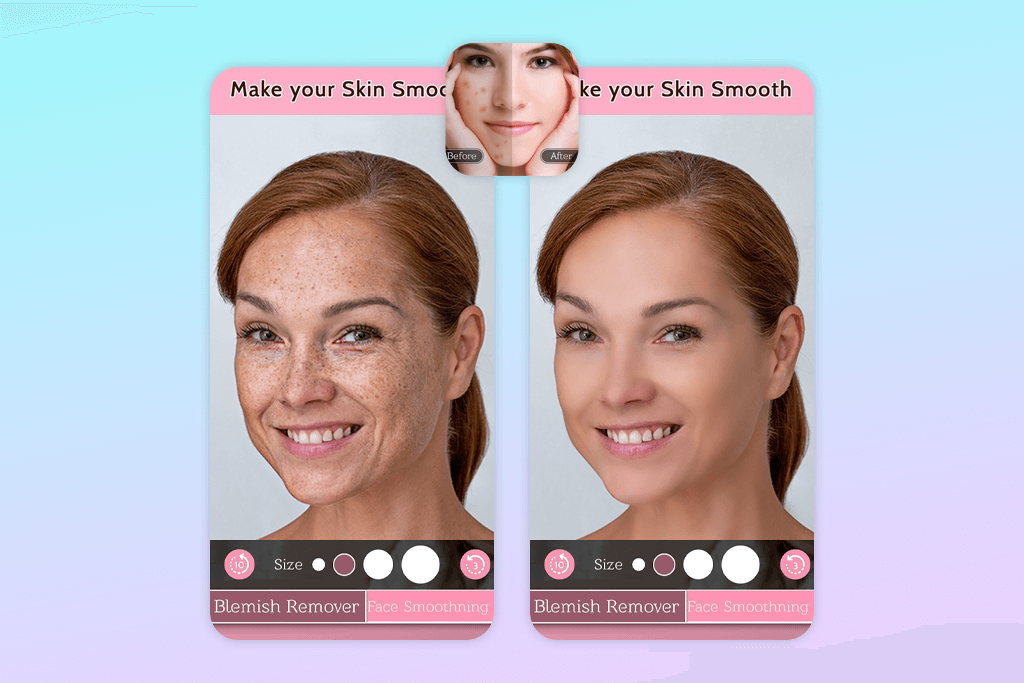
5. Face Blemish Remover – Smooth
Skin smoothing intensity
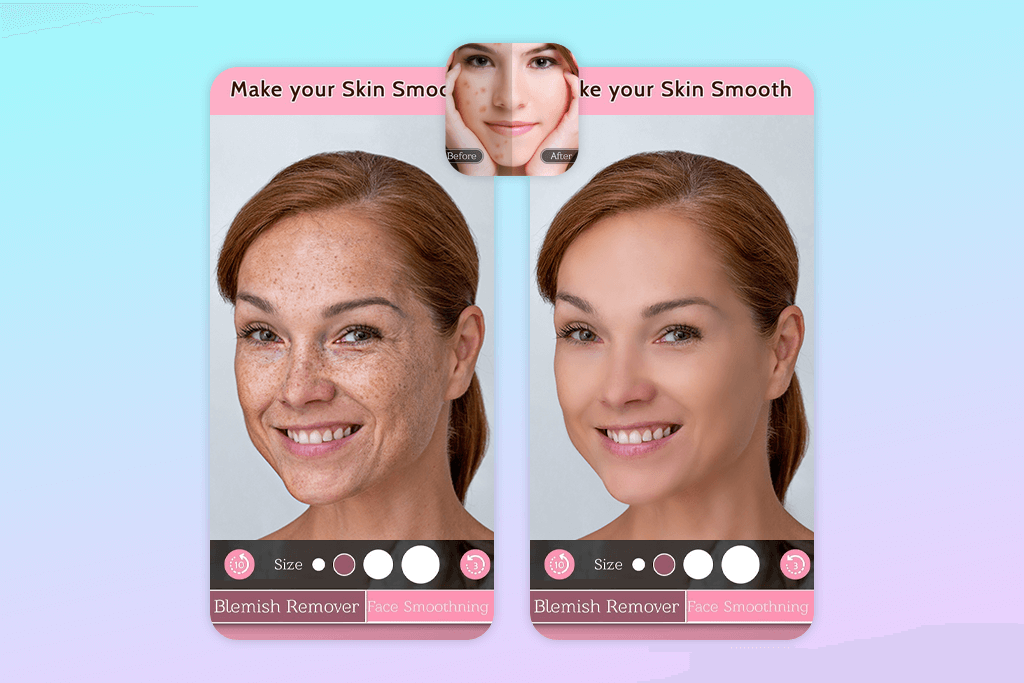
- AI-based face detection
- Makeup correction
- Handles all skin tones
- Preserves skin textures
- Android-compatible only
- Free version with ads
This skin softening app brags about its Blemish Removal tool. The process is easy. You just touch any trouble spot on your photo, e.g., acne, age spots, fine lines, or scars, and it will be removed automatically. This Android photo editor neatly blends the area with the skin around it, so that there are no traces of imperfections.
Face Blemish Remover works differently from typical photo apps. While other editors change your whole picture at once, this one uses Face Detection Technology to zero in on just your skin. Nothing else gets altered. That’s why your photos end up looking naturally enhanced rather than heavily filtered or fake.
Beyond fixing individual blemishes, there’s a powerful Skin Smoothing tool that offers complete skin refinement. It evens out rough, bumpy areas, tones down any redness, and makes fine lines less noticeable. You’ll get the smooth, lit-from-within look everyone wants. I particularly like that users can adjust the intensity of smoothing.
6. FaceApp
Removes tiny skin imperfections
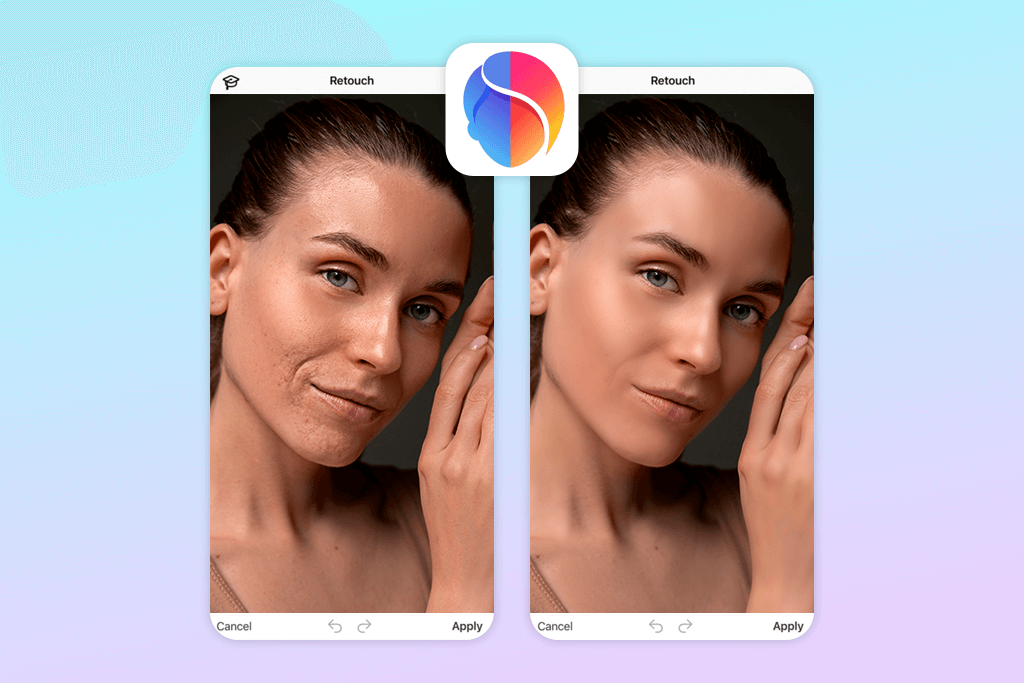
- AI-driven Auto Retouch
- Lifelike results
- Intuitive retouch panel
- Powerful smoothing tools
- Doesn’t work offline
- May be an overkill for some users
FaceApp uses advanced AI technology to create incredibly lifelike edits. It improves your portraits while keeping your natural look intact. That’s why people choose this face smoothing app when they want professional-quality photos without spending hours tweaking settings.
The app has a dedicated Retouch section for perfecting your skin. The Smooth Skin tool is a real selling point. It studies your face carefully, then applies just the right amount of smoothing everywhere it’s needed.
While most apps to unblur pictures just change everything to hide problems, FaceApp’s AI is smarter. It can “tell the difference” between your skin and other parts of your face. This means your natural details, e.g., freckles, pores, and the unique shape of your features, stay right where they belong. You won’t end up with that fake, doll-like appearance that cheap editing apps create.
Want to zap away individual flaws? Make use of the Blemish Removal feature. It works exactly like a spot-healing brush. You simply touch the problem area and it immediately melts into the rest of your skin. This feature is perfect for zoomed-in selfies, where small imperfections suddenly look huge and impossible to ignore.
7. PhotoDirector
Feature-rich app for skin retouching
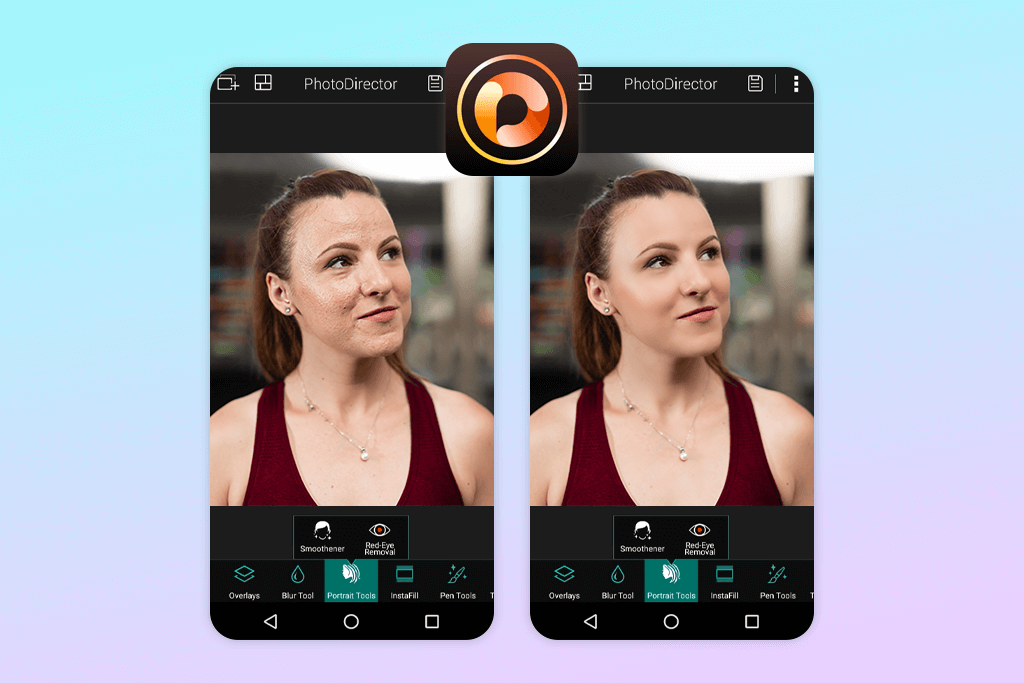
- Many features
- Collection of filters
- Tools to adjust facial contours
- Neat and intuitive interface
- Consumes much storage
- Takes time to master
The Face Retouch toolkit is the highlight of PhotoDirector. Its Skin Smoother tool is impressively smart. It finds your facial skin and smooths it out evenly, tackling rough patches, tiny wrinkles, and uneven tones. But it leaves your eyes, lips, and freckles crisp and clear. While basic face smooth apps just blur everything into mush, this tool uses AI to differentiate skin from other features.
This app photographers use when dealing with skin issues like acne breakouts or scar marks that need special care. The Blemish Removal tool lets you manually touch each problem spot. It clears them away instantly with perfect blending. It’s a simple way to tackle fine details while you stay in complete control of how your photo turns out.
8. PicsArt
Appropriate for beginners and pros
- Auto photo retouching
- Filters, stickers, collage-making
- Active community of users
- Lifelike, polished look
- Too many tools may confuse novices
- Advanced edits are hard to use
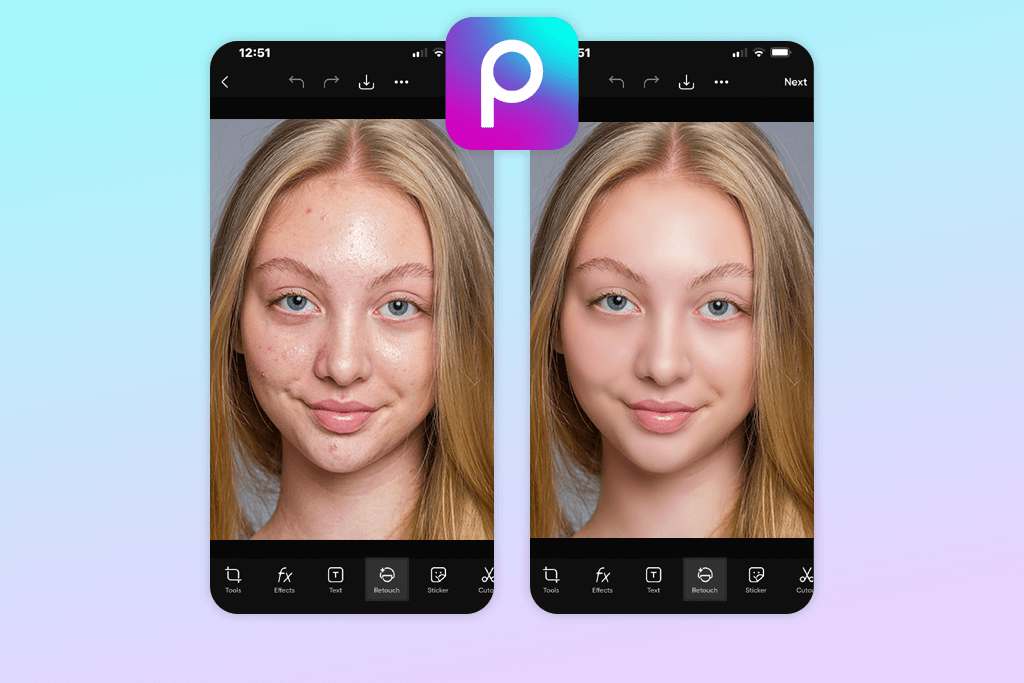
Most users know this Android & iPhone photo editor for fun features, including collages, stickers, and cool filters. But PicsArt has another side. It comes packed with professional tools that help you smooth out skin and enhance every detail in your portrait photos.
It offers users the Retouch feature, loaded with portrait-perfecting tools. The Skin Smoothing tool is popular among many users because it evens out your skin tone naturally. It’s powerful enough to spot your face and smooth away tiny wrinkles, rough patches, and dry spots. But it keeps your natural features like freckles and facial shape, so you still look like you.
9. Meitu
For social media editing
- Integrates with social media
- AI Auto Retouch mode
- Advanced features
- Filters and virtual makeup tools
- Too polished results
- Not very beginner-friendly
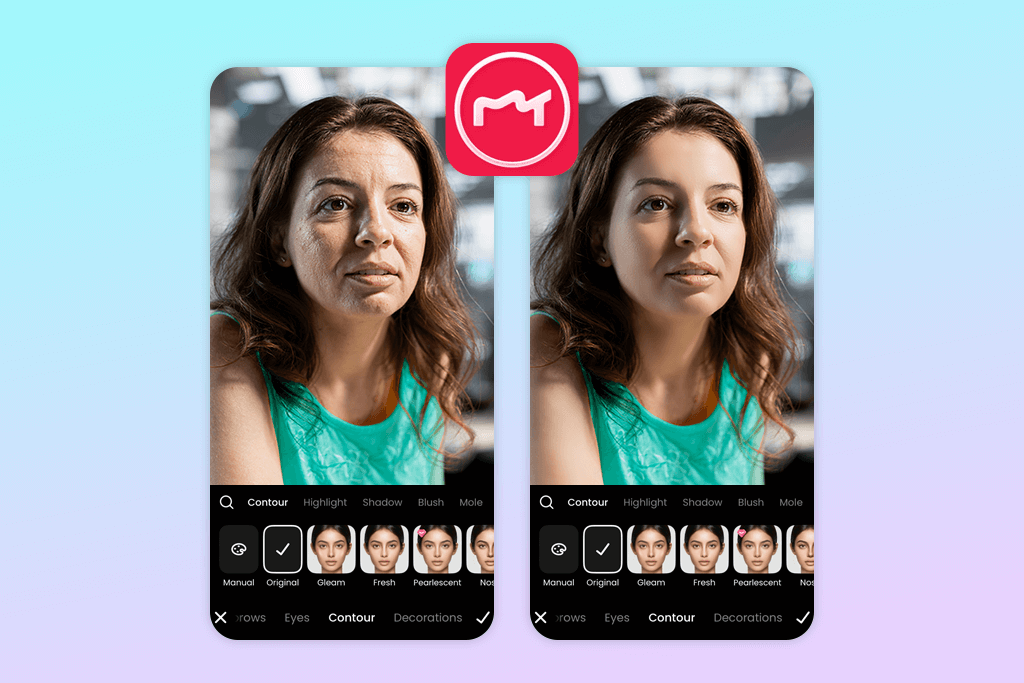
Meitu’s main advantage is its Beauty Retouch collection. This is a set of tools for skin retouching. The Smooth tool is the crowd favorite, as it produces soft, flawless results. This auto photo enhancer finds and analyzes your face and adds just the right amount of smoothing to minimize tiny wrinkles, visible pores, and rough spots. Your skin looks soft and radiant in processed pictures.
I also like the AI Auto Retouch mode. This photo smooth app studies your photo and instantly applies the needed amount of smoothing, color correction, and spot removal. You get professional-looking selfies in seconds without the hassle of adjusting every little detail manually. This method is helpful when you’re in a hurry but still want to look great in images.
FAQ
- Why do people use skin smoothing apps?
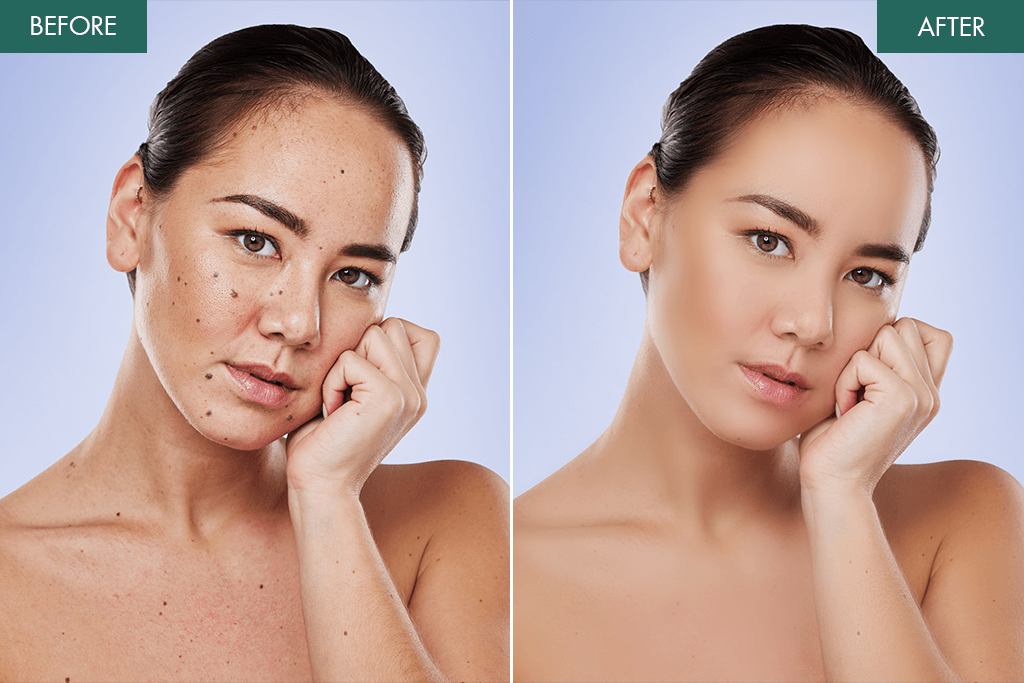
These apps help you look your best in pictures and videos. They gently blur away acne, fine lines, rough patches, and small flaws on your skin. Thus, your face looks fresh and glowing, without hiring a professional editor or learning complicated software.
- Can anyone use skin smoothing apps, no matter their skin color?
Yes. Modern face smoother tools work beautifully on every skin tone and type. They use such smart features as targeted smoothing and AI technology that focuses only on the areas you want to enhance. Your natural skin color and unique texture stay intact. The app just smooths out the rough spots.
- Can I use these apps to erase acne and facial spots?
Yes, that’s exactly what they’re great for. Most clear skin apps include special features to zap away pimples, discoloration, old scars, and tiny flaws on your face. Some even use automatic detection that spots the problem areas for you. The whole process is quick and accurate.
- Will my photos look unrealistic after using these apps?
It all comes down to how much you adjust. A light touch results in a perfect balance. You receive smooth, clear skin that still looks real. But if you crank up the settings too high, you will look like a plastic doll. Fortunately, most smooth photo editor apps let you control the intensity with a simple slider.
- Can I only use skin smoothing apps on selfies?
Not at all. You can improve family portraits, touch up group shots, and even smooth skin in videos. Such advanced tools as Skin Tanner and CapCut take it further, letting you edit full bodies and process entire video clips, so everyone looks amazing from head to toe.
- Do face smoothing tools do more than just smooth your skin?
Yes, many come packed with fun beauty extras. For example, you can add blush, lipstick, longer lashes, whiter teeth, and a perfect glow. This means it is possible to smooth your skin and glam up your entire look in one place.
- Do I have to pay for skin smoothing apps?
Many apps won’t cost you a penny upfront. They offer free versions with solid basic features to smooth and touch up your photos. There are also premium plans that open access to professional-grade tools, crystal-clear image quality, no annoying ads, and unlimited editing. Just peek at the pricing details and try any free trials before committing your cash.