Top 9 AI Video Generators I Tested
Recently, I decided to find the best video AI generator, when I had to create a brief promotional clip for the launch of a new photography app. It needed to be dynamic, contemporary, and easily customizable to meet the requirements of Instagram, YouTube, and the website’s landing page, but I lacked the time to record the necessary footage, edit it, and prepare a script.
Together with my team, we tested 30+ AI video generators to evaluate how good they are. Some options were intuitive and delivered quick results. Others came with more robust functionality that allowed me to generate anything from avatars to animated scenes.
My goal was to find the best AI video generator app that would visualize my idea without requiring a lot of manual work, preferably within an hour.
Can You Tell If a Video Was Made with AI?
As we’re starting to see more and more AI-created videos online, it’s becoming a lot more difficult to discern what is real and what’s artificial. However, if you examine the footage closely, you can tell the difference. Motion seems a bit unnatural, as the characters can walk too fluidly, or their blinking is too rhythmic. Lighting can also feel too cinematic and resemble a dream more than reality.
Facial expressions can also be a bit uncanny. AI characters have a more restricted set of emotions and overly symmetrical faces. Additionally, the camera movement can look suspiciously smooth. Once you start seeing these minor inconsistencies, you’ll get a lot better at recognizing AI-generated content.
However, the best AI video generators, Runway and Luma, are getting very close to imitating realistic footage. Still, if you notice a clip with surreal elements, suspiciously clean transitions, and unachievable camera angles, it was likely done by AI.
1. Runway – For Eye-Catching Scenes

- Fantastic for motion accents
- Produces clean visuals
- Adds motion to static pictures
- Customizable camera movement
- Not a lot of credits to use
- Usually requires multiple attempts
I used Runway to create the first scene of the teaser, featuring surreal lighting, moving abstract elements, and fluid camera motion. I leveraged this tool to create dynamic, abstract scenery without having even to touch my camera.
It’s great at generating footage based on your prompts, but the main reason why I consider it the best AI animation video generator is the customization options.
The Gen-3 Alpha model allowed me to adjust the style, motion, and atmosphere of every frame. I simply described the desired mood, and the AI took care of the rest. Runway also offers an Act One tool that enables me to capture real-life movements and map them onto AI characters, which can have a lot of use cases.
This solution is as close to a full-fledged video editor with AI functionality as possible. While it’s not a great option for realistic videos, you can use this AI clip maker for stylized, artistic projects.
2. Adobe Firefly – For Motion Accents
- Allows commercial use
- Adjustable aspect ratio
- Converts text or pictures to video
- Lacks advanced video editing features
- Better used as an assistant
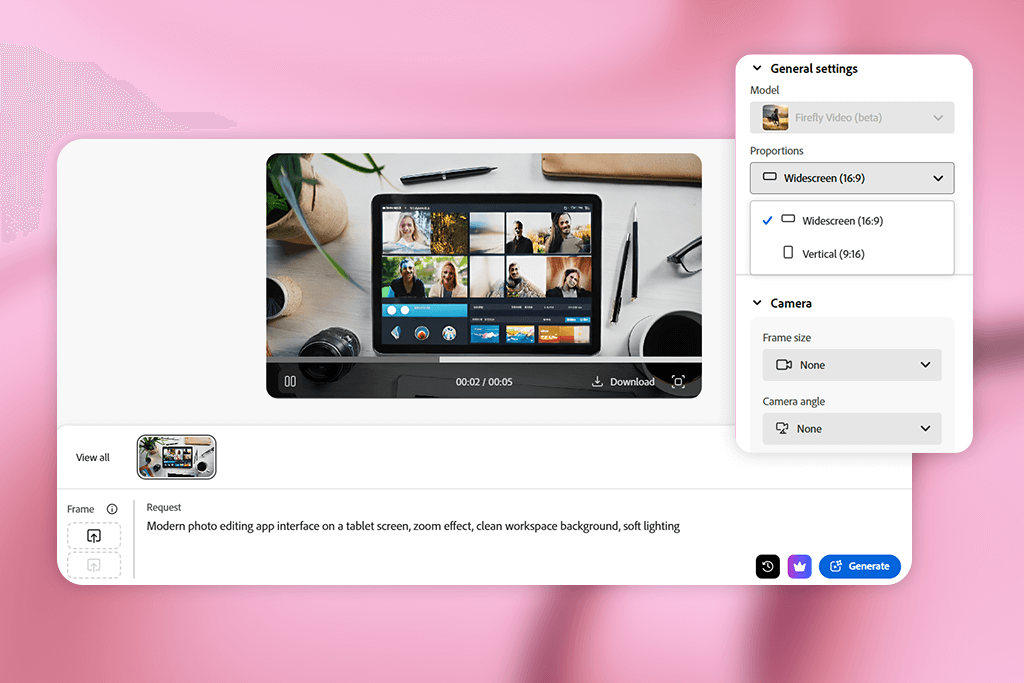
The newest version of Adobe Firefly cemented it as the best AI text-to-video generator when it comes to stylish motion accents and various UI-focused projects.
It allowed me to generate abstract backdrops, smooth transitions, and subtle motion effects, including particles and flares. I typed in such prompts as “vibrant minimalistic studio with photography equipment” and “descending dust specs in golden hour lighting” to use in-between key scenes.
I also got a lot of use from its image-to-video functionality. I imported UI mockups and applied zoom and panning to make them more engaging without having to use dedicated animation software. Videos generated in this free Adobe app can be conveniently opened in Premiere, which helped streamline my workflow even further.
3. InVideo AI – For Quick Social-Style Videos
- Superfast script to video generation
- Convenient editing via text prompts
- AI voiceovers and stock footage
- Output can look generic if not edited
- UI might feel unintuitive at the start
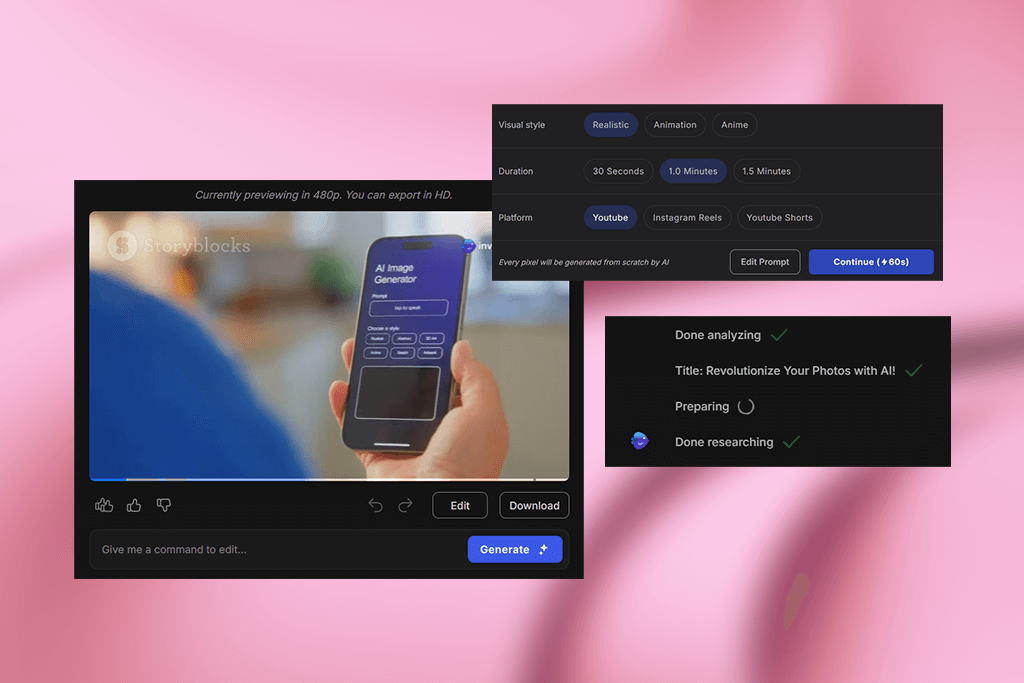
InVideo AI is arguably the best AI TikTok video generator when it comes to speed. I created a portrait-oriented promotional clip with transitions, background music, and VA in less than 10 minutes. I prepared a brief script that goes over the available features, picked a style, and InVideo AI arranged the stock footage, voiceovers, music, and transitions without any effort on my part.
I was pleasantly surprised by the speed with which all the elements were assembled. Its free video editor is straightforward, and if I were unhappy with certain elements, I could replace clips or change them with prompts like “add upbeat music” or “turn the background to nighttime.” This option isn’t designed for high-end projects, but it’s perfect for social media content.
4. Descript – For Cutting Talking-Head Videos
- Edit sound and video like a document
- Transcription and trimming features
- Great for brief clips and reels
- Lacks a lot of video editing tools
- Transcription can skip words
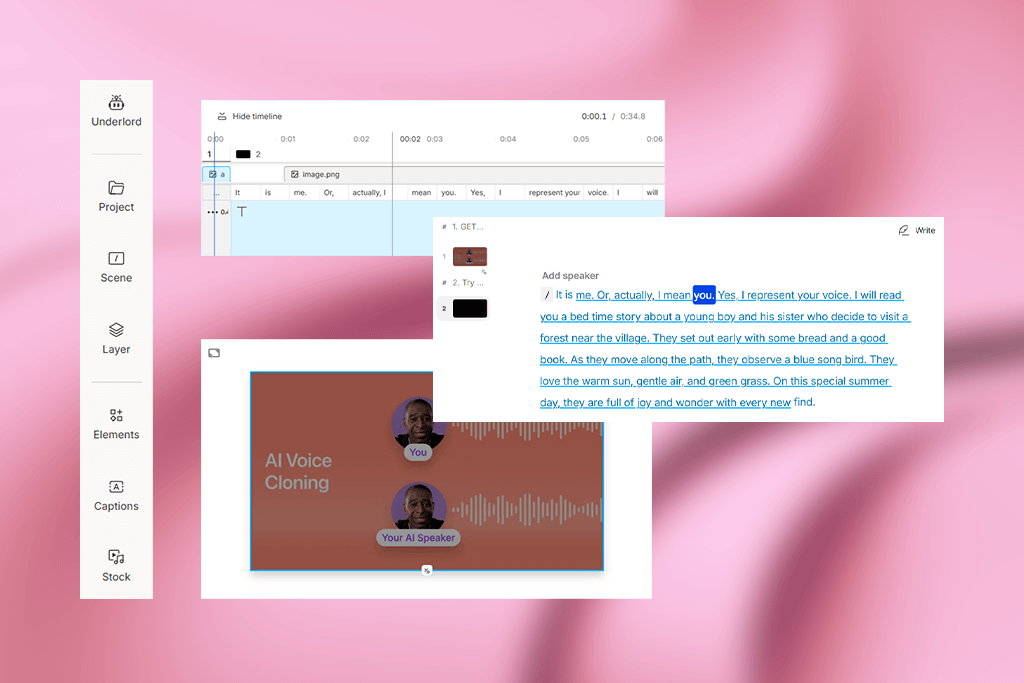
I often heard Descript mentioned among the best AI music video generators, so I decided to use it for my voiceovers and have it clean up and trim the sound. It transcribed my voice, allowing me to delete unnecessary text while the AI automatically changed the audio track to match it.
This solution is extremely quick at producing results, and I leveraged its functionality to export separate lines and save them as catchy social quotes. Descript can’t create visuals from scratch, but if you’re working with an existing script or recording, it’s a great AI voice cloning software for polishing them.
5. Luma Dream Machine – For Cinematic Realism
- Impressive and highly realistic results
- Great at handling cinematic motion
- Good results processing simple inputs
- May require a lot of processing time
- Often creates unusable clips
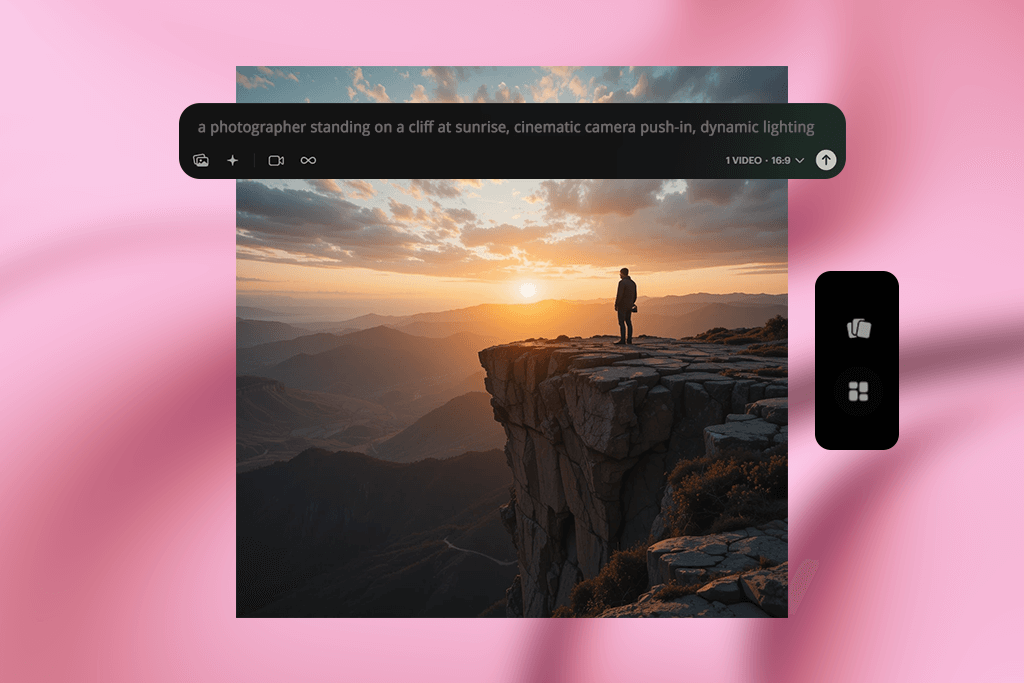
Luma’s Dream Machine might be the best AI image-to-video generator I’ve used, as it helped me transform a simple image of a person in front of a scenic view into an engaging, dynamic shot. The result looks cinematic, and has terrific lighting, smooth movement, and professional transitions.
It doesn’t demand lengthy, intricate prompts. Even a simple concept is masterfully interpreted by the AI and results in fluid motion that follows realistic physics and offers captivating visuals. Creating some footage took quite a bit of time, but the results surpassed what I got from alternative solutions.
6. Sora – For Cinematic First Impressions

- Fantastic image quality
- Prompt-based and storyboard mode
- Highly cinematic results
- Restricted to US users
- Short time & watermarks in cheap plan
The inviting, relaxing opening sequence with trees, sunlight, and a smooth upward tilt was generated via Sora’s cinematic prompt tool. I relied on this platform to create the opening scene for my video, and it instantly established the desired atmosphere.
I wrote a prompt along the lines of “sun shining through tree branches with gradual camera tilt” to set a serene, uplifting mood. Sora needed only a couple of seconds to receive a result that would look good even in a trailer.
What makes it the best AI video generator is the free storyboarding feature that allows you to generate entire sequences in scenes instead of individual shots. This is essential for maintaining a cohesive visual style across the entire video.
Sora has its flaws, as it struggles to generate realistic human motion, but when it comes to eye-catching product visuals and dreamscape aesthetics, it’s the best tool for the job.
7. Synthesia – For Explaining Features Without a Face
- Convenient script-to-avatar approach
- Diverse voice and language selection
- Saves time on recording
- Motion doesn’t always look realistic
- Small range of visual options
- Poor choice for large-screen projects
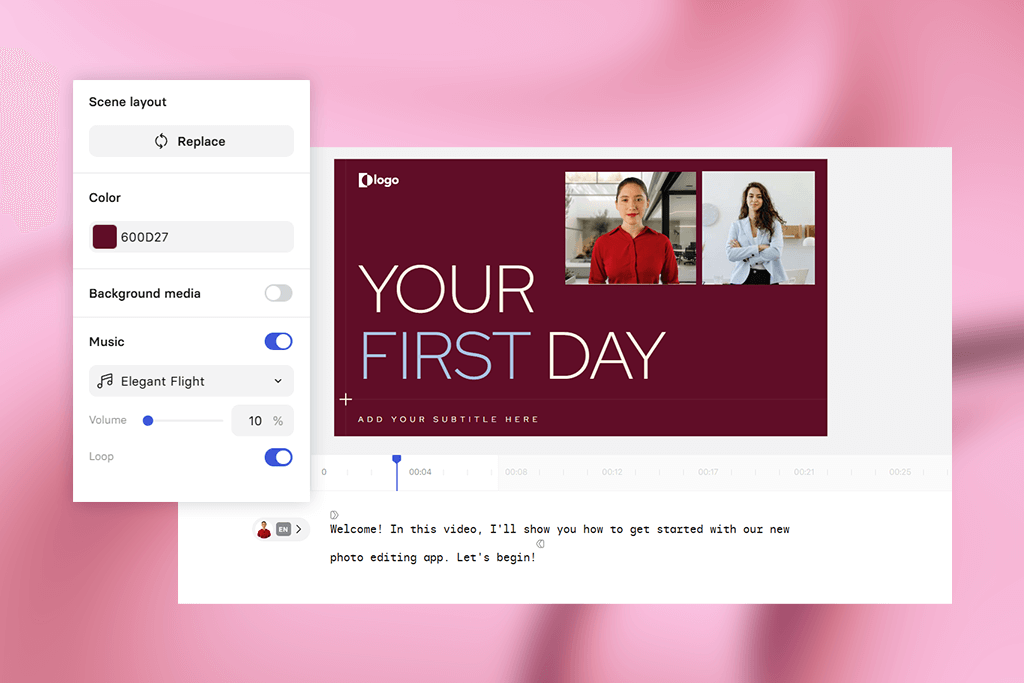
Synthesia is the best AI video generator with human avatar creation support, as it allowed me to go over the application’s features without showing my face on screen. The generated voice sounded pleasantly natural, and the avatar itself looked polished and eye-catching.
Using this generative AI tool feels surprisingly intuitive – enter your script, pick a presenter avatar, and wait for the result. It’s particularly well-suited for onboarding videos and web-based explainers. The motion can seem a bit robotic, but that’s not an issue for simple sidebar clips or app demo promos.
8. Vyond – For Animated Explainer Scenes
- Instant animated characters and scenes
- Perfect for explainers and tutorials
- Motion and audio customization
- Small range of visual style options
- Subpar for serious cinematic projects
- Output requires trimming
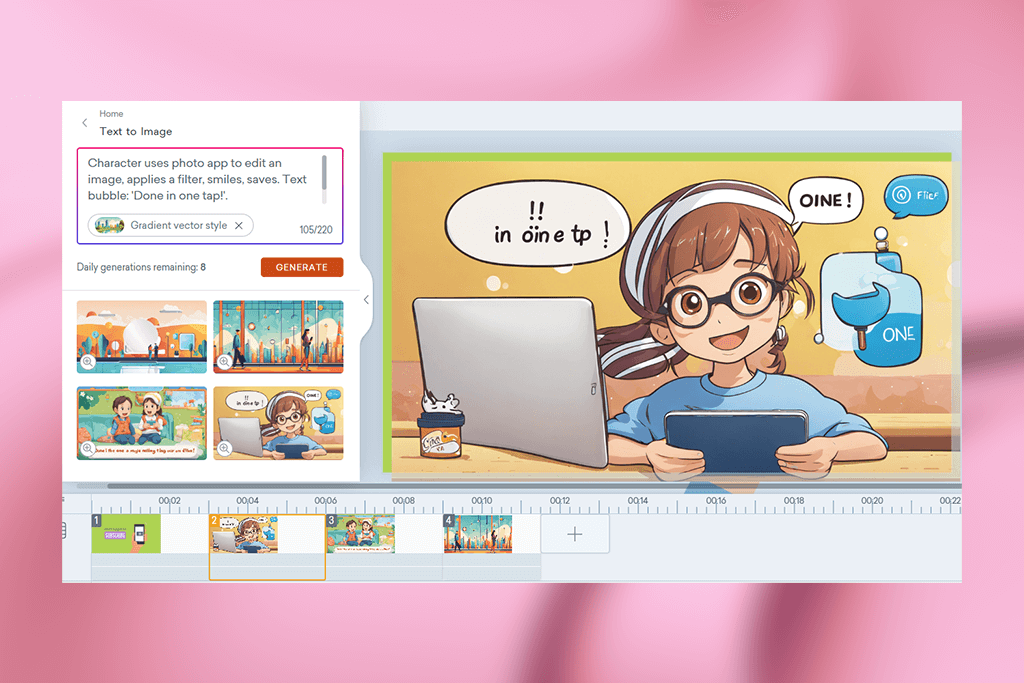
Vyond is the best AI cartoon video generator that can easily create a character interacting with the presented photo app. It only took one prompt to generate a character, background, and script that felt polished and professional.
It might be a niche use case, but it’s a great option if you’re not interested in live-action footage. The provided animation functionality is versatile and creating a scene with speech bubbles and voiceover only required a couple of minutes.
While your creative freedom is very limited, at least you can rest assured you’ll receive quick, polished results. Vyond should be near the top of your list if you’re interested in producing light-hearted, entertaining, or instructional content with a casual tone.
9. Revid AI – For Remixing Content
- Wide range of creative use scenarios
- Text and captions to video conversion
- Quick remixing
- Cumbersome UI
- Result need to be examined quickly
- Visual quality varies
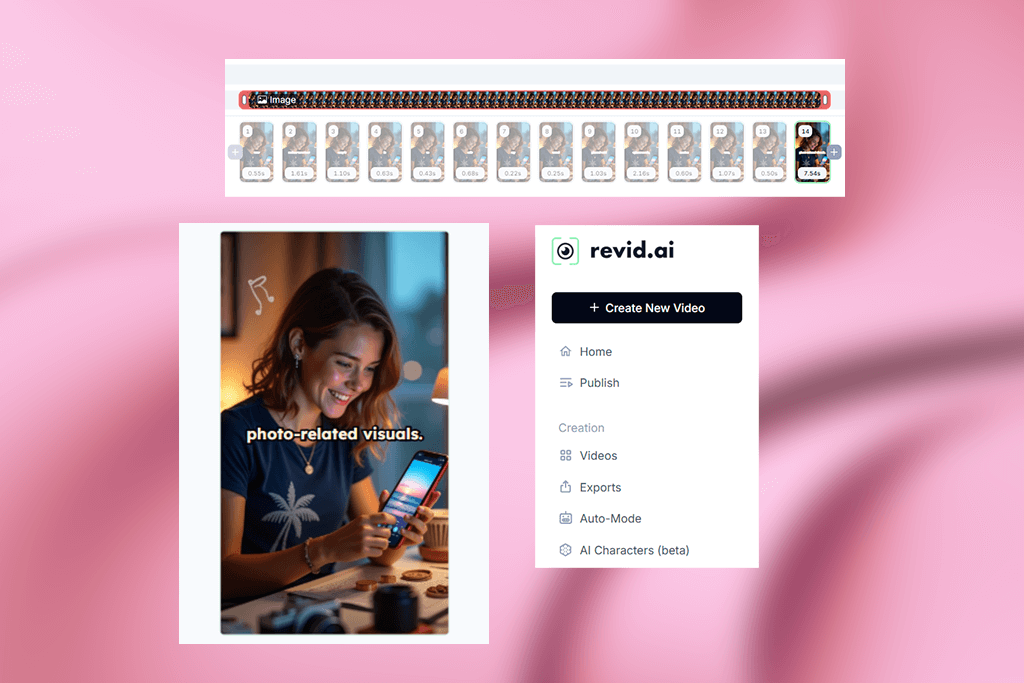
Revid AI is one of the best AI video generators for YouTube and TikTok, as it streamlines the process of transforming notes and script text into online-ready videos.
For my photo app project, I converted a basic user review and a tutorial post into engaging TikTok videos with captions, movement, and background music. This allowed me to make even simple ideas a lot more eye-catching.
The UI takes some time getting used to and the quality of the output is heavily influenced by the template you pick. However, if all you need is turning basic content into captivating social media clips, Revid AI has you covered.
How We Tested AI Video Generators
Having to quickly produce videos to meet tight deadlines made me want to find out what the best AI video generator is out there. Together with my team, I was looking for options that would speed up my workflow without making me compromise on quality, so I checked what I could get from the most widely used solutions.
Actual AI integration. All options featured above smartly leverage AI instead of simply applying a generic template with an “AI” label. It can be text-to-video conversion, automated edits, or motion graphics – but you’re always taking advantage of cutting-edge technology.
Quality of output. The quality of the visuals is paramount, which is why I prioritized AI video generators that offer crisp, clean footage that is suitable for social media and professional presentations. I didn’t include any platforms that deliver pixelated, janky, or amateur-looking videos.
Intuitive but pro-suitable. Our testing process revealed platforms that are great for beginners, while others provide more in-depth customization options, which I also need for more complex projects. I included AI video generators of both types to make it easier for you to find what you need.
Unique features. Lastly, I prioritized solutions that have the “It” factor. It can be a creative way to generate avatars, a streamlined and intuitive UI, or a smart feature that you won’t find anywhere else. If a platform dealt with an actual issue or inspired me with new ideas, I added it to my list.
The world of AI-generated videos has gone through dramatic changes in the last year. I reviewed both upgraded industry leaders and new tools, generating scenes from templates and importing my personalized assets to check how well the platform could handle different tasks.






